
Austin IT Automation: Five Processes Small Businesses Can Automate
Automation isn’t just for big companies anymore. For small businesses, it’s one of the most practical ways to get more done, cut down on mistakes, and let your team focus on work that actually moves the needle.
A lot of business owners hear “automation” and picture some massive software overhaul that costs a fortune and takes months. It doesn’t have to be that way. The best place to start is much simpler than most people think. Pick a few core processes that eat up time every day, automate those, and the returns show up fast.
If you’re already looking at IT services, managed IT support, or consulting, Austin IT automation is one of the first areas worth reviewing. A smart approach can clean up your operations without adding more complexity to the mix.
Table of Contents
Why Small Businesses Should Start with Process Automation

Most small businesses still run a surprising amount of repetitive manual work across customer communication, internal approvals, billing, and system maintenance. These tasks feel manageable when you’re small, but they pile up. Over time, they create bottlenecks, push up labor costs, and leave too much room for human error.
Automation standardizes routine work so it gets done faster and more consistently. It also gives you better visibility. Instead of wondering whether a task got completed, managers can track workflows and deal with exceptions rather than babysitting every step.
For small businesses, that means:
- Better productivity
- Fewer avoidable errors
- Faster response times
- More consistent customer experiences
- Stronger security and accountability
- Better use of staff time
The trick is knowing where to start.
1. Employee Onboarding and Offboarding

This is one of the first things to automate, and most businesses put it off way too long. Onboarding and offboarding affect security, compliance, productivity, and the new hire experience, but they’re still handled manually at a lot of companies through emails, spreadsheets, or last-minute scrambles.
When onboarding is inconsistent, new hires show up on day one without the right accounts, devices, permissions, or software. When offboarding gets missed or delayed, former employees keep access to business systems. Neither situation is good.
Automation can standardize steps like:
- Creating user accounts
- Assigning software licenses
- Granting role-based access
- Setting up email and devices
- Disabling accounts during offboarding
- Recovering company data and access rights
This is a strong starting point because it improves both efficiency and security immediately.
2. Invoice Processing and Payment Reminders

Cash flow matters in every small business, and manual billing slows it down. If invoicing depends on someone remembering to generate bills, follow up on due dates, and track payment status by hand, delays are almost guaranteed.
Automating invoice creation and payment reminders helps businesses get paid faster and takes repetitive admin work off your staff’s plate. It also makes your billing process look more professional and consistent to customers.
Areas worth automating include:
- Recurring invoice generation
- Payment due reminders
- Past-due notices
- Payment confirmation emails
- Basic reporting for outstanding balances
This won’t replace accounting oversight, but it does eliminate a lot of busy work that pulls employees away from more meaningful tasks.
3. Help Desk Requests and Internal IT Support

Small businesses lose a lot of time when employees don’t have a clear way to report technical issues, or when IT requests get handled through casual emails and hallway conversations. Problems get buried in inboxes, delayed, or forgotten entirely. That kills productivity and frustrates everyone involved.
Automating help desk intake and response workflows makes internal support more organized and manageable. Even businesses without a full in-house IT team benefit from a structured system, especially when working with a managed IT provider.
A basic support automation setup might include:
- Ticket creation from email or portal submissions
- Automatic routing based on issue type
- Priority assignment
- Status updates for users
- Escalation rules for urgent requests
This keeps technical issues tracked, speeds up resolution, and makes them less likely to disrupt daily work.
4. Data Backup and System Monitoring
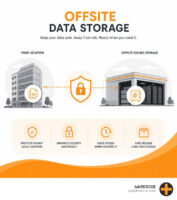
Plenty of small businesses know they need backups, software updates, and security monitoring but still rely on manual checks or half-finished routines. That’s a risk most can’t afford to take.
Automating backup and monitoring processes is one of the most important operational improvements a business can make. It protects against downtime, cyber incidents, accidental deletion, and hardware failure.
This is often where managed IT make the biggest difference. With the right tools and oversight, businesses can automate:
- Scheduled backups
- Patch management
- Device monitoring
- Alerting for failures or suspicious activity
- Antivirus and endpoint protection updates
- Routine system health checks
This type of automation runs in the background and doesn’t get much attention, but it’s critical. It keeps your business running and reduces the chances of a preventable issue turning into a serious disruption.
5. Customer Follow-Up and Appointment Communication

A lot of small businesses lose opportunities because follow-up is inconsistent. Leads come in, customers ask questions, appointments get scheduled, and then everything depends on someone remembering to send a message. That leads to missed appointments, slow responses, and lower conversion rates.
Automating customer follow-up helps businesses stay responsive without piling more work on staff. This is especially useful for service-based companies that depend on consultations, appointments, or repeat business.
Common examples include:
- Confirmation emails after form submissions
- Appointment reminders
- Follow-up messages after service delivery
- Review request emails
- Lead response workflows
- Internal notifications for sales or service teams
This is often one of the easiest things to automate and one of the quickest to show results.
How to Choose What to Automate First

Not every business needs to automate the same things in the same order. Start with the processes that get repeated often, eat up too much time, cause avoidable mistakes, or directly affect customer experience.
A few questions can point you in the right direction:
- What tasks get done manually every day or every week?
- Where do delays happen most often?
- Which processes depend too heavily on one person?
- What areas frustrate your staff or customers the most?
- Which mistakes are costing you time, money, or credibility?
Automation works best when it solves a real problem. Adding it just for the sake of technology usually backfires.
Why IT Guidance Matters
The tools available for automation are better than they’ve ever been, but choosing and connecting them properly still takes thought. Small businesses often use separate systems for email, accounting, file storage, customer management, and internal communication. If those tools aren’t integrated well, automation can create confusion instead of fixing it.
That’s why many businesses work with IT consultants or managed service providers when they start automating. The right IT partner can assess your workflows, identify safe starting points, recommend practical tools, and make sure automation supports both security and your business goals.
Good automation should simplify work, not make it more complicated.
A Smarter Way to Grow Without Adding More Manual Work
For small businesses, automation isn’t about replacing people. It’s about getting rid of repetitive tasks that keep teams from doing more valuable work. The first five processes to automate tend to be the ones that improve consistency, save time, and reduce daily friction right away.
Employee onboarding, invoicing, IT support workflows, backup monitoring, and customer follow-up are all strong starting points. They touch operations across the business and usually produce measurable results quickly.
If you’re exploring managed IT services or consulting support, automation is worth bringing up early. Starting with the right processes can make your business more efficient and secure without making everyday work harder.
FAQs
What business process should a small business automate first?
Employee onboarding and offboarding or invoicing are both strong first picks. They’re repetitive, easy to standardize, and often cause delays or security issues when handled manually.
Is automation expensive for small businesses?
Not necessarily. Many automation tools are affordable and can be set up gradually. The real value comes from cutting labor time, preventing mistakes, and improving consistency.
Can automation help with IT and cybersecurity?
Yes. Businesses can automate backups, patching, monitoring, antivirus updates, and support ticket routing. These are some of the most important things to automate because they reduce both operational and security risk.
Will automation replace employees?
In most small businesses, no. Automation helps employees spend less time on repetitive admin work and more time on customer service, problem-solving, and tasks that drive growth.
Why should a business use managed IT services for automation?
Managed IT providers can identify the best processes to automate, pick the right tools, connect your existing systems, and make sure automation supports both business performance and security.
Start Small, Improve Quickly
The best Austin AI automation strategies don’t begin with a complete overhaul. They start with a few practical changes in the areas that waste the most time and create the most inconsistency. For most small businesses, that means the five core processes covered here: onboarding, invoicing, IT support, system monitoring, and customer follow-up.
With the right IT guidance, automation becomes a practical improvement rather than a complicated technology project. Reach out to our IT consultant in Austin TX if you need help decided where to start. We always tip businesses to start with whatever slows your team down most, and build from there. We also offer outsourced IT in Austin TX and work as with an Austin managed service provider to help you grow.
Table of Contents