
Managed IT Services Pricing: 2025 Costs, Models, Factors
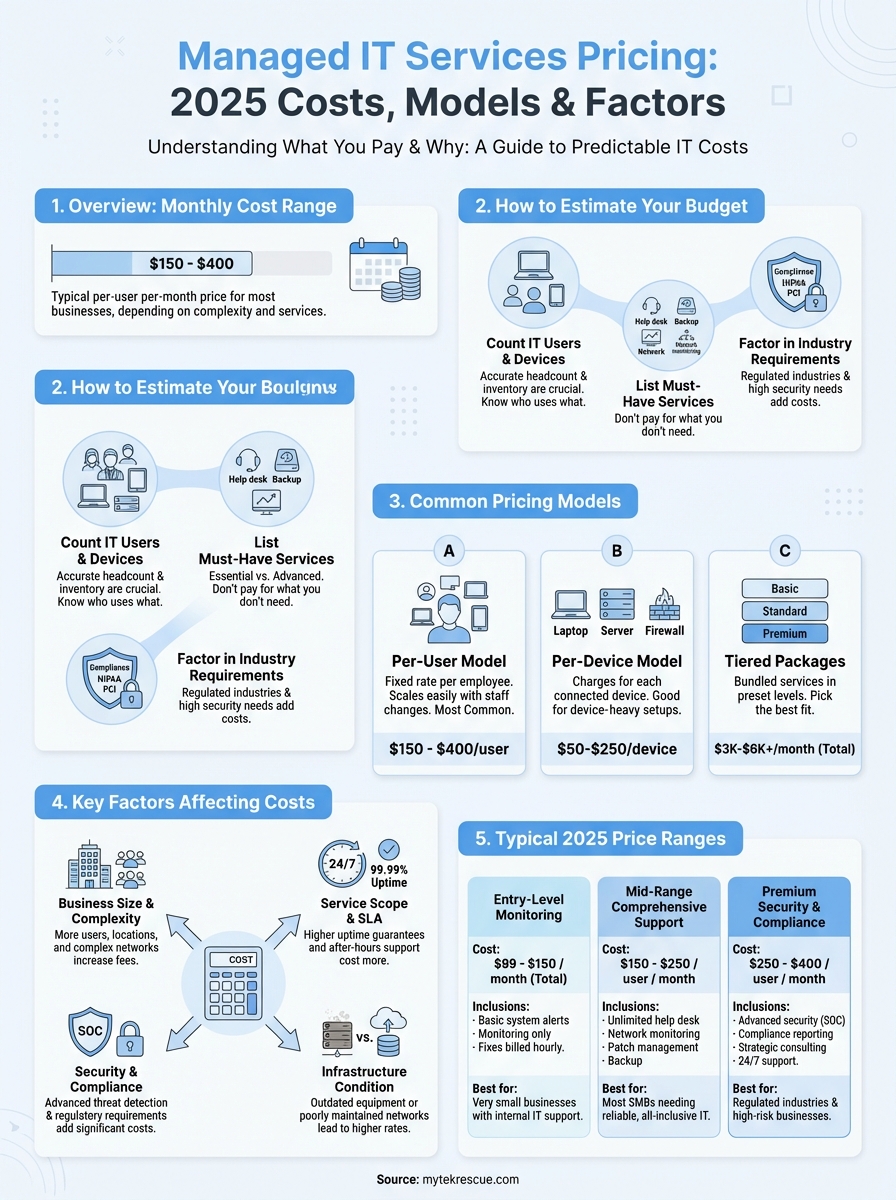
Managed IT services pricing is what you pay a provider to handle your technology infrastructure, support, and security on an ongoing basis. Instead of hiring full-time IT staff or paying hourly rates when problems arise, you pay a predictable monthly fee. Prices typically range from $150 to $400 per user per month, depending on what services you need and how complex your setup is.
This guide breaks down everything you need to know about managed IT costs in 2025. You’ll learn how different pricing models work, what factors push prices up or down, and how to estimate your own budget. We’ll walk through real numbers, common packages, and the questions you should ask before signing a contract. Whether you’re shopping for your first managed services provider or reconsidering your current arrangement, you’ll finish this article with a clear picture of what to expect and how to get the best value for your money.
Table of Contents
Why managed IT services pricing matters
Understanding managed IT services pricing helps you avoid budget surprises and make smart technology investments. When you know what drives costs, you can compare providers fairly and spot red flags like hidden fees or services you don’t need. Most businesses underestimate their true IT costs until they see everything laid out in one monthly bill, including support hours they never tracked and security tools they forgot to renew.
Budget predictability for business planning

Predictable monthly costs let you plan your cash flow months in advance instead of scrambling for emergency IT repairs. You can allocate resources to growth initiatives when you’re not worried about a server failure draining your operating budget. Fixed pricing models eliminate the guesswork that comes with hourly billing, where a single network outage can cost thousands in support fees.
Knowing your IT costs upfront transforms technology from an unpredictable expense into a manageable line item.
Making informed provider comparisons
Clear pricing structures help you compare what you’re actually getting from different providers. One MSP might charge $200 per user while another charges $350, but the cheaper option might exclude critical services like backup monitoring or after-hours support. Understanding pricing models prevents you from signing a contract that looks affordable until you need services not covered in the base package. Transparency in costs also reveals whether a provider bundles everything or nickel-and-dimes you for basic support tickets.
How to estimate your managed IT services budget
Estimating your managed IT services budget starts with counting exactly what you need to support. Most businesses skip this step and end up paying for services they don’t use or scrambling to cover costs for critical needs they forgot. You need to know your user count, device inventory, and service requirements before you can get accurate quotes from providers. A realistic budget considers both your current setup and where your business plans to be in 12 months, since many contracts lock you in for a year or more.
Count your actual IT users and devices
Start by listing every employee who uses technology to do their job, not just your total headcount. This includes full-time staff, regular contractors, and remote workers who need access to your systems. Per-user pricing models charge based on this number, so accuracy matters. Next, inventory every device that connects to your network: workstations, laptops, tablets, servers, firewalls, switches, and routers. Some providers price per device instead of per user, and mixing pricing models in quotes from different MSPs makes comparison nearly impossible. Write down whether users share devices or each person has dedicated equipment, since this affects which pricing model saves you money.


List your must-have services
Break down what you actually need versus what sounds nice to have. Essential services typically include help desk support, network monitoring, data backup, and basic security. Advanced services like cloud management, cybersecurity audits, compliance assistance, and strategic IT consulting cost extra but might be critical for your industry. Decide whether you need 24/7 support or if business-hours coverage works for your operations. Document your current pain points: frequent downtime, slow response times, security concerns, or compliance gaps. These specifics help providers give you accurate managed IT services pricing instead of generic package quotes that don’t match your reality.
Your budget should reflect what you need to run your business safely, not just the cheapest option you can find.
Factor in your industry requirements
Regulated industries pay more for managed IT because providers must implement stricter controls and documentation. Healthcare businesses need HIPAA-compliant systems, financial services require specific data protection standards, and legal firms handle sensitive client information that demands extra security layers. Compliance services can add $50 to $150 per user monthly to your base costs. Calculate whether you need on-site visits or if remote support handles most issues, since travel fees and dedicated technician time increase your total spend. Consider your growth plans too, because adding users mid-contract often triggers higher per-user rates than negotiating capacity upfront.
Common managed IT pricing models
Managed service providers structure their fees in several standard ways, each with advantages depending on your business size and needs. Understanding these models helps you identify which approach gives you the best value and avoid paying for services you won’t use. Most MSPs use one primary model but might blend elements from others to fit specific client situations. The model you choose affects both your monthly costs and how easy it becomes to scale your IT spending as your company grows.
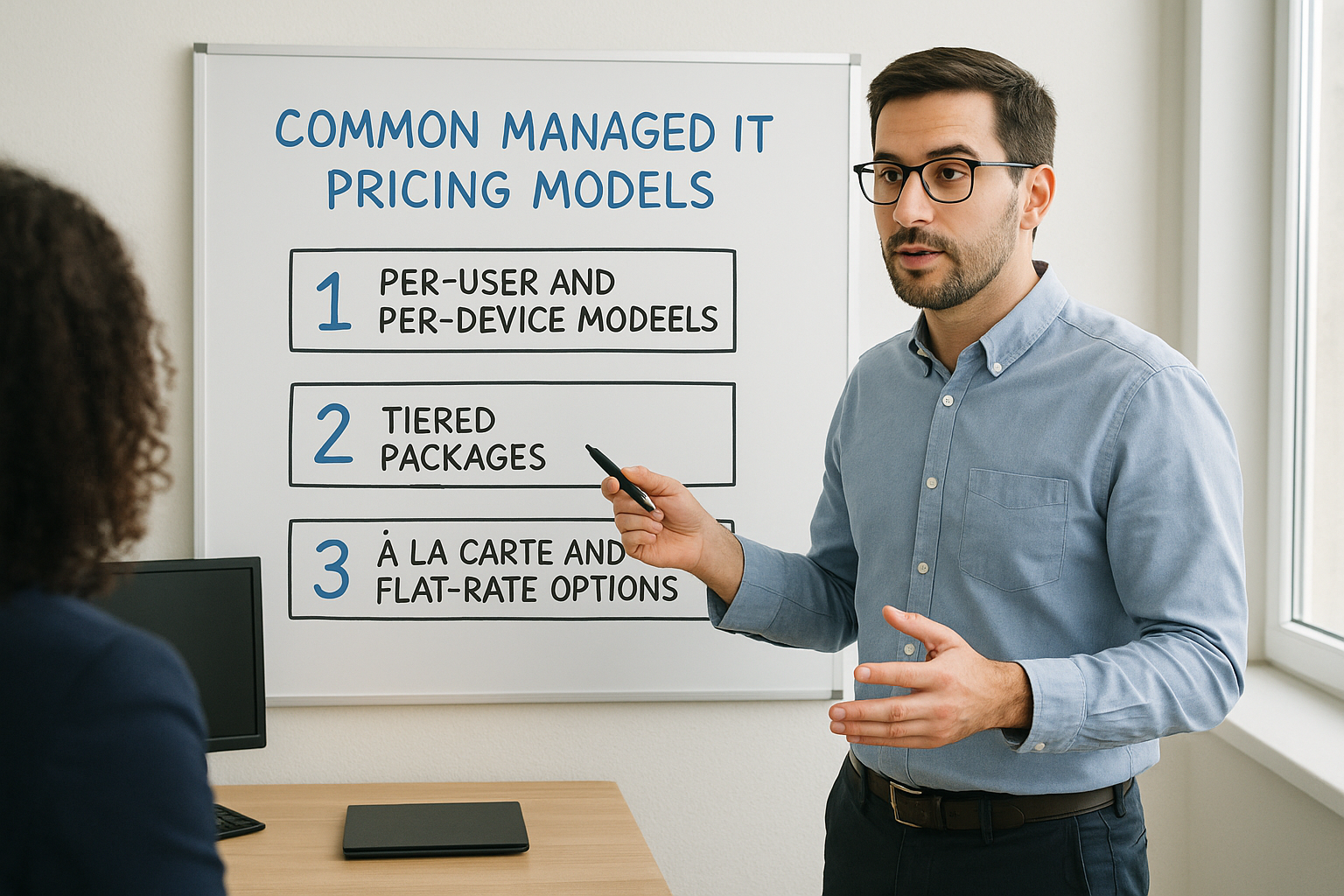
Per-user and per-device models

Per-user pricing charges a fixed monthly rate for each employee who needs IT support, typically ranging from $150 to $400 per person. You pay the same rate whether someone uses one laptop or three devices, which makes this model simple for businesses where employees have multiple gadgets. This approach scales automatically when you hire or lose staff, and providers adjust your bill to match your actual headcount. Calculating costs becomes straightforward: multiply your employee count by the per-user rate to estimate your monthly spend.
Per-device pricing charges separately for every piece of equipment connected to your network. Providers might bill $200 to $250 monthly for servers, $50 to $100 for workstations and laptops, and $25 to $75 for networking gear like firewalls and switches. This model works better when multiple employees share devices or when you have more equipment than users. Tracking costs gets more complex since you need to account for every server, router, and workstation individually, but you avoid paying user fees for equipment that supports your whole network.
Tiered packages
Tiered managed it services pricing bundles specific services into packages labeled as basic, standard, and premium. Entry-level tiers might include only monitoring and help desk support for $3,000 to $4,000 monthly, while premium packages add cybersecurity, backup management, and strategic planning for $5,000 to $6,000 or more. You pick the tier that covers most of your needs without paying separately for individual services. The risk comes from paying for bundled services you never use or finding that critical features you need sit in the next tier up.
Tiered packages simplify budgeting but work best when one package closely matches your actual requirements.
À la carte and flat-rate options

À la carte pricing lets you select individual services and pay only for what you choose, typically $30 to $100 per user monthly for each service. You might pick help desk support, backup monitoring, and patch management while skipping cloud migration assistance you don’t need. This flexibility prevents overpaying for unused features but requires you to accurately predict what services you’ll need throughout the year. Flat-rate models charge one monthly fee for unlimited support across all services, giving you complete cost predictability but potentially costing more if you have simple IT needs.
Key factors that affect managed IT costs
Several variables determine what you’ll pay for managed IT services, and understanding them helps you predict costs and negotiate better contracts. Your specific business requirements matter more than generic industry averages when providers calculate your monthly fees. Infrastructure complexity, service expectations, and risk tolerance all influence managed it services pricing significantly. Two companies with the same number of employees can pay vastly different amounts based on these underlying factors.
Business size and complexity
Your user count directly affects costs in per-user models, but complexity adds multipliers that increase base rates. A 30-person company with a single office and straightforward needs pays less per user than a 30-person organization spread across five locations with remote workers and multiple software systems to integrate. Network infrastructure like servers, cloud services, data centers, and specialized applications requires more monitoring and maintenance. Each additional location adds networking equipment, potential on-site visits, and coordination complexity that drives up monthly fees. Providers assess how many systems interconnect and whether you run legacy applications that need special support or modern cloud-based tools that simplify management.
Service scope and SLA requirements
The services you include create the biggest cost variations between contracts. Basic monitoring and help desk support cost far less than comprehensive packages with strategic IT planning, project management, and dedicated account teams. Your uptime requirements directly impact pricing because guaranteed 99.99% availability demands redundant systems, faster response times, and more engineer availability than 99% uptime. Requesting 24/7 support adds premium charges compared to business-hours coverage, typically increasing costs by 30% to 50%. Response time commitments matter too: one-hour response SLAs cost more than four-hour guarantees because providers must staff accordingly and maintain lower client-to-technician ratios.
Service level agreements define what you pay for and what happens when providers miss targets, making them critical to understand before signing.
Security and compliance needs

Cybersecurity services represent one of the fastest-growing cost components in managed IT packages. Advanced threat detection, security operations center monitoring, and incident response capabilities can add $50 to $150 per user monthly beyond basic antivirus and firewall management. Regulatory compliance requirements like HIPAA for healthcare, PCI DSS for payment processing, or NIST standards for government contractors force providers to implement specific controls, maintain documentation, and conduct regular audits. These obligations increase managed service costs substantially because providers assume legal liability and must employ specialized compliance expertise. Data backup frequency and retention requirements also affect pricing, since storing more recovery points and maintaining longer backup histories consumes storage and management resources.

Infrastructure age and condition
Outdated equipment increases your managed services costs because older systems break more frequently, require more hands-on support, and create security vulnerabilities that demand extra monitoring. Providers charge premium rates when they inherit poorly maintained networks with inconsistent configurations and undocumented changes. Newer, standardized infrastructure typically qualifies for lower monthly rates because modern systems run more reliably, update automatically, and integrate easily with monitoring tools. Some MSPs offer infrastructure modernization as part of onboarding, spreading hardware refresh costs across your contract term to reduce ongoing support expenses.
Typical 2025 price ranges and examples
Understanding current market rates helps you spot fair pricing and avoid overpaying for managed IT support. Price ranges vary significantly based on service scope, but most MSPs follow predictable patterns that let you estimate costs for your business size and needs. Real-world examples show how different companies with varying requirements translate into monthly fees. These numbers reflect what businesses actually pay in 2025, not outdated rates from years-old contracts or theoretical pricing that disappears when you request a quote.

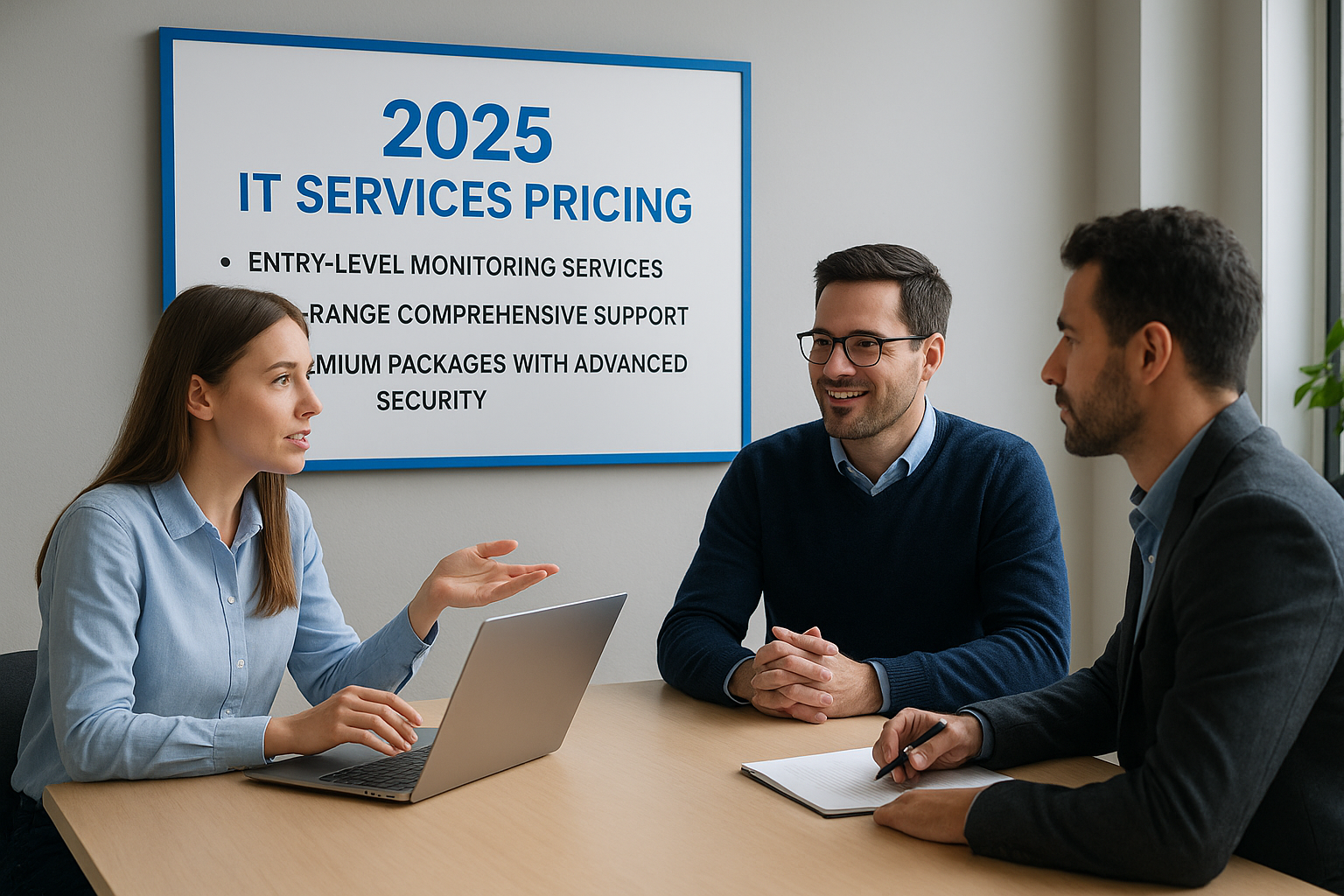
Entry-level monitoring services
Basic monitoring packages start around $99 to $150 monthly for small businesses with simple needs. These services watch your systems for problems and alert you when issues arise, but you pay separately for actual fixes at hourly rates ranging from $175 to $350. This model makes sense only if you rarely need support and have internal staff who can handle most problems. You might use monitoring-only services to supplement an existing IT person rather than replace full technology management.
Mid-range comprehensive support
Standard managed it services pricing runs from $150 to $250 per user monthly and includes unlimited help desk support, network monitoring, patch management, and backup administration. A 25-person company typically pays $3,750 to $6,250 monthly for this tier. These packages cover your day-to-day IT needs without additional fees for support tickets or routine maintenance. Providers usually include remote support with occasional on-site visits when hardware requires physical attention. This range represents where most small and medium businesses land because it balances comprehensive coverage with reasonable costs.
Mid-range packages deliver the best value for businesses that need reliable IT without paying for services they never use.
Premium packages with advanced security
Comprehensive security and compliance services push costs to $250 to $400 per user each month. Healthcare practices needing HIPAA compliance, financial firms requiring advanced threat protection, or manufacturers with cybersecurity insurance mandates typically fall into this range. Advanced packages include security operations center monitoring, vulnerability assessments, compliance reporting, and strategic IT consulting. Adding fully hosted infrastructure where the MSP provides and manages your servers can reach the upper end of this scale.
Real-world cost scenarios

A 10-person retail business with basic needs pays approximately $1,500 to $2,000 monthly for standard support. A 50-employee accounting firm requiring enhanced security and FTC Safeguards compliance typically spends $12,500 to $15,000 monthly. Manufacturing companies with 100 users across multiple locations often pay $20,000 to $30,000 monthly for comprehensive management including security and on-site support. These examples assume per-user pricing with standard service levels, and your actual costs will vary based on infrastructure complexity and specific requirements.
Final thoughts
Understanding managed it services pricing gives you the power to negotiate confidently and choose providers that match your actual needs. You now know the difference between per-user and per-device models, what drives costs up or down, and what price ranges to expect in 2025. Armed with this knowledge, you can spot providers who pad their quotes with unnecessary services or leave critical gaps in basic packages.
Smart IT spending starts with knowing exactly what you need and what fair market rates look like for those services. Compare quotes carefully, ask providers to explain any pricing that seems inconsistent with what you’ve learned here, and make sure contracts spell out exactly what you get for your monthly fee.
Need help evaluating your current IT costs or finding the right managed services solution for your San Marcos business? tekRESCUE offers transparent pricing and comprehensive IT support that scales with your needs. We’ll walk you through your options and build a solution that fits your budget and protects your business.
Table of Contents