

Beyond the Office: Securing Your Data with Offsite Backup
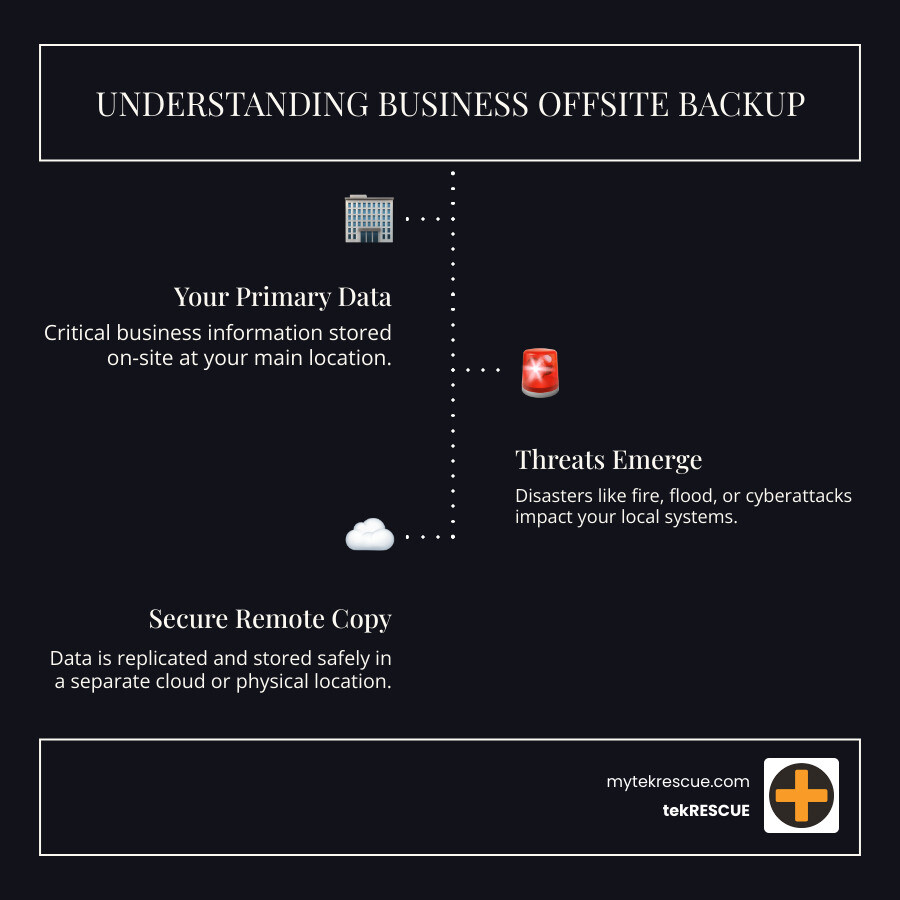
Business offsite backup is the practice of storing data copies in a separate physical or cloud location. It’s a non-negotiable part of modern data security. Here’s a quick overview:
What is Business Offsite Backup?
- A remote copy of your data, stored away from your primary business location.
- Protection against local disasters (fire, flood, theft) and cyberattacks.
- An essential component of any disaster recovery plan.
Why It Matters:
- 96% of attacks now target backup systems directly.
- Local backups alone are vulnerable to ransomware, natural disasters, and hardware failure.
- Offsite backups ensure business continuity when disaster strikes.
Core Strategy: Follow the 3-2-1 backup rule: 3 copies of your data, on 2 different media types, with 1 copy stored offsite.

Simply copying data isn’t enough. If ransomware strikes, an unprotected offsite copy can be a perfect replica of the breach. Your critical data—customer records, financials, and proprietary information—is the foundation of your business. When a disaster like a fire, flood, or cyberattack hits your office, local backups often fail along with your primary systems.
Offsite backup is central to a robust cyber recovery plan. It ensures your organization can restore valuable data swiftly, maintaining operations and preventing catastrophic data loss.
I’m Randy Bryan, founder of tekRESCUE. As an AI and cybersecurity expert, I’ve helped businesses across Central Texas implement resilient business offsite backup strategies for over a decade. This guide will show you how to build a system that truly protects your business.

A Complete Guide to Your Business Offsite Backup Strategy
The question isn’t if your business will face a data incident, but when. From hardware failures to sophisticated cyberattacks, the threats are constant. A robust business offsite backup strategy is your ultimate safety net.
On-Site vs. Offsite Backups: A Critical Comparison
Understanding the difference between on-site and offsite backups is key. While convenient, on-site backups carry significant risks.
On-site backup means storing data copies on local devices (servers, NAS) within your office.
- Pros: Fast access and recovery, direct data control, lower initial costs.
- Cons: Vulnerable to local disasters (fire, flood, theft) and cyberattacks that compromise your entire network. If your San Marcos TX office floods, your on-site backups are lost with everything else.

Offsite backup involves keeping data copies at a separate location, like a remote data center or cloud provider.
- Pros: Protects against local disasters and site-wide cyberattacks, ensuring data is available if your main office is down.
- Cons: Recovery can be slower (internet-dependent), involves subscription costs, and offers less direct control.
The key difference is vulnerability. On-site backups are great for minor issues but fail during major site-wide disasters. Offsite backups provide the geographical separation needed to survive a catastrophe.
A hybrid strategy offers the best of both worlds: fast on-site backups for quick, everyday restores, plus robust offsite backups for disaster recovery. This approach helps businesses in Central Texas and DFW optimize their Recovery Time Objectives (RTOs) and Recovery Point Objectives (RPOs).
Here’s a quick comparison:
| Feature | On-site Backup | Offsite Backup |
|---|---|---|
| Location | Same physical location as primary data | Geographically separate from primary data |
| Access Speed | Very Fast (local network) | Varies (internet speed, provider, data volume) |
| Cost | Lower initial hardware, higher maintenance | Ongoing subscription, potentially lower CapEx |
| Security | Vulnerable to local physical & cyber threats | Protected from local threats, relies on provider security |
| Disaster Resilience | Low (single point of failure) | High (geographical separation) |
| Control | High (direct physical access) | Lower (managed by third-party provider) |

For a deeper dive into general backup strategies, check out our guide on Backing Up Your Data.
Backup Types Explained: Full, Incremental, and Differential
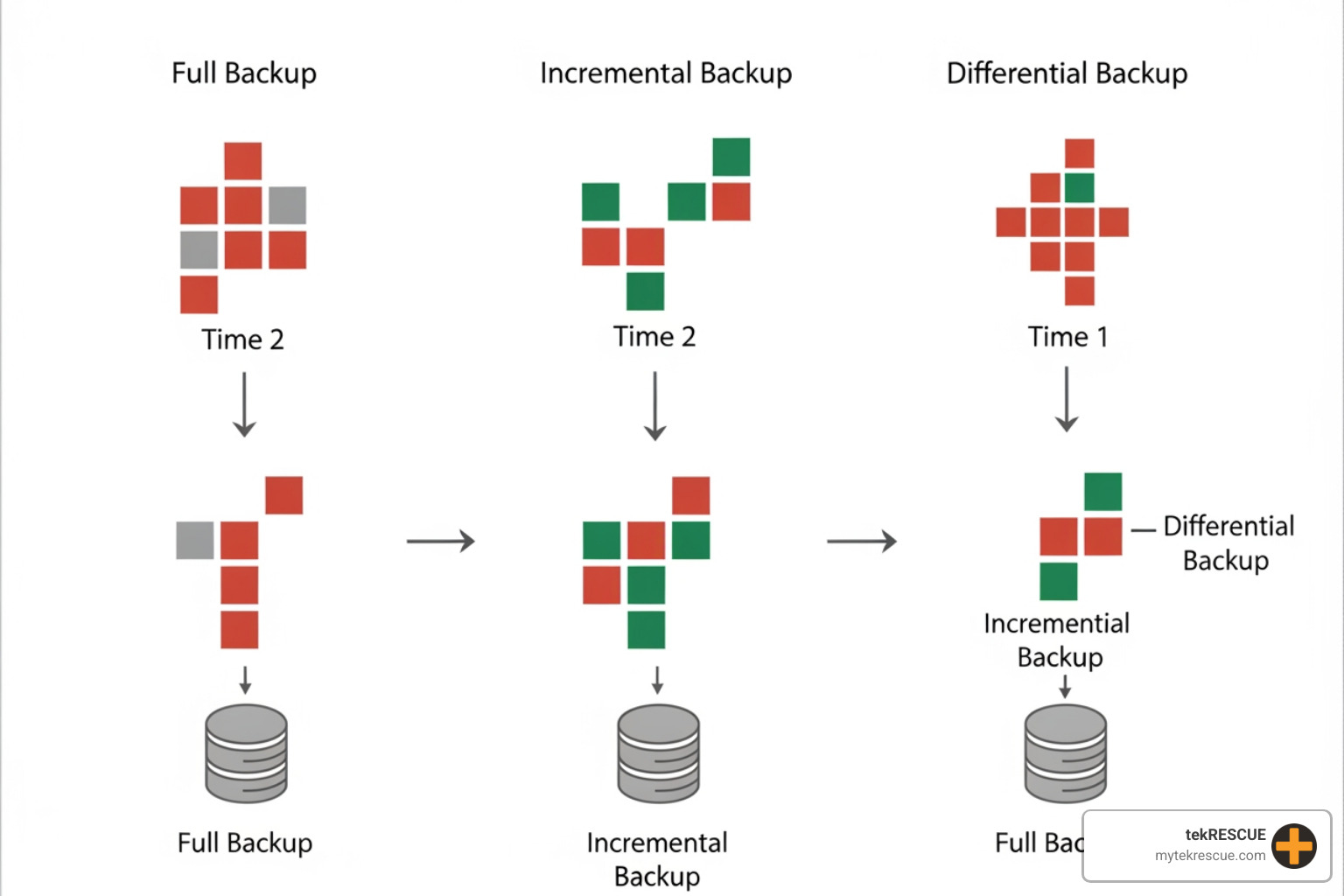
Understanding backup types is essential for an effective business offsite backup strategy, as each impacts storage, speed, and restoration.
- Full Backup: Copies all selected data every time. It’s the simplest to restore from (you only need one backup set) but uses the most storage and time. It’s best for initial seeding or weekly/monthly archives.
- Incremental Backup: Copies only the data that has changed since the last backup (of any type). This is the fastest and most storage-efficient method, ideal for frequent offsite updates. However, restoration is complex, requiring the last full backup and all subsequent incrementals.
- Differential Backup: Copies all data that has changed since the last full backup. It offers a balance: faster restores than incremental backups (needing only the full and the latest differential) but uses more space.
Most businesses in Fort Worth or Dallas TX benefit from a combined approach, such as a weekly full backup with daily differential or incremental backups. This provides a robust recovery point without overwhelming storage or network resources.

To learn more about how these backups play into getting your data back after an incident, explore The Basics of Data Recovery.
Key Features of a Modern Business Offsite Backup Solution
A modern business offsite backup solution is about more than just copying files. Look for these critical features for robust protection and recovery:
- Automation & Scheduling: Eliminates human error by automating backups on a set schedule (daily, hourly) to meet your RPO.
- End-to-End Encryption: Data must be encrypted both in transit and at rest using standards like AES-256 to protect sensitive information for clients in San Antonio, TX.
- Scalability: The solution should easily scale as your data volume grows, a key benefit of cloud services.
- Versioning: Keeps multiple historical versions of files, allowing you to restore an uncorrupted version from a specific point in time.
- Immutability & Air-gapped Copies: A crucial defense against ransomware. Immutable backups cannot be altered or deleted, while air-gapped copies are isolated from the network, preventing attacks from reaching them.
- Monitoring and Reporting: Provides dashboards and alerts on backup status, so you know your protection is active without manual checks.
- Compliance Support: Ensures the solution meets regulatory requirements like HIPAA, FERPA, or GLBA, which is vital for many Texas businesses.
- Deduplication and Compression: Reduces storage costs and speeds up backups by minimizing the data transferred.
These features ensure your data is secure and recoverable. For more on safeguarding your digital assets, explore our insights on Data Security.
Cloud vs. Physical: Choosing Your Offsite Storage
The next decision for your business offsite backup strategy is ‘where’: cloud or physical storage?

Cloud-based Backup (BaaS): Data is sent over the internet to a provider’s secure data centers.
- Pros: Excellent scalability, accessibility from anywhere, predictable subscription costs (OpEx), and enterprise-grade security managed by the provider.
- Cons: Recovery speed depends on internet bandwidth, less direct control, and data sovereignty concerns (ensure provider meets Texas data location rules).
Physical Offsite Storage: Data is backed up to media (hard drives, tapes) and transported to a secure, remote location.
- Pros: Complete control over hardware, potential for very fast recovery if media is brought on-site, and can be truly air-gapped from network threats.
- Cons: Requires manual effort, high upfront hardware costs (CapEx), difficult to scale, and risk of media being lost, stolen, or damaged in transit.
For most Central Texas businesses, cloud solutions offer the best balance of cost, security, and convenience, especially when part of a hybrid strategy. However, physical storage can be useful for specific compliance or high-security needs.
Want to learn more about how cloud solutions can benefit your business? Read our article on Cloud Backup for Businesses.
Implementing Best Practices for Maximum Resilience

A business offsite backup strategy is only effective if implemented correctly. Follow these best practices for maximum resilience:
Follow the 3-2-1-1-0 Rule: This modern standard is critical for cyber resilience.
- Have at least 3 copies of your data.
- Store them on 2 different media types.
- Keep 1 copy offsite.
- Ensure 1 copy is offline (air-gapped) and immutable.
- Achieve 0 errors through automated verification.
The air-gapped copy is your ultimate protection against ransomware, as it’s isolated from network attacks.
Automate Verification: Don’t just back up; verify. Automated checks ensure your backups are complete and uncorrupted, so they’re ready when you need them.
Use Strict Access Control: Limit access to backup systems with strong credentials, multi-factor authentication, and the principle of least privilege.
Manage Encryption Keys Securely: If you encrypt your backups (which you should), losing the key means losing the data. Manage keys carefully.
Test Your Backups Regularly: The most critical step. A backup is useless if it can’t be restored. Conduct regular, documented recovery drills to test different scenarios (e.g., single file, full system restore) in an isolated environment. Verify the restored data’s integrity and update your disaster recovery plan with any lessons learned.
For comprehensive insights into preparing for the unexpected, read our article on Testing Your Preparedness: The Importance of Regular Backup and Continuity Drills. You can also find more detailed information on a robust Data Backup Strategy.
The Role of Offsite Backup in Disaster Recovery and Cyber Resilience
A business offsite backup strategy is the cornerstone of your Disaster Recovery (DR) and Business Continuity Planning (BCP).
Imagine a ransomware attack hits your New Braunfels, TX business, encrypting your servers and on-site backups. With 96% of attacks now targeting backup systems, an offsite copy is no longer optional. Without it, you face devastating downtime and financial loss.
Offsite backups provide the critical separation needed to:
- Survive Local Disasters: Your data remains safe from fire, flood, or theft at your primary location.
- Defeat Cyberattacks: An isolated, immutable offsite backup is your last line of defense against ransomware. It provides a clean copy for recovery, minimizing the attack’s impact.
- Ensure Data Integrity: Protects against data corruption or accidental deletion by providing historical, uncorrupted versions.
- Enable Rapid Recovery: Allows you to restore critical systems quickly, reducing downtime and meeting your RTOs and RPOs.
Offsite backups are fundamental to cyber resilience—your ability to withstand and recover from incidents. They help you maintain client trust, avoid regulatory penalties, and keep your business operational through any disruption.
For a deeper understanding of how to plan for the unexpected, dig into our resources on Disaster Recovery and Why Your Company Needs Business Continuity Planning.
Fortifying Your Future: Take Control of Your Data Security
When data is your most valuable asset and cyber threats constantly evolve, a robust business offsite backup strategy is no longer optional—it’s foundational. We’ve explored what offsite backup is, why it’s crucial, the different types, key features to look for, and the best practices for implementation. We’ve also highlighted its indispensable role in your comprehensive disaster recovery and cyber resilience plans.
The goal isn’t to achieve 100% impervious security (a near-impossible feat), but to achieve maximum risk mitigation and ensure that when an incident occurs, your business can recover swiftly, minimize losses, and continue to thrive. By implementing the strategies outlined in this guide, businesses in San Marcos TX, Central Texas, DFW, and beyond can build a future where their data is not just stored, but truly secured.
At tekRESCUE, we specialize in helping businesses like yours navigate this complex landscape. Our expertise in cybersecurity, data backup, and managed IT services ensures that your vital information is protected, giving you the peace of mind to focus on what you do best. Don’t leave your business’s future to chance.
Ready to fortify your data against all odds?
Contact tekRESCUE today for a personalized consultation. Get a consultation for your Managed IT Services
Table of Contents