
Business Email Compromise Prevention for Small Businesses
Business email compromise (BEC) is fraud that starts with an email and ends with your money in a criminal’s account. Stopping it takes three layers working together: payment rules that no email can override, locked-down email accounts, and email authentication that makes your domain hard to fake. If you run a business, here is the uncomfortable truth: the attacker does not need to break your network. He needs one believable message and one employee who can move money alone. We build and manage these layers for small businesses, and this guide lays out what each one involves.
Table of Contents
TL;DR
- BEC works by impersonation: a spoofed or hijacked email asks someone to pay an invoice, change bank details or share sensitive data.
- The strongest control is procedural: confirm any payment or bank-detail change by calling a number you already have on file, never one from the email.
- Turn on multi-factor authentication (MFA) for every email account, block external auto-forwarding and publish SPF, DKIM and DMARC records.
- Split duties so the person who requests a payment is never the person who approves it.
- If money has moved, call your bank first, then law enforcement, then reset credentials and preserve the original emails.
Table of Contents
- Why BEC keeps working
- How to recognize a BEC attempt
- Layer one: payment rules nobody can talk around
- Layer two: lock down the mailbox
- Layer three: make your domain hard to fake
- Layer four: train people on the real thing
- Layer five: spot trouble early
- If money has already moved
- Where tekRESCUE fits
- Perspective
- FAQ
- Sources
Why BEC keeps working
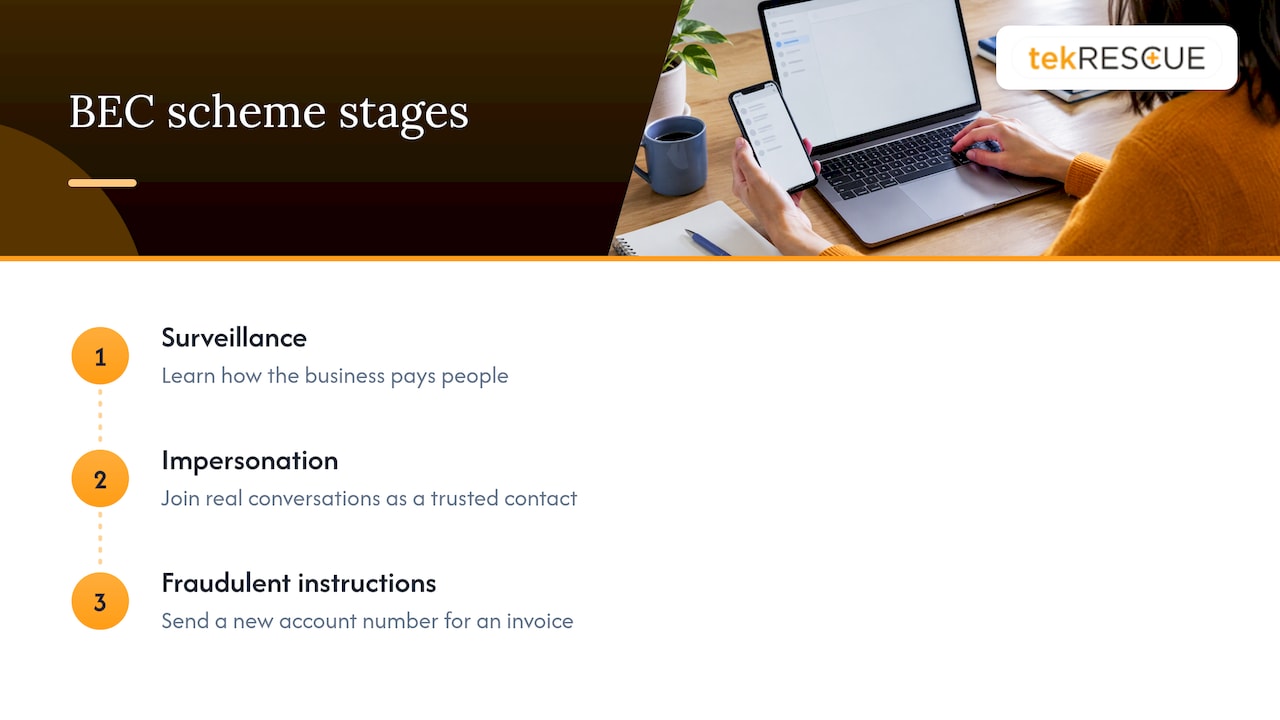
The U.S. Secret Service describes BEC as a three-stage scheme: surveillance, where scammers watch a victim’s email to learn how the business pays people; impersonation, where they join real conversations as a trusted contact; and fraudulent instructions, such as a new account number for an invoice.
The scale is large. One professional analysis of the FBI’s Internet Crime Complaint Center (IC3) data reports 24,768 BEC complaints and about $3.05 billion in losses in 2025, up from 21,442 complaints and about $2.77 billion in 2024. IC3 counts only losses that victims report, so the real total is not known. The same analysis reads a falling average loss per complaint as a sign that attackers are moving toward smaller organizations, where one person can often move money alone.
That is why a ten-person company is a target. Attackers pick the place where verification is thinnest.
How to recognize a BEC attempt
The FBI’s Sacramento office sorts BEC into three categories: spoofing, where the address differs by a letter (john.kelly versus john.kelley); spearphishing, where a message appears to come from the CEO or finance manager; and malware, where a link or attachment lets criminals read your billing threads.
The same page lists the red flags your staff should know:
- Unexplained urgency
- Last-minute changes to wire instructions or account details
- A switch to a different communication platform
- Email-only contact, with a refusal to talk by phone or video
- Requests for advance payment
- Requests to change direct deposit information
PNC’s small business tip sheet adds personal email accounts and pressure to bypass normal procedure to the list.
AI makes the messages cleaner. NIST’s small business guidance notes that AI can produce increasingly convincing phishing, so a polished message proves nothing. Spelling mistakes are no longer a reliable tell. The process has to be the defense.
Layer one: payment rules nobody can talk around
Technology filters the obvious attacks. The ones that get through look like ordinary work, so the rule has to live in your procedures.
Verify out of band
Any request to change payment instructions gets confirmed through a different channel than the one that made the request. NACHA’s BEC action plan calls for a two-step process in which any change to account information is confirmed outside the requesting channel. The FBI says to verify using the contact on file, not the number in the email.
Caller ID is not proof either. NACHA warns that fraudsters can spoof phone numbers so a call appears to come from a vendor, so call the requester back on a number you already hold.
Separate duties
PNC recommends separation of duty: the same employee cannot both initiate and approve a money movement. NACHA adds dual controls and delegations of authority for transactions above set thresholds. In a small office, this can be as simple as the owner approving every first payment to a new account.
Write it down
A rule that lives in someone’s head fails when that person is on vacation. Put the procedure in writing, train everyone who touches payments, and tell them they will never be blamed for slowing a payment to check it. The CEO who emails “I need this wired in the next hour” is the exact message the rule exists for.
A simple version of the written rule:
- Any new vendor, new bank account or changed account is verified by phone on a known number before payment.
- Any payment above your set threshold needs a second approver.
- Any request that asks for secrecy or speed is escalated, not fulfilled.
- Direct deposit changes for employees are confirmed in person or by phone.
Layer two: lock down the mailbox
Most BEC that does not involve a spoofed lookalike involves a stolen login. Once criminals are inside, IC3 says they set mailbox rules to delete key messages and auto-forward mail, then study your threads for financial transactions. IC3 also notes that many cloud email security features must be manually configured and enabled, so a default setup is not a protected setup.
MFA on every mailbox
CISA’s small business guidance calls MFA compliance the most important step an organization can make, with all staff using it for key systems, especially email, and several people reviewing MFA status regularly. The FBI adds that MFA should be enabled on all email accounts and never disabled. NIST recommends phishing-resistant MFA, such as passkeys or hardware keys, because a code typed into a fake login page can be stolen.
Our own guides cover MFA priorities, passkeys and recovery and the step-by-step MFA setup.
Administrator settings that matter
IC3’s recommendations for IT administrators translate into a short configuration list:
- Prohibit external auto-forwarding.
- Add a banner to emails from outside the organization.
- Prohibit legacy protocols, which bypass MFA.
- Retain mailbox logs for at least 90 days.
- Enable alerts for suspicious activity.
For Microsoft 365 tenants, our guide on fixing MFA and blocking legacy authentication walks through the settings.
Watch for the hidden rule
A forwarding rule that quietly copies mail to an outside address is the classic sign of a hijacked account. Review inbox rules after any suspected phishing click, and review them on a schedule for executives and finance staff.
Layer three: make your domain hard to fake
Three DNS-based standards work together. In plain terms:
- SPF lists the servers allowed to send mail for your domain.
- DKIM adds a digital signature so receivers can check a message is genuine and unaltered.
- DMARC tells receivers what to do when SPF or DKIM checks fail: monitor, quarantine or reject.
IC3 lists SPF, DKIM and DMARC among its administrator recommendations, and NIST recommends email authentication that rejects spoofed messages. A DMARC policy set to reject stops others from sending mail that pretends to be your exact domain, which protects your customers and vendors as well as you.
Two limits explain why this is one layer and not the whole answer. Authentication does not stop a lookalike domain, such as a name with one letter changed, and it does not stop a legitimate account that has been taken over. The Secret Service suggests registering similar domain names to make spoofing harder, and that is cheap protection.
Publishing DMARC straight to reject can block your own legitimate mail if a sender, such as your invoicing tool or newsletter service, was missed. We cover a staged path of publishing, monitoring and enforcing in our DMARC setup guide.
Layer four: train people on the real thing
Training works when it matches the attack. Generic annual slides do not. Teach the specific moments:
- Accounts payable and finance: vendor bank changes, new payees, “urgent” executive requests.
- HR and payroll: direct deposit change requests.
- Executives and assistants: the people most often impersonated, and the ones whose accounts give attackers the most access.
- Everyone: check the sender’s full address, especially on a phone, where the display name hides it. The FBI also advises checking that URLs match the claimed business and watching for misspelled domains in links.
NIST adds that phishing also arrives by text, phone, social media and postal mail, so “email only” training leaves gaps. Staff who handle personal or financial data on mobile devices also benefit from clear guidance on confirming payment changes independently, such as this piece on securing mobile banking steps.
Layer five: spot trouble early
Prevention will not catch everything, so detection shortens the damage. Ask your bank about activity alerts. NACHA recommends SMS alerts from financial institutions and a daily review of bank and card statements. Keep the mailbox logs IC3 recommends so someone can trace what an intruder read and forwarded. The Secret Service also advises monitoring the network for intrusions.
For a broader baseline, see our five cybersecurity controls every small business needs.
If money has already moved
Speed decides whether funds can be recovered. Work in this order:
- Call your bank immediately. The Secret Service says to notify the bank right away and request any required Hold Harmless or Indemnification forms. The FBI says to contact your financial institution for a funds recall.
- Report it. File a complaint at ic3.gov or bec.ic3.gov and contact law enforcement.
- Change passwords on affected accounts, and on any other account that reused them.
- Preserve evidence. Keep the original emails, not forwarded copies.
- Trace the breach. Engage your IT response team to find how the attacker got in and what they read.
- Check notification duties. NIST advises notifying affected parties if their personal data was exposed and checking your state attorney general’s website for breach notification requirements. If you are in healthcare, involve your compliance lead at once, since protected health information may be involved.
If you have no response plan, build one before you need it. Our incident response service exists for the day this happens.
Where tekRESCUE fits
Each layer above is configuration, discipline and monitoring that has to keep working after the first setup. tekRESCUE provides cybersecurity services and risk assessment and managed IT services for small and medium-sized businesses, with expertise in compliance and security management including HIPAA and NIST standards. A risk assessment is a practical place to start, because it shows where one person can still move money alone and which mailboxes lack protection.
Perspective
We see BEC as an identity problem wearing a finance costume. The attacker wants to be someone your team trusts, so the defense is to make trust something you verify rather than something you feel.
Our approach is to treat email as critical infrastructure. MFA that resists phishing, no legacy authentication, no silent forwarding, a DMARC policy that is actually enforced, and logs that someone reads. Then we pair those controls with a payment procedure that holds even when the message looks perfect, because AI-written lures will look perfect.
Small businesses often assume they are too small to matter. Attackers go where the checks are weakest, and a business with one person approving wires is an easy call. Doing this with a team that handles the configuration, monitoring and response means the controls are still working a year from now, not just on the day they were set up.
Randy Bryan
FAQ
What is the single most effective way to stop business email compromise?
Verify every payment or bank-detail change by calling a known number from your own records, not one in the email. This works even when the email is flawless, because the attacker cannot control the phone number you already have. Pair it with a second approver for payments over a set threshold.
Does DMARC stop BEC on its own?
No. DMARC set to reject blocks others from spoofing your exact domain, but it does not stop lookalike domains or a real mailbox that has been taken over. Use it alongside MFA, mailbox monitoring and payment verification.
Is MFA enough to protect our email?
MFA is the step CISA calls the most important, but it works best with legacy protocols disabled and phishing-resistant methods such as passkeys. Review MFA status regularly so no account is quietly left out.
Who should we report BEC to?
Call your bank first to request a funds recall, then file a complaint with the FBI’s Internet Crime Complaint Center at ic3.gov. Also notify law enforcement and, if personal data was exposed, check your state’s breach notification rules.
Sources
- Business Email Compromise, U.S. Secret Service
- Business Email Compromise Statistics 2026, Axis Intelligence Research
- Sacramento FBI on guarding against and reporting business email compromise
- PNC Small Business Email Compromise Tip Sheet
- Phishing, NIST Small Business Cybersecurity
- Nacha Business Email Compromise Action Plan
- IC3 Public Service Announcement on cyber criminals and BEC
- Cyber Guidance for Small Businesses, CISA
Recommended
Table of Contents