
How to Improve Email Deliverability: A Practical Guide
To improve email deliverability, do four things in this order: authenticate your sending domain with SPF, DKIM and DMARC, send only to people who opted in, ramp volume up gradually, and watch your spam complaint and bounce numbers every week. Everything else is detail. If your messages are landing in spam, one of those four is almost always broken.
This matters more than most owners realize. A message that is “sent” has done nothing if it never reaches the inbox. And mailbox providers now check who you are before they read what you wrote.
Table of Contents
TL;DR
- Deliverability is about inbox placement, not just acceptance by the receiving server. Measure it that way.
- Publish SPF and DKIM, then add DMARC, and make sure the domain in your From address aligns with the domain that signs the message.
- Use double opt-in, remove hard bounces and unengaged contacts, and put a working unsubscribe link in every marketing email.
- Warm up new domains and IPs slowly, and keep Gmail spam complaints under 0.30%.
- Check Postmaster Tools and your bounce reports weekly, not after a campaign fails.
Table of Contents
- Delivery and deliverability are not the same thing
- Step 1: Authenticate your domain
- Step 2: Build and keep a list people asked to be on
- Step 3: Follow the legal basics
- Step 4: Warm up and ramp volume carefully
- Step 5: Write mail that earns the inbox
- Step 6: Measure, diagnose and recover
- Deliverability is a security problem too
- Get help with email authentication and reputation
- A 30-day checklist
- FAQ
- Sources
Delivery and deliverability are not the same thing
Email delivery means the recipient’s mail server accepted your message and put it in a mailbox, in any folder. Deliverability is whether it reached the inbox instead of spam, or was rejected outright. That difference is spelled out in Brevo’s explanation of email deliverability.
Why it matters in practice: your sending platform can report a 99% delivery rate while half your messages sit in junk folders. The report is not lying. It is answering a different question.
Sender reputation is the thing that decides which folder you land in. Think of it as a credit score that mailbox providers keep on your domain and your sending IP addresses. It rises when people open and reply, and it falls when they complain, when you hit dead addresses, or when your mail cannot prove where it came from.
Step 1: Authenticate your domain
Authentication is the first thing a mailbox provider checks and the cheapest thing to fix. Three records do the work:
- SPF lists the servers allowed to send mail for your domain.
- DKIM adds a cryptographic signature so the receiver can confirm the message was not altered and came from you.
- DMARC tells receivers what to do when SPF and DKIM fail, and sends you reports about it.
This is no longer optional for larger senders. Google’s email sender guidelines say that anyone sending more than 5,000 messages a day to Gmail accounts must use SPF, DKIM and DMARC, that direct email must meet DMARC alignment, and that spam rates must stay below 0.30%. Those rules took effect February 1, 2024. If you send fewer messages, do not read that as a pass. Spamhaus recommends that every sending domain publish SPF and DMARC, sign every outbound message with DKIM, and align the DKIM domain with the domain in the visible From address.
Two mistakes cause most of the damage we see:
- Several tools sending as your domain. Your newsletter platform, your CRM, your invoicing software and your office mail all send “from” you. Each one needs to be covered by SPF and signed with DKIM. A setup guide for SPF, DKIM and DMARC walks through the record syntax if you are doing this yourself.
- Jumping straight to a strict DMARC policy. Publish at monitoring level first, read the reports, fix every legitimate sender that fails, and only then tighten. Our own DMARC setup guide for small businesses lays out that publish, monitor, enforce sequence.
If you want a quick read on where your domain stands today, our email security check is a place to start.
Step 2: Build and keep a list people asked to be on
You can have perfect DNS and still land in spam if you mail people who do not want your mail. Complaints and spam traps are what sink reputations.
Spamhaus’s sender guidance points to a few habits: use double opt-in, blocklist unengaged contacts and hard bounces, and include a visible, working unsubscribe link in every marketing email. Brevo’s best practices add that double opt-in keeps out fake addresses, bots and spam traps, and that you should check list quality before importing anything.
In plain terms:
- Never buy or rent a list. Purchased addresses are where spam traps and angry strangers live.
- Confirm new subscribers. Send a confirmation email and add them only when they click.
- Remove hard bounces right away. An address that does not exist will not start existing next month.
- Retire the silent. If a contact has not opened or clicked in a long stretch, stop sending to them. Pick a window that fits your sales cycle and apply it consistently.
- Make unsubscribing easy. A frustrated reader who cannot find the link will hit the spam button instead, and that hurts you far more than an unsubscribe.
Keeping a clean, engaged mailing list is ongoing work, not a one-time purge. Schedule it quarterly.
Forms feed your list too. If bots are flooding your contact form, they are also feeding junk addresses into your system, so it is worth reading how to stop contact form spam without losing real leads.
Step 3: Follow the legal basics
Deliverability and compliance overlap. Mailbox providers punish the same behavior the law does.
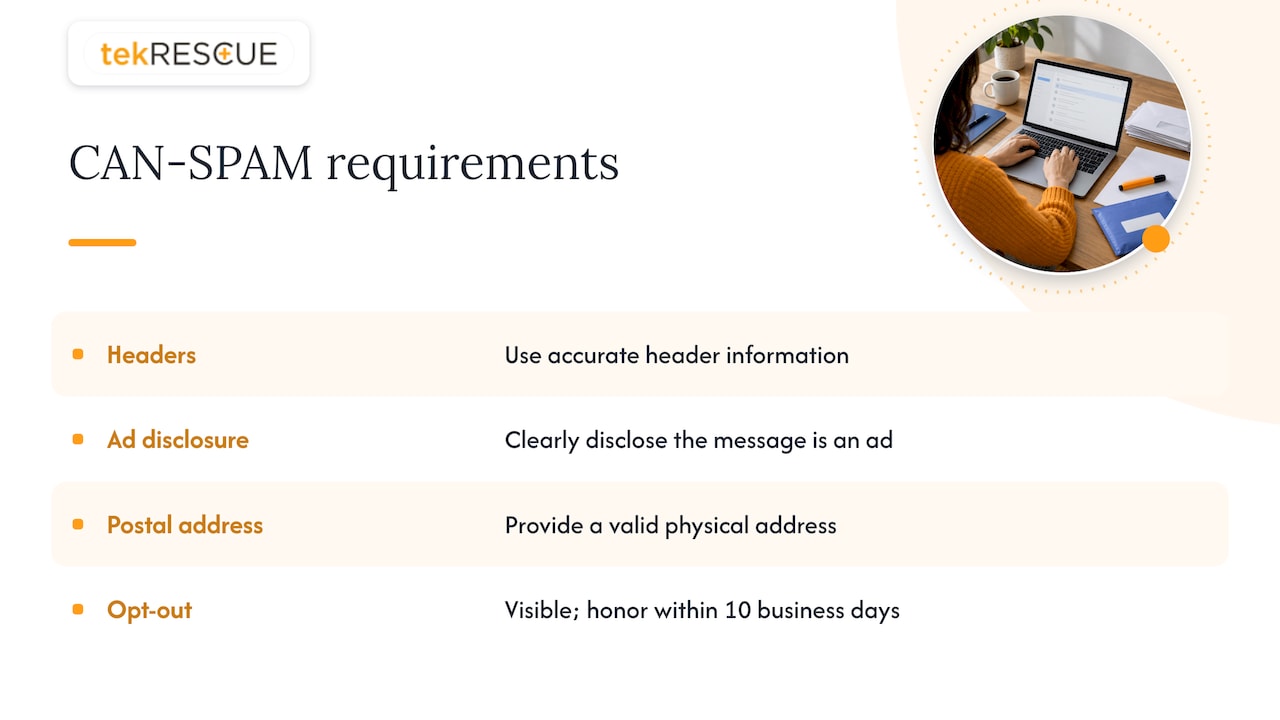
The FTC’s CAN-SPAM compliance guide says commercial email must have accurate header information, a clear disclosure that the message is an ad, a valid physical postal address, and an opt-out mechanism that is easy to see and honored within 10 business days. The same guide states that the law covers business-to-business email as well, and that hiring an outside provider to send your mail does not remove your own legal responsibility.
That last point catches owners out. If a vendor sends campaigns for you, the compliance burden is still yours.
Step 4: Warm up and ramp volume carefully
Mailbox providers do not know a new sender. M3AAWG, the messaging industry’s anti-abuse group, notes in its sender best common practices that a new, unknown domain is often treated with the same suspicion as a domain with a poor reputation, because there is no history to trust.
Warm-up is how you create that history. The principle is simple: start small, start with your most engaged contacts, and grow in steps.
A sensible approach:
- Begin with your best audience. Customers who recently bought or replied, not a cold segment.
- Increase volume in stages. Avoid sudden spikes. Move up only when bounce and complaint numbers stay low.
- Keep sending steady. A burst once a quarter looks worse than a modest, regular rhythm.
- Watch deferrals. If receivers start delaying your mail, slow down and do not push harder.
If you are changing sending IP addresses, guidance on IP migration suggests keeping the old IP active during the overlap, moving a small engaged segment first, and monitoring deferrals and complaints as volume climbs. Exact ramp schedules vary by provider, so follow the schedule your sending platform publishes instead of a number from a blog.
One more reputation trap: M3AAWG warns against using lookalike or cousin domains for different campaigns, because it confuses recipients and trains them to trust variations of your domain, which raises phishing risk. Pick one properly authenticated domain, or a clearly related subdomain, and stay with it.
Step 5: Write mail that earns the inbox
Content alone rarely fixes a reputation problem, but bad content can make a good reputation worse. The consistent advice across sending platforms is to avoid generic batch-and-blast messages, avoid spammy subject lines and be clear about who you are and why you are writing.
Practical rules:
- Use a real From name that recipients recognize, and a reply-to address a person actually reads.
- Write subject lines that describe the content honestly. No fake “Re:” prefixes.
- Keep a sensible balance of text and images. An email that is one large picture gives filters nothing to read.
- Segment. A message that is relevant to a smaller group gets more engagement than a general blast, and engagement is what builds reputation.
- Link to your own domain, and keep links consistent with the brand sending the message.
We cover this in more depth in our posts on keeping emails out of the spam folder and on email campaign content and headers.
Step 6: Measure, diagnose and recover
The most common reason senders stay stuck is that they never look at the data. Start with these.
| What to watch | What it tells you | Where to find it |
|---|---|---|
| Spam complaint rate | Whether recipients object to your mail. Gmail expects it to stay under 0.30%. | Postmaster Tools, your sending platform |
| Hard and soft bounces | List quality and server problems | Your sending platform’s bounce reports |
| Authentication results | Whether SPF, DKIM and DMARC pass and align | Postmaster Tools, DMARC reports |
| Domain and IP reputation | How Gmail rates your sending identity | Postmaster Tools |
| Opens, clicks and replies | Engagement trends over time | Your sending platform |
Google’s Postmaster Tools dashboards show data about mail sent to personal Gmail accounts, including spam rate, reputation, authentication and delivery errors. Its spam rate dashboard counts messages that recipients mark as spam, and the compliance status dashboard shows how you measure up against the sender requirements. Set up the tool for each domain you send from.
A simple diagnosis routine
- Send a test to your own accounts at Gmail, Outlook and Yahoo and see which folder it lands in. Check the message headers for SPF, DKIM and DMARC results.
- Read the bounce messages. A rejection code that mentions policy or authentication points to DNS. One that mentions an unknown user points to list hygiene.
- Compare engagement by mailbox provider. If Gmail looks fine but another provider is poor, the problem may be specific to that provider’s view of your IP.
- Look at the last three campaigns, not one. A single bad send is noise. A trend is a diagnosis.
If your reputation has already dropped
Stop sending to everyone. Fix authentication first. Then mail only your most engaged contacts, in small volumes, until complaints and bounces fall. Reputation recovers through consistent good behavior over time, not through a trick. If you have been blocklisted, the listing organization’s own removal page will say what it needs from you.
Deliverability is a security problem too
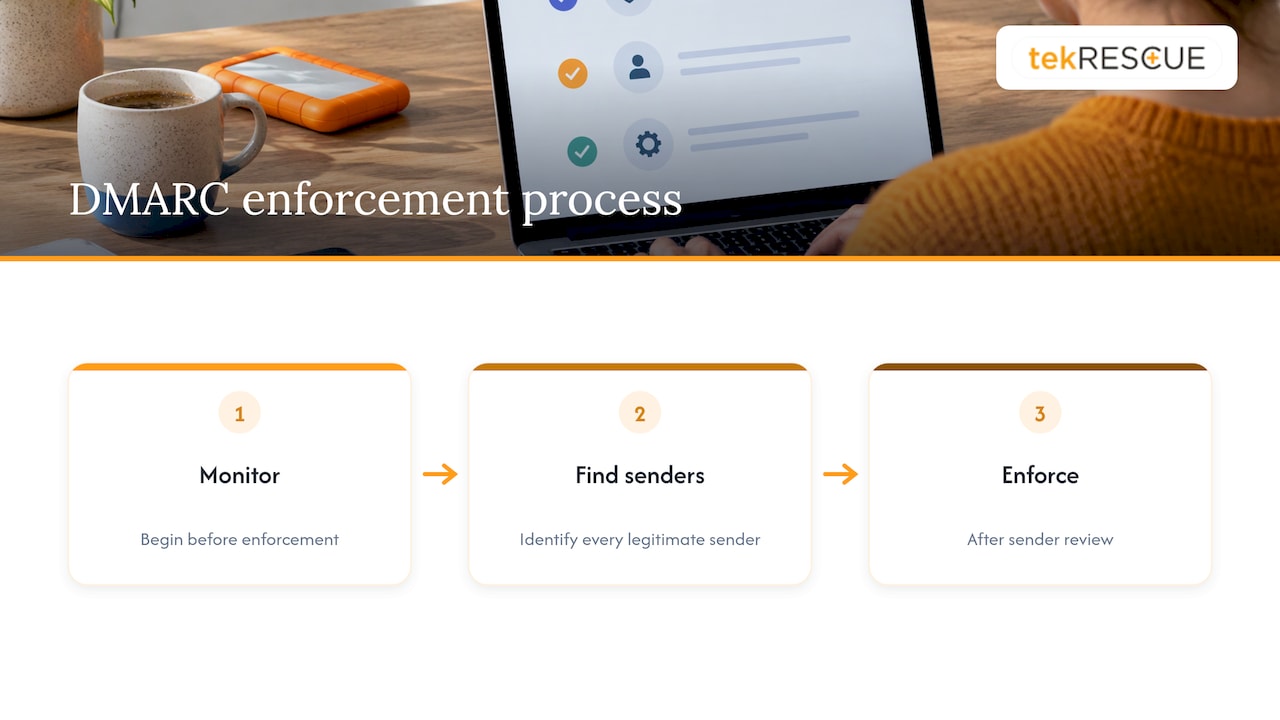
Email that cannot be authenticated is email that criminals can imitate. The same DMARC enforcement that helps your newsletter reach the inbox also makes it harder for someone to send phishing mail pretending to be you. If you run a business, here is the uncomfortable truth: attackers do not need to hack your mail server to damage your name. They only need your domain to be unprotected.
That is why we treat deliverability as part of cybersecurity rather than a marketing afterthought. Healthcare practices have a further layer to consider, because patient information in email brings HIPAA into the picture. See our guide to HIPAA compliant email before you send anything that touches protected health information.
Our perspective
Most small businesses come to us after a campaign flopped or after a customer said they never got the invoice. The cause is rarely the copy. It is a DNS record nobody owns, a marketing tool nobody told IT about, or a DMARC policy that was published once and never read.
We think deliverability belongs in the same conversation as security. The records that prove your email is really yours are the same records that stop someone else from impersonating you. When we set this up, the order matters: monitor first, find every legitimate sender, then enforce. Rushing to a strict policy blocks your own mail. Never touching it leaves your name open.
Our approach is to treat email as infrastructure that needs an owner, regular review and clear reporting, the same way you would treat your network or your backups. That is the work our managed IT and cybersecurity teams are built for.
Randy Bryan
Get help with email authentication and reputation
If you would rather not untangle DNS records and sending platforms yourself, we can help. tekRESCUE works with small and medium-sized businesses, including healthcare practices, on cybersecurity, compliance and day-to-day IT. Our managed IT services cover the infrastructure that email depends on, and our cybersecurity services include risk assessment. Tell us what you are sending and from where, and we will tell you where to start.
A 30-day checklist
Week 1: foundations
- List every system that sends email as your domain.
- Confirm SPF and DKIM for each, and publish DMARC at monitoring level.
- Register your domain in Postmaster Tools.
Week 2: list
- Remove hard bounces and long-silent contacts.
- Turn on double opt-in for new signups.
- Check every template for a working unsubscribe link and your postal address.
Week 3: sending
- Mail your most engaged segment first and increase volume in steps.
- Review bounce reports after each send.
Week 4: review
- Read DMARC reports and fix any legitimate sender that fails.
- Check complaint rate against the 0.30% ceiling.
- Decide when you are ready to move DMARC toward enforcement.
FAQ
How long does it take to improve email deliverability?
Fixing authentication can take effect within days once DNS changes propagate. Reputation moves more slowly because it reflects sending behavior over time. Expect weeks of consistent, clean sending before you see a steady change, and follow your sending platform’s warm-up guidance for new domains or IPs.
Do I need DMARC if I only send a few emails a day?
The Gmail requirement for DMARC applies to senders above 5,000 messages a day to Gmail accounts. Smaller senders are still advised to publish SPF and DMARC and sign with DKIM, because it improves trust and helps protect your domain from impersonation.
What spam complaint rate is too high?
Google’s sender guidelines say spam rates must stay below 0.30%. Treat that as a ceiling, not a target. The lower you keep it, the better your standing.
Does cleaning my email list really help?
Yes. Removing hard bounces and contacts who no longer engage reduces bounces and complaints, and it keeps spam traps from damaging your reputation. Sending sources recommend doing it regularly, not just before a big campaign.
Is my business responsible if a vendor sends email for me?
Yes. The FTC’s CAN-SPAM guide says hiring a third party does not remove your legal responsibility for compliance. Review what your vendor sends in your name.
Sources
- What is email deliverability? (Brevo Help Center)
- Best practices for email deliverability (Brevo Help Center)
- Email sender guidelines (Gmail Help)
- Postmaster Tools dashboards (Gmail Help)
- Sender Guidelines (Spamhaus)
- CAN-SPAM Act: A Compliance Guide for Business (FTC)
- M3AAWG Sender Best Common Practices
- IP address migration for mail (DMARCpal)
Recommended
Table of Contents