
PHI Encryption for Small Practices: 6 Steps From HHS and NIST
HIPAA treats encryption as an addressable safeguard: we implement and document encryption decisions based on a risk analysis, and that documentation is what meets OCR expectations. Correctly configured encryption that renders data unreadable can also trigger HHS breach safe-harbor, meaning a stolen laptop or hacked server does not automatically become a reportable breach. Encryption works alongside access controls, authentication, and audit logging, not instead of them.
TL;DR:
- For each ePHI location, document the risk analysis, whether encryption is reasonable, and the equivalent safeguard chosen if encryption is not used.
- A breach can qualify for safe harbor when encryption consistent with NIST guidance leaves ePHI unreadable and the decryption key remains protected during the incident.
- Use TLS 1.2 or higher for data in transit, AES for stored data, and FIPS validated cryptographic modules, with configuration and certificate checks.
- Before ePHI reaches a cloud vendor, sign a Business Associate Agreement that assigns encryption duties, clarifies key ownership, sets incident deadlines, and grants audit rights.
- Start with a complete inventory of ePHI flows, then prioritize exposed devices such as laptops leaving the clinic and systems holding the largest data volume.
Table of Contents
Table of Contents
- What HIPAA and HHS say about encryption: addressable spec and breach safe-harbor
- Where to apply encryption: ePHI at rest vs in transit and common scenarios
- Technical standards and protocols that meet HHS/NIST expectations
- Key management best practices: separation, rotation, recovery, logging
- Cloud providers, no-view storage, and Business Associate Agreement implications
- Practical, step-by-step implementation checklist for SMB healthcare practices
- Encryption implementation challenges specific to healthcare environments
- Examples of common encryption technologies and tools used for PHI data
- Integration of encryption with other cybersecurity measures
- Impact of encryption on system performance and user experience
- Best practices for encrypting mobile and endpoint devices containing PHI
- Legal consequences of failing to properly encrypt PHI data
- Common compliance traps we see and how a managed partner closes them
- How we help you put HIPAA-grade encryption in place
- FAQ
- Sources
What HIPAA and HHS say about encryption: addressable spec and breach safe-harbor
The HIPAA Security Rule lists encryption as an “addressable” implementation specification, not a “required” one. That distinction trips up a lot of practices, so we want to be precise about it. Addressable does not mean optional. It means we evaluate whether encryption is reasonable and appropriate for our environment and, if we decide against it, we implement an equivalent alternative safeguard and write down why.
HHS guidance on rendering protected health information unusable, unreadable, or indecipherable spells out the payoff for getting this right. When ePHI is properly encrypted using NIST-consistent methods and the decryption key has not been exposed in the same incident, the event can fall within the breach notification safe-harbor. That means no mandatory notification to patients, HHS, or the media, which is a meaningful difference for a small practice weighing reputational and financial exposure.
What the safe-harbor guidance actually asks for:
- Storage encryption and transmission protections consistent with NIST publications, not a vendor’s marketing claim of “military-grade” security.
- Decryption keys stored separately from the encrypted data itself.
- Media sanitization aligned with NIST SP 800-88 when devices are retired or repurposed.
- A documented rationale when encryption is skipped in favor of an alternative control.
If we choose not to encrypt something, HHS guidance clarifies that the decision itself needs paper behind it: what we assessed, why encryption was not reasonable in that case, and what we did instead.
Where to apply encryption: ePHI at rest vs in transit and common scenarios
ePHI at rest is data sitting on a drive, a server, a backup tape, or a phone. ePHI in transit is data moving between systems, such as a claim submitted to a payer or a lab result pulled into an EHR. Both states need protection, but the mechanisms differ: storage encryption protects the file sitting still, while transport protocols like TLS protect the connection carrying it.
A practical scope list for most small healthcare practices:
- EHR databases and application servers, whether hosted on-premises or by a vendor.
- Backup files and backup media, including cloud backup targets.
- Laptops, desktops, and mobile devices used by clinicians, front desk staff, or billing teams.
- Email containing patient information, especially referrals, lab results, or billing details.
- APIs and interfaces connecting the EHR to labs, pharmacies, or health information exchanges.
- Connected medical devices that generate or transmit telemetry, including infusion pumps and remote monitoring equipment.
Risk analysis should drive the order we tackle these in. A practice with a cloud-hosted EHR and no local patient database has a different exposure profile than one running an on-premises server with nightly backups to an external drive. Start with whatever holds the largest volume of ePHI or faces the most exposure, such as unencrypted laptops that leave the building.
Technical standards and protocols that meet HHS/NIST expectations
HHS points to NIST for the technical specifics of what counts as adequate encryption, and NIST SP 800-66 Revision 2 is the current practical resource for applying the Security Rule. Published in February 2024, it frames protection broadly, covering the full ePHI lifecycle including remote workers, removable media, and connected medical devices, not just the server room.
In practice, this translates into a short list of technology choices:
- TLS 1.2 or higher for data moving across networks, with older protocols like SSL and early TLS versions disabled.
- FIPS-validated cryptographic modules for systems handling ePHI, rather than unvalidated or custom implementations.
- AES as the standard algorithm for encrypting data at rest, typically with a 256-bit key length.
- A documented algorithm lifecycle, so deprecated methods like older hashing or cipher suites get retired on a schedule instead of lingering for years.
NIST SP 800-66 Rev. 2 recommends organizations protect ePHI across its complete lifecycle, which means encryption decisions cannot stop at the server. They need to extend to remote work setups and portable media too.
Picking AES or TLS is the easy part. What determines whether encryption actually protects anything is configuration: whether TLS is enforced everywhere or only on some endpoints, whether certificates are current, and whether legacy protocols were ever turned off. A misconfigured deployment of a strong algorithm offers less real protection than a correctly configured deployment of a simpler one.
Key management best practices: separation, rotation, recovery, logging
Encryption without sound key management is a locked door with the key taped to the frame. NIST key-management guidance covers generation, storage, distribution, rotation, and destruction, and it is explicit that poor key handling can nullify even a strong algorithm. If an attacker gets the key alongside the encrypted data, the encryption did nothing.
Decryption keys belong in a separate system from the data they protect, whether that is a hardware security module (HSM) or a managed cloud key management service (KMS). Core lifecycle controls to have in place:
- Secure key generation using approved random number generation, not a password someone typed in.
- Scheduled rotation so a compromised key has a limited window of usefulness.
- Access control and logging on who can retrieve or use keys, tied to individual accounts rather than shared credentials.
- A documented recovery process so a lost or corrupted key does not mean permanently lost patient records.
- Formal destruction procedures when keys are retired, consistent with the system’s key-management policy.
The most common operational failure we see is not weak algorithms. It is shared administrative keys with no audit trail, no recovery plan if a key holder leaves the organization, and vendor contracts that check an “encryption enabled” box without ever specifying who actually controls the keys.
Pro Tip: Ask every vendor one direct question: “Who holds the decryption key, and can you prove it in an audit log?” If they cannot answer specifically, treat that as a gap in your risk analysis.
Cloud providers, no-view storage, and Business Associate Agreement implications
Moving ePHI to the cloud does not remove HIPAA obligations, even when the provider never sees unencrypted data. HHS guidance on cloud computing states plainly that a cloud service provider maintaining ePHI is generally a business associate, regardless of whether it holds the decryption key. A “no-view” architecture does not exempt the provider from business associate status or from needing a signed agreement.
That means every cloud vendor touching patient data, from EHR hosting to backup storage to a billing platform, needs a Business Associate Agreement before any ePHI moves. Our guide to what a BAA must cover walks through the required clauses in more detail, but at minimum check for:
- Explicit language on who is responsible for encryption at each layer of the service.
- Clarity on key ownership and access, including whether the provider can be compelled to produce keys.
- Breach and incident notification timelines that match our own obligations to patients and HHS.
- Audit rights, so we can verify encryption and access controls rather than relying on a vendor’s word.
A signed BAA without any encryption-specific language is a document that technically exists but does little to protect us if something goes wrong.
Practical, step-by-step implementation checklist for SMB healthcare practices
Encryption deployments in healthcare often stall because nobody has mapped where ePHI actually lives. NIST SP 800-66 Rev. 2 points to this gap directly: organizations need a complete picture of data flow, including remote workers and removable media, before encryption decisions mean anything.
A working sequence for a small practice:
- Inventory every system, device, and data flow that creates, stores, or transmits ePHI, including teleworker laptops and personal phones used for patient messaging.
- Complete a documented risk analysis covering each item in that inventory, referencing HHS risk analysis guidance.
- Decide and record the addressable outcome for encryption at each point: implement it, or document an equivalent safeguard and the reasoning behind it.
- Select technology, FIPS-validated modules, enforced TLS, AES for storage, and a key-management approach using an HSM or managed KMS.
- Test encryption in production, not just on paper, including recovery from backups and failover scenarios.
- Fold encryption status into ongoing monitoring and incident response planning, so a lost device or failed drive has a documented, rehearsed response.
Pro Tip: Treat the inventory step as the foundation. Every later decision, including which vendor contracts need BAA language and where key management matters most, depends on knowing exactly where ePHI sits.
Practices without a dedicated IT security team often find steps four through six are where momentum stalls, since configuring FIPS-validated modules and managing an HSM or KMS requires specialized setup most front-office staff were never trained to handle.
Encryption implementation challenges specific to healthcare environments
Healthcare IT carries constraints most industries do not face. Clinical systems often run on aging infrastructure that was never designed with modern encryption in mind, and replacing a diagnostic device or legacy EHR module is expensive and sometimes clinically disruptive to attempt mid-year.
Connected medical devices add another layer of difficulty. Infusion pumps, imaging equipment, and remote monitoring tools frequently run manufacturer-locked firmware that cannot be modified by the practice, which means encryption decisions for that telemetry often depend on vendor roadmaps rather than internal IT choices.
Staff workflow is a quieter but persistent obstacle. Clinicians need fast access to patient records during visits, and any encryption or authentication layer that adds friction tends to get worked around, whether through shared logins or shadow IT like personal messaging apps. The practices that succeed tend to involve clinical staff early, choosing tools that protect data without slowing down a visit.
Budget and staffing round out the list. A solo practice or small group rarely has a full-time security engineer, so encryption decisions compete with every other IT priority. This is exactly where NIST SP 800-66 Rev. 2’s lifecycle approach helps, by framing encryption as part of an ongoing risk management cycle rather than a one-time technical project that has to be perfect on day one.
Examples of common encryption technologies and tools used for PHI data
Most practices do not need to build encryption from scratch. The technology already exists inside platforms they likely use.
Full-disk encryption built into operating systems, such as BitLocker on Windows and FileVault on Mac, protects laptops and desktops at rest with minimal setup. Database-level encryption, often built into EHR platforms and SQL Server or PostgreSQL deployments, protects patient records stored in structured databases. TLS, already standard in most modern web browsers and APIs, protects data moving between a clinic’s systems and a lab, pharmacy, or health information exchange.
For email, dedicated secure messaging platforms encrypt messages in transit and at rest, which matters since standard email was never built with PHI in mind. Our guide to HIPAA compliant email covers what small practices need to check before trusting a messaging tool with patient data.
Cloud storage and backup services typically offer server-side encryption by default, though the key management model varies by provider, which is exactly why the BAA language discussed earlier matters so much. Mobile device management (MDM) platforms can enforce encryption policies across a fleet of staff phones and tablets remotely, revoking access if a device is lost.
None of these tools replace the risk analysis step. They are the implementation layer that sits underneath a decision already documented.
Integration of encryption with other cybersecurity measures
Encryption answers one question: can someone who gets the data read it? Access controls and authentication answer a different one: who gets to the data in the first place? Both matter, and OCR’s own cybersecurity communications tie the two together, recommending that encryption decisions sit inside a broader risk management plan rather than standing alone.
Role-based access control limits who can view which records, so a billing clerk and a treating physician see different slices of the same patient chart. Multi-factor authentication adds a second check before anyone reaches an encrypted system, which matters because a stolen password alone should not be enough to unlock patient data. Audit logging records who accessed what and when, giving us the trail needed to spot unusual activity or support an investigation after an incident.
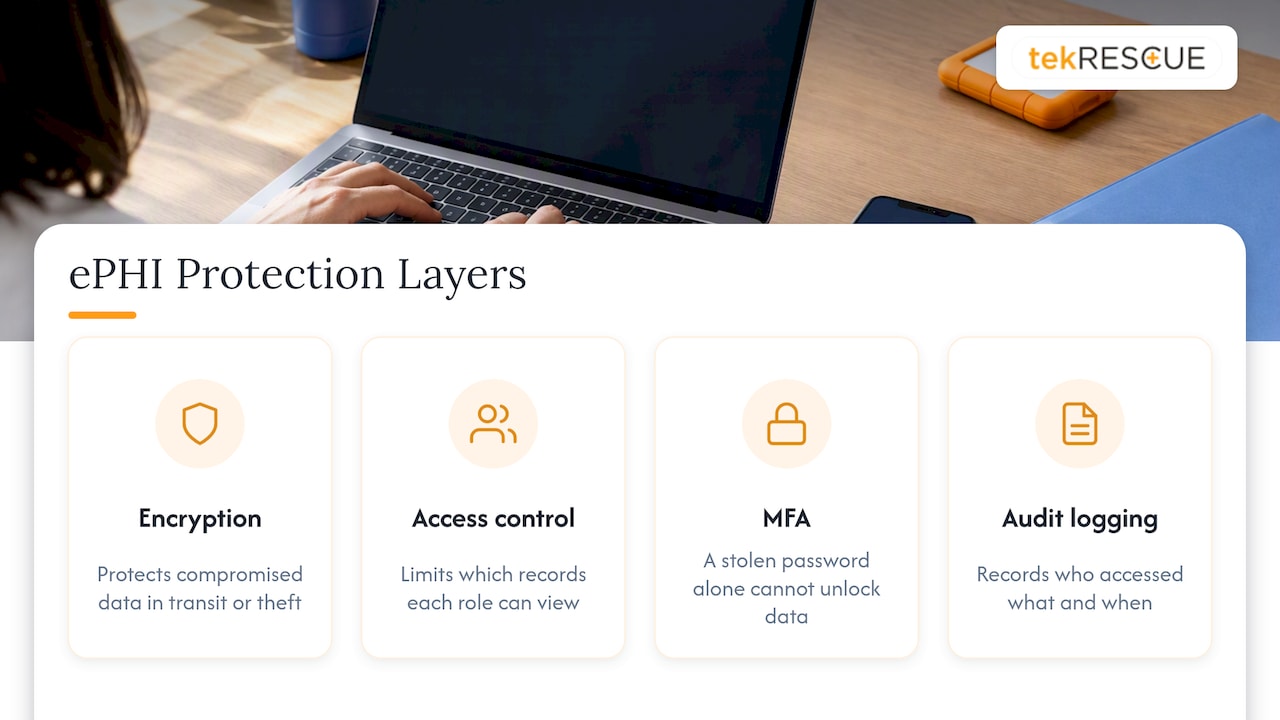
Encryption protects data that has already been compromised in transit or theft. Access controls and authentication reduce how often that compromise happens in the first place. A practice with excellent encryption and weak password policies is still exposed, just at a different point in the chain.
Impact of encryption on system performance and user experience
Modern encryption, correctly implemented, carries minimal performance cost on current hardware. AES encryption is supported natively in most processors manufactured in the last decade, so encrypting a database or hard drive rarely produces a noticeable slowdown for staff during a normal workday.
Where friction shows up is usually at the login and authentication layer, not the encryption itself. Adding multi-factor authentication or requiring a password to decrypt a device at startup takes a few extra seconds, and that is often where staff pushback happens. The fix is rarely to drop the control. It is to choose tools that make the extra step quick, such as a push notification approval instead of a typed code, or single sign-on that pairs strong authentication with fewer separate logins.
Poorly configured systems are a different story. An outdated TLS implementation, an overloaded VPN, or a legacy EHR bolting encryption onto hardware it was never designed for can create real slowdowns. That points back to configuration and infrastructure planning, not to encryption as a concept. A practice evaluating a new EHR or cloud platform should ask the vendor directly how encryption is implemented and what performance testing has been done, rather than assuming any slowdown is an unavoidable cost of compliance.
Best practices for encrypting mobile and endpoint devices containing PHI
Mobile devices and laptops are where a lot of real-world breaches start, since they leave the building and get lost, stolen, or left in a car. Full-disk encryption should be enabled on every laptop and desktop that can access ePHI, using built-in tools like BitLocker or FileVault rather than relying on a screen lock alone.
Phones and tablets need the same treatment. Enforce device-level encryption plus a mobile device management platform that can remotely wipe a lost or stolen device before patient data is exposed. Personal devices used for work, a common reality in small practices, need a clear bring-your-own-device policy that requires encryption and MDM enrollment before any patient data touches the device.
Removable media deserves specific attention. USB drives and external hard drives used for backups or file transfer should use hardware or software encryption, and our overview of ways to improve patient data security covers practical controls for exactly this kind of endpoint risk.
When a device reaches end of life, sanitize it according to NIST SP 800-88 media sanitization guidance, referenced directly in HHS breach safe-harbor guidance, rather than assuming a factory reset is sufficient.
Legal consequences of failing to properly encrypt PHI data
Unencrypted ePHI that is lost or stolen is a reportable breach under HIPAA, triggering notification to affected patients, HHS, and in larger incidents, the media. That notification process alone carries real cost and reputational exposure for a small practice, separate from any penalty that follows.
OCR can also pursue civil monetary penalties when an investigation finds that a covered entity failed to conduct an adequate risk analysis or failed to implement reasonable safeguards, including encryption decisions that were never evaluated or documented. Our overview of HIPAA Security Rule enforcement covers the documentation practices that OCR investigators typically look for during a review.
HHS also published a notice of proposed rulemaking in December 2024 proposing stronger, more specific cybersecurity requirements under the Security Rule. That proposal is not yet final law, and the current addressable framework remains in effect, but it signals where enforcement expectations are heading. Practices that treat encryption as a documented, risk-based decision today are better positioned regardless of how that rulemaking resolves.
Common compliance traps we see and how a managed partner closes them
The gaps we run into most often are not exotic. They are incomplete ePHI inventories, decryption keys sitting next to the data they protect, and cloud vendor contracts signed without a BAA or with no encryption language at all.
A managed services partner closes these gaps by running the risk assessment, configuring key management correctly the first time, and keeping BAAs and monitoring current as systems change. Compliance that depends on one person remembering to update a spreadsheet tends to fail quietly, often until an audit or a breach surfaces it.
— Randy Bryan
How we help you put HIPAA-grade encryption in place
Getting from “we should encrypt this” to a documented, working system touches a lot of moving parts: inventory, risk analysis, technology selection, key management, and contracts with every vendor that touches patient data. We handle that work directly, so it does not sit on a practice manager’s desk between patient visits.
Our HIPAA Compliance services cover risk assessment, encryption implementation, and BAA review together, rather than treating each as a separate project. Our cybersecurity and risk assessment work maps where ePHI lives and flags gaps in encryption and access controls, and our managed IT services keep encryption, monitoring, and key management running day to day instead of as a one-time setup. When something does go wrong, our incident response team is already familiar with the environment, not meeting it for the first time during a breach.
If your practice needs a scoped risk assessment or help closing gaps in how ePHI is encrypted and managed, reach out through our cybersecurity services page to set up a conversation about what your environment actually needs.
This article is general information, not a substitute for advice from a qualified doctor. Consult a qualified healthcare professional about your own circumstances before acting on anything here.
FAQ
What are the new HIPAA requirements for 2026?
There is no finalized new HIPAA regulation in 2026. HHS proposed stronger cybersecurity requirements in a December 2024 notice of proposed rulemaking, but the current Security Rule, including the addressable encryption specification, remains in effect while that rulemaking continues.
Can anyone see end-to-end encryption?
End-to-end encryption is designed so only the sender and intended recipient can read the content, not the service provider carrying it. Whether a given healthcare messaging tool uses true end-to-end encryption depends on its specific design, so it is worth confirming directly with the vendor and documenting that in a BAA.
What is PHI full form?
PHI stands for protected health information, meaning individually identifiable health information created, received, or maintained by a covered entity or business associate. When that information exists in electronic form, it is typically referred to as ePHI.
Is HIPAA in America?
Yes, HIPAA is a United States federal law, the Health Insurance Portability and Accountability Act, and its Security Rule and Privacy Rule apply to covered entities and business associates operating in the U.S. healthcare system.
Sources
- Guidance to Render Unsecured Protected Health Information Unusable, Unreadable, or Indecipherable to Unauthorized Individuals
- NIST publishes SP 800-66 Revision 2: Implementing the HIPAA Security Rule
- Recommendation for Key Management Part 1: General (SP 800-57 Part 1, Revision 5)
Recommended
Table of Contents