

Website Redesign Strategy: A Plan That Protects Your Business
A good website redesign strategy starts with the business goal, not the visual style. Before anyone opens a design tool, you decide what the site must do, prove with data what is failing today, set the scope and the owners, and plan how to keep your search visibility and security intact through launch. Skip those steps and you pay for a prettier site that performs the same, or worse.
If you run a small or mid-sized business, the risk is real. A redesign touches your URLs, your content, your forms, your hosting and your security settings all at once. We see it as an infrastructure project that happens to have a visible front end. Here is how to run it so the new site earns its cost.
Table of Contents
TL;DR
- Set one primary goal (usually leads or sales), record today’s numbers, and judge the new site against them.
- Audit first. Isolated problems often need targeted fixes, not a full rebuild.
- Write down scope, owners, approvals and a buffer in the timeline before design begins.
- Plan redirects, accessibility, HTTPS and security as launch requirements, not afterthoughts.
- Keep measuring after launch. The redesign is not done when the site goes live.
Table of Contents
- What a redesign strategy actually is
- Step 1: Set goals you can measure
- Step 2: Audit before you design
- Step 3: Define scope, roles and budget
- Step 4: Plan structure, content and design
- Step 5: Build in SEO, accessibility and security from day one
- The timeline: how long a redesign takes
- Launch checklist and what to monitor afterward
- Perspective
- Working with tekRESCUE on your redesign
- FAQ
- Sources
What a redesign strategy actually is
A website redesign changes the foundation of a site so it serves business goals and user needs better, according to Figma’s guide to website redesign. A strategy is the document that explains why, what, who and in what order. It is not a mood board.
The same guide lists the usual triggers: outdated design, poor user experience, performance problems, declining metrics and security vulnerabilities. Notice that only some of those are about looks. A site that loads slowly, breaks on phones or runs on unpatched software has a business problem.
Redesign or refresh?
Not every weak site needs a rebuild. Nielsen Norman Group makes the case that radical redesigns carry higher risk of breaking critical functionality, and that teams should lean on user data and incremental improvements before committing to a full rebuild. Its guidance is to use analytics rather than assumptions: isolated issues often call for targeted fixes, while consistent underperformance, outdated technology or structural problems may justify the bigger project.
A practical way to decide:
| Situation | Likely answer |
|---|---|
| One page converts poorly, the rest perform | Fix that page |
| Design looks dated but leads are steady | Refresh visuals and content |
| Platform is outdated or no longer patched | Rebuild or migrate |
| Navigation and structure confuse visitors across the site | Redesign, starting with structure |
| Site fails on mobile, accessibility or security | Redesign, with those as requirements |
Step 1: Set goals you can measure
This is where most redesigns go wrong. “Look modern” is not a goal. “Increase qualified contact form submissions” is.
Pick one primary objective. Gartner’s guidance on defining redesign strategy and documenting scope warns that no primary objective, no clear scope and no execution plan invite stakeholder misalignment and scope creep. One goal gives you a tiebreaker when the owner, the office manager and the designer disagree.
Good goals for a small business
- Increase the number of leads (calls, form fills, booked appointments) from the website.
- Improve the conversion rate on your top three service pages.
- Reduce the time it takes a visitor to reach the contact page.
- Bring the site up to a documented accessibility and security standard.
- Hold organic search traffic steady through launch, then grow it.
Record your baseline first
You cannot show improvement without a before. Pull at least these numbers from your analytics and search tools and save them in a spreadsheet:
- Conversions per month, by type (calls, forms, purchases).
- Conversion rate for each key page.
- Organic search sessions and your top landing pages.
- Sessions per user, pages per session, average session time and bounce rate. Marketing practitioners commonly benchmark these engagement metrics before a redesign and retest after, with conversion rate as the one that matters most.
- Page speed and Core Web Vitals. Google’s web.dev recommends targets of 2.5 seconds or less for Largest Contentful Paint, 200 milliseconds or less for Interaction to Next Paint, and 0.1 or less for Cumulative Layout Shift.
One caution on engagement numbers: a higher bounce rate on a page that answers the question fast is not a failure. Tie every metric back to the primary goal.
Step 2: Audit before you design
Start with a full audit of what you have. Break it into usability, visual design, content, technical health and SEO. The aim is a list of what to keep, fix, merge and delete.
What to review
- Content inventory. List every page, its traffic, its conversions and the links pointing to it. Pages that earn traffic or links are assets to protect.
- User behavior. Look at where visitors enter, where they leave and which paths lead to a conversion.
- Internal feedback. Ask the people who answer the phones what customers ask for and cannot find.
- Technical health. Hosting, software versions, plugins, certificates, backups and who has admin access.
- Competitor sites by type. Look at how other businesses in your market present services, pricing cues and proof. Note what visitors expect, then decide where you differ.
Our website discovery question bank gives you a structured set of questions to answer before a project kicks off.
Step 3: Define scope, roles and budget
A redesign plan needs a thorough audit of current data, defined business objectives and KPIs, a clear scope covering features, pages and integrations, assigned internal roles, a realistic timeline with review buffers and a risk plan, as laid out in this redesign project plan template. Turn that into a one-page brief.
The one-page brief
| Section | What goes in it |
|---|---|
| Primary goal | One sentence, with the baseline number and the target |
| Audience | Who the site serves and what each group needs to do |
| Scope | Pages, features, integrations (booking, payments, CRM, patient forms) |
| Out of scope | What you are deliberately not doing in this phase |
| Owners | Decision maker, content owner, technical contact |
| Approvals | Who signs off at each stage, and how fast |
| Risks | Redirects, data migration, downtime, compliance review |
The decision maker matters more than anything on that list. Projects stall when five people each hold a veto and none holds the final call.
Budget
Budget follows scope. A brochure site with ten pages and a custom build with integrations are different projects. Get the scope on paper, then ask for a written proposal that ties each line to a deliverable. If you want to understand how a build moves from idea to live site, our walkthrough of a website project from idea to launch shows where the work and the decisions sit.
Step 4: Plan structure, content and design
Only now do you design. The order matters: structure, then content, then visuals.
- Information architecture. Map the pages and how they connect. Fewer, stronger pages usually beat many thin ones. Keep navigation short and labeled in your customers’ words.
- Content mapping. For every page, decide whether it is kept, rewritten, merged or removed. Write copy for the visitor’s question, with a clear next step on every page.
- Wireframes and prototypes. Test the layout with a few real users before development. Plain language, fewer acronyms and less text per page improve ease of use.
- Visual design. Brand, typography and imagery come last and serve the structure. Our piece on the role of graphic design in web development covers how the two fit together.
Step 5: Build in SEO, accessibility and security from day one
These are launch requirements. Retrofitting them costs more.
Search visibility
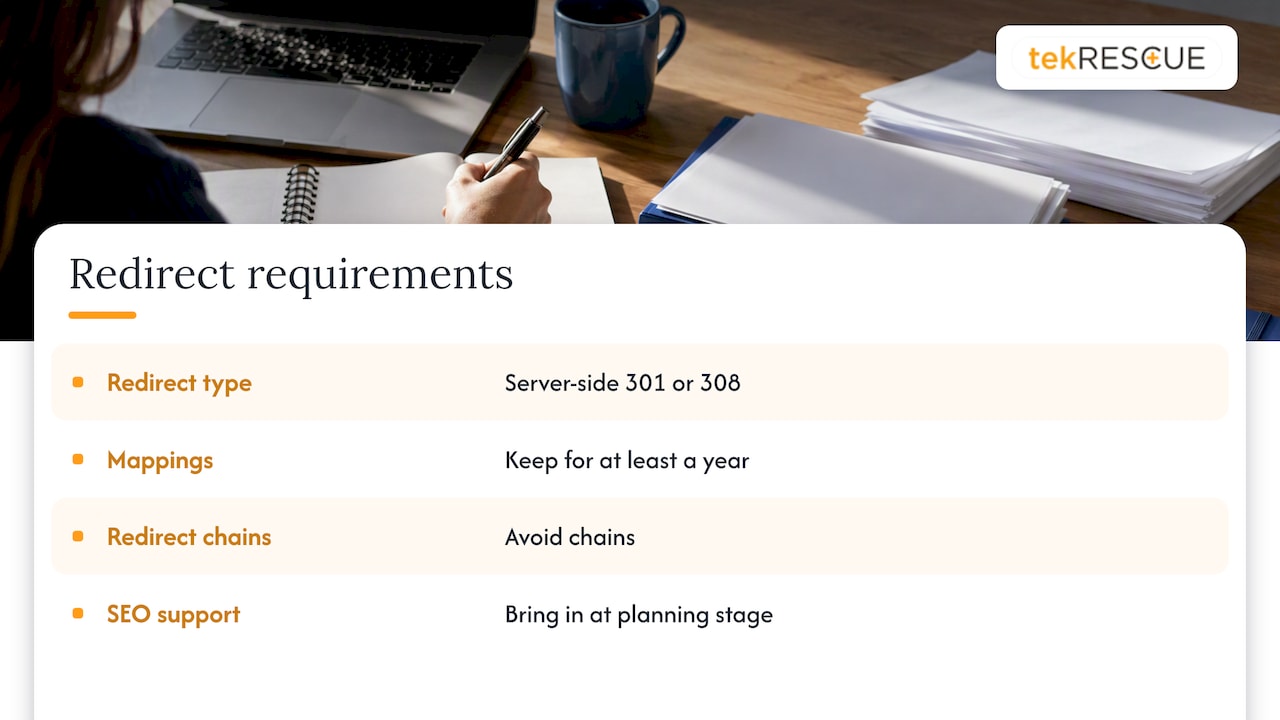
A redesign that changes URLs without a redirect plan can erase years of ranking. Google’s guidance on site moves recommends server-side 301 or 308 permanent redirects to point search engines to new locations, and avoiding redirect chains. It also advises keeping redirect mappings in place for at least a year so ranking signals can transfer.
In practice that means a spreadsheet with every old URL and its new destination, built during the audit. We cover the details in our guides to holding SEO rankings during a redesign and the first 48 hours after a migration. If search is a main source of leads, bring in SEO support at the planning stage, not after launch.
Design decisions affect rankings too, which is why how site design affects SEO belongs in your planning notes.
Mobile, HTTPS and discoverability
Federal guidance for government sites, in the White House memo M-23-22, requires that all web traffic be encrypted via HTTPS and expects sites to be mobile-friendly and optimized for discovery through search engines. That memo governs federal agencies, not private businesses, but it is a sensible baseline for any site. See also why mobile-friendliness affects how Google treats older sites.
Accessibility
The W3C recommends wide deployment of WCAG 2.2 as the standard for web accessibility. Build it into design and templates: color contrast, keyboard navigation, form labels, alt text and readable headings. It is far cheaper to do this in the build than to patch it later. Our website accessibility checklist and overview of why accessibility matters in web design are good places to start.
Security and compliance
A new site is a new attack surface. Confirm before launch that:
- The platform and every plugin are current and supported.
- Admin accounts use unique credentials and multi-factor authentication.
- Backups run automatically and a restore has been tested.
- Forms that collect personal or health information are handled correctly.
If you are a healthcare provider, forms, scheduling tools and email on your site can touch protected health information. Get your compliance questions answered before the build, not after. Our HIPAA compliance services and cybersecurity services exist for exactly that overlap. Many small businesses also need to think about the FTC Safeguards Rule if they handle customer financial information.
The timeline: how long a redesign takes
There is no honest single number. Duration depends on budget, the size of the web team, the number of pages and integrations, and how quickly approvals happen. Acquia’s overview of website redesign phases advises building in buffer for illness, unforeseen bugs and slow approvals.
What a plan should show is the sequence and who owns each handoff:
| Phase | What must be done before moving on |
|---|---|
| Discovery and audit | Baseline data, content inventory, stakeholder input |
| Goals and scope | One-page brief signed off |
| Information architecture | Sitemap and URL map approved |
| Design and prototype | Layouts tested with real users |
| Content | Copy written, approved and mapped to pages |
| Development | Build, integrations, security hardening |
| QA and pre-launch | Redirects, forms, speed, accessibility, cross-device checks |
| Launch and optimization | Monitoring, fixes, measurement against baseline |
The usual cause of delay is content and approvals, not design or code. Set a deadline for each review and name who is responsible when it slips.
Launch checklist and what to monitor afterward
On launch day, walk through this list:
- Redirects tested from a sample of old URLs, including top landing pages.
- Every form, phone link and booking tool tested end to end.
- Analytics and conversion tracking confirmed to be recording.
- XML sitemap submitted and the site not blocked from crawling.
- HTTPS working on every page, with no mixed-content warnings.
- Backups and uptime monitoring active.
In the first weeks, compare against your baseline: conversions, organic sessions, top landing pages, crawl errors and page speed. Fix broken links and missing redirects quickly. Then keep going. A site needs ongoing updates, hosting care and security patching, which is why many clients pair a build with website maintenance and hosting.
Perspective
We treat a redesign as a business-risk project first and a design project second.
When a company comes to us, the visible problem is usually the look of the site. The less visible problems are the ones that cost money: a platform nobody has patched, URLs with years of search value that nobody mapped, forms that collect sensitive information with no thought to where it goes.
That is why we pair web design with SEO and cybersecurity in the same conversation. The site is part of your infrastructure. If it goes live with weak credentials, no backups and broken redirects, you have swapped an old problem for a new one.
Our advice is simple. Write the goal down. Capture the baseline. Plan the redirects and the security review before anyone picks colors. Then judge the finished site by the numbers you recorded, not by how it feels on launch day.
Randy Bryan
Working with tekRESCUE on your redesign
If you are in the Austin, San Marcos, Kyle or New Braunfels area, or anywhere in Texas, we can run the whole project: planning, design and development, SEO, hosting, security and ongoing care. Start with our website design and development services, or talk to us about managed IT if your site is one piece of a larger infrastructure question.
FAQ
What should a website redesign plan include?
It should include a data audit of the current site, one primary goal with measurable KPIs, a defined scope, named owners and approvers, a timeline with review buffers and a risk plan. Add a URL redirect map and a launch checklist. Without those, scope creep and missed deadlines are likely.
What are good website redesign goals?
Good goals tie to revenue and can be measured: more qualified leads, a higher conversion rate on key service pages, steady organic traffic through launch, or meeting an accessibility and security standard. Record the current number first so you can show the change after launch.
How long does a website redesign take?
It depends on the number of pages, integrations, budget, team size and how fast you approve work. Plan buffer for bugs, illness and slow reviews. Content and approvals are the most common source of delay, so set review deadlines at the start.
Will a redesign hurt my SEO?
It can if URLs change without redirects. Google recommends permanent server-side redirects, avoiding redirect chains, and keeping the mappings in place for at least a year. Map every old URL to its new home before launch and monitor rankings and crawl errors afterward.
Do I need a full redesign or just a refresh?
Use your analytics. Isolated problems usually call for targeted fixes. Consistent underperformance, outdated technology or structural problems across the site point toward a full redesign.
Sources
- A Comprehensive Guide to Website Redesign, Figma
- Radical Redesign or Incremental Change?, Nielsen Norman Group
- Website Redesign: How to Define Strategy and Document Scope, Gartner
- How Experts Measure Website Redesign Success, Databox
- Web Vitals, web.dev
- Website planning template and redesign project plan, Ybug
- Site Moves and Migrations, Google Search Central
- M-23-22: Delivering a Digital-First Public Experience, White House
- Web Content Accessibility Guidelines (WCAG) 2.2, W3C
- The Five Phases of Website Redesign Success, Acquia
Recommended
Table of Contents