
Remote Work Security Policy: What to Include and How to Roll It Out
A remote work security policy is a written set of rules that says how employees may reach company systems and data from outside your office, on which devices, over which networks, and what happens when something goes wrong. If you run a small or midsize business, you need it in writing, you need every remote employee to have read it, and you need to review it on a schedule. Your office firewall no longer protects the laptop on the kitchen table.
This guide walks through what the policy must cover, how to word each section, how to handle healthcare data, and how to get people to follow it. Every control below comes from federal guidance, and we flag where a rule applies only to certain organizations.
Table of Contents
TL;DR
- A remote work security policy defines the secure use of company systems and data from outside your network, and it should plug into your overall cybersecurity program rather than sit alone.
- Cover the basics: approved devices, multi-factor authentication (MFA), home network hardening, updates, antivirus, phishing reporting, data handling and incident response.
- Use a risk-based approach: only organization-managed devices should reach your most sensitive resources.
- If staff touch patient data, HIPAA adds access control, risk analysis and privacy rules that your policy must reflect.
- Define consequences, train people, and test and audit the controls on a regular schedule.
Table of Contents
- What a remote work security policy is, and why you need one
- The risks your policy has to address
- What to include, section by section
- Incident response for a distributed team
- Extra rules when staff handle patient data
- Make the policy stick: training, consequences and review
- Our perspective
- Get help turning the policy into controls
- FAQ
- Sources
What a remote work security policy is, and why you need one
A remote access policy defines the acceptable, secure use of an organization’s systems and data from outside the physical network. Its job, according to TechTarget’s guide to remote access policies, is to keep people productive while making sure remote workers do not introduce security risks or business disruption.
Many owners assume their existing IT policy already covers this. Often it does not. TechTarget points out that current policies might not address remote access specifically, which is why it recommends making remote access part of the overall cybersecurity management program.
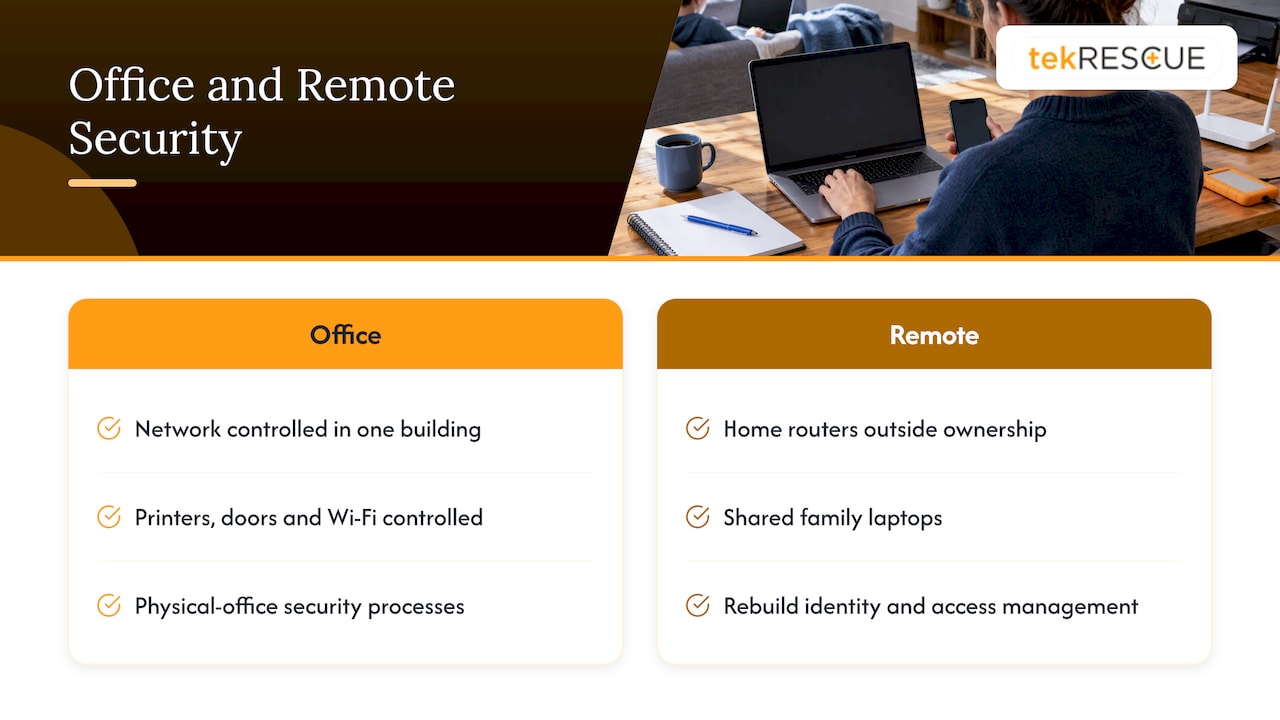
Here is the uncomfortable truth. When your team worked in one building, you controlled the network, the printers, the doors and the Wi-Fi. Now the real weak link is the infrastructure you do not own: home routers, shared family laptops, coffee shop networks. Attackers know it. A policy is how you take back control of what you can still control.
Bank of America’s cybersecurity journal makes a related point: security processes built for physical offices fall short for remote workforces, and identity verification and access management need to be rebuilt for them.
The risks your policy has to address
Write the policy against real threats, not generic ones. CISA’s Federal Mobile Workplace Security guidance lists the risks that remote and mobile work create:
- Theft or loss of devices
- Unauthorized physical access
- Phishing and social engineering
- Ransomware
- Wireless hijacking and eavesdropping
- Missing security updates on personal or remote devices
Each one maps to a section of your policy. Lost laptops lead to device rules and encryption. Phishing leads to training and reporting. Eavesdropping leads to network and public-place rules. If a clause in your draft does not answer one of these, ask why it is there.
What to include, section by section
CISA’s Telework Essentials Toolkit recommends policies for telework devices and home networks, MFA for remote access, secure network connections and protection of sensitive data. Use those as your skeleton and add the following detail.
Scope and roles
State who the policy covers: employees, contractors, owners, and any vendor with access. Name who approves exceptions and who receives security reports. A policy with no owner is not enforced.
Approved devices
Decide whether staff may use personal devices, company-issued devices, or both. Then match the answer to the data. NIST’s Guide to Enterprise Telework, Remote Access, and BYOD recommends a risk-based approach with tiered permissions, where only the most secure, organization-managed devices reach highly sensitive resources.
A practical tiering looks like this:
| Data or system | Who may access it | Device requirement |
|---|---|---|
| Email and calendar | All staff | Managed or personal device with MFA and current updates |
| Shared files and customer records | Staff who need them | Managed device preferred, encrypted, screen lock on |
| Financial systems, admin consoles, patient records | Named individuals only | Organization-managed device only, MFA required |
This table is our illustration of the tiering idea, not a NIST template. Adjust the rows to your own systems.
Accounts and authentication
Require MFA for every remote login, and set a strong password policy. CISA’s phishing guidance recommends MFA, strong passwords, automatic updates, antivirus and DNS protections. Our own MFA guide covers how to roll it out without stalling your team.
In the policy text, say that shared logins are prohibited, that MFA codes are never given to anyone, and that departing employees lose access the same day.
Updates, antivirus and endpoint protection
The policy should require automatic software updates and current antivirus on every device that touches company data, as CISA recommends in the same phishing guidance. An unpatched home laptop is an open door. If your team uses Macs, see our walkthrough on endpoint security and firewalls for Mac.
Home network rules
CISA’s Telework Essentials Toolkit recommends hardening home Wi-Fi. In concrete terms, the guidance points to these steps:
- Change the default router password.
- Use WPA2 or WPA3 encryption.
- Avoid an SSID that identifies you or your household.
- Consider protective DNS services.
Put these in a one-page checklist that employees can complete in an evening. Also tell them to keep guest Wi-Fi separate. CISA’s distributed FCC Cyber Security Planning Guide says guest wireless networks must be strictly separated from internal company networks so public traffic cannot traverse internal systems. The same principle applies in your office router and, sensibly, to visitors on a home network.
Public places and physical security
Remote work is not only about the home. Your policy should say what staff do in coffee shops, airports and co-working spaces: lock the screen when stepping away, use a privacy screen where practical, avoid discussing sensitive details aloud, and never leave a device unattended in a car. The risk list above includes theft and unauthorized physical access for a reason.
Data handling
Spell out where company data may live. Approved cloud storage only, no personal email forwarding, no copying files to USB drives or personal cloud accounts, and no printing sensitive records at home unless you permit it. If staff share sensitive documents with outside parties, such as translators or legal counsel, require a vetted process. Guidance on protecting sensitive documents in confidential translation work is a useful model for what a handling checklist can look like.
Phishing and reporting
Train people to spot phishing, and make reporting effortless. CISA encourages organizations to use built-in email reporting features and to report phishing to CISA or the FBI’s IC3. State and local government entities can report to MS-ISAC, per the same CISA phishing guidance.
Write one rule that matters more than any other: reporting a mistake quickly is never punished. An employee who clicked a bad link and hides it costs you far more than one who calls within minutes.
Incident response for a distributed team
Your policy needs a clear path for the day something fails. NIST’s ransomware preparation tips advise organizations to build an incident recovery plan with defined roles, keep regular backups in isolated locations, and maintain a current contact list for law enforcement.
Remote teams add a wrinkle. Bank of America’s journal notes that incident response plans must be updated for remote workforces, with alternate secure communication channels for staff and protocols for keeping the business running during an event. If your email is compromised, how do you tell everyone? Decide that now, not during the incident.
A short remote incident section should answer:
- Who do I call first, and at what number, if my laptop is lost or I see something odd?
- What do I do with the device (power off, disconnect, keep it as is)?
- Which backup channel does the team use if email and chat are suspect?
- Who decides to lock accounts and notify customers?
If you do not have an in-house person for this, outside incident response support can fill the role. Our guide to cybersecurity policies for remote employees goes deeper on the policy wording itself.
Extra rules when staff handle patient data
If your remote workers touch protected health information, HIPAA changes the picture. Remote work is not banned. It is a performance-based standard: you assess what is reasonable for your environment and document it.
HHS gives a clear example in its FAQ on telecommuting and access control. Covered entities must implement appropriate safeguards for electronic PHI and access-control policies and procedures. Automatic logoff is an addressable specification: you implement it when your assessment finds it reasonable and appropriate, or you adopt an appropriate alternative.
For calls, video and messaging apps, HHS’s telehealth guidance says covered entities must perform a risk analysis to decide whether the technology supports encryption and authentication, because ePHI sent over these channels falls under the Security Rule. The same guidance advises providing services in private settings, keeping voices low and avoiding speakerphone to limit incidental disclosure.
Translate that into policy language:
- No patient conversations on speakerphone or in shared rooms.
- Only approved, risk-assessed apps for messaging and video.
- Screen lock and automatic logoff set to a documented interval.
- Encryption for devices and for data in transit. Our PHI encryption steps for small practices cover this in detail.
For the bigger regulatory picture, see our overview of the HIPAA Security Rule. Questions about which rules apply to your practice belong with your compliance advisor or healthcare attorney.
Make the policy stick: training, consequences and review
A policy nobody reads protects nothing. TechTarget’s guidance says to integrate remote access into your cybersecurity program, give employees policy training, define penalties, and periodically test and audit access controls. It also recommends procedures for emergencies if a remote connection is compromised.
On consequences, the American Employers Alliance advises stating plainly that security breaches can lead to disciplinary action, up to termination. Have your employment counsel review that language before you publish it.
A workable rollout plan:
- Draft the policy in plain language, five pages or fewer, with the checklists as appendices.
- Review it with whoever manages IT and, if relevant, your HIPAA compliance lead.
- Train everyone live, with a short quiz or sign-off. Cover phishing examples from your own inbox.
- Collect signatures and store them.
- Test controls: confirm MFA is on for every account, check device update status, run a phishing exercise.
- Audit and revise on a schedule, and any time you add a tool, a vendor or a new work arrangement.
Don’t forget insiders. Most are careless, not malicious, but the risk is real, and our piece on insider threats explains what to watch for. For practical employee-facing tips, point staff to how to keep their tech safe while working from home.
Our perspective
We see the same pattern with small businesses in Central Texas. The policy exists, usually as a paragraph in an employee handbook, but nothing enforces it. MFA is on for some accounts and not others. Nobody knows which laptops are patched. Then a phishing email lands in a home inbox, and the attacker is inside before anyone notices.
Our view is simple. A remote work security policy is only as strong as the controls behind it. Writing “employees must use MFA” means little until someone confirms it is turned on everywhere. Writing “devices must be updated” means little until someone can see update status across the fleet.
That is why we pair policy with managed IT and security work: identifying which devices and accounts touch sensitive data, closing the gaps, and having a response plan ready before it is needed. For healthcare practices, we build HIPAA expectations into the same framework so remote work does not become a compliance blind spot.
If you run a business, do not wait for the incident to find out your policy was a document and not a defense.
Randy Bryan
Get help turning the policy into controls
If you would rather not build this alone, tekRESCUE works with small and midsize businesses on cybersecurity services and risk assessment and on managed IT services from our Austin and San Marcos area base. We can help you find where remote access is exposed, put MFA and device standards in place, and keep them monitored. Our guide to securing remote workers shows how we approach it. Reach out through the site to start a conversation.
FAQ
How long should a remote work security policy be?
Short enough that people read it. Most small businesses do well with a few pages of rules and one-page checklists for home networks and devices. Put the detail in appendices so the core policy stays readable.
Do we need a separate policy for work from home and for travel?
Not necessarily. One remote work policy can cover the home, public places and travel if it states the rules for each location. Separate sections for home networks and public Wi-Fi keep it clear.
Can employees use personal devices?
Yes, if you decide it fits your risk. NIST recommends a risk-based approach, where only organization-managed devices reach your most sensitive resources and personal devices get limited access. Whatever you choose, require MFA, updates and antivirus on every device.
What happens if a remote employee breaks the policy?
Your policy should state the consequences in advance, which can include disciplinary action up to termination, as noted by the American Employers Alliance. Pair that with a no-blame rule for quickly reporting mistakes, and have your attorney review the wording.
How often should we review the policy?
Review it on a regular schedule and whenever your tools, vendors or work arrangements change. TechTarget recommends periodic testing and auditing of remote access controls, so tie each review to a test.
Sources
- How to create a remote access policy, with template (TechTarget)
- Federal Mobile Workplace Security, 2024 Edition (CISA)
- Telework Essentials Toolkit (CISA)
- Phishing Guidance: Stopping the Attack Cycle at Phase One (CISA)
- Cyber Security Planning Guide (FCC, via CISA)
- Guide to Enterprise Telework, Remote Access, and BYOD (NIST SP 800-46r2)
- Tips and Tactics: Preparing Your Organization for Ransomware (NIST)
- Cyber Security Journal Issue 6 (Bank of America)
- Creating a Remote Work Policy for Your Business (American Employers Alliance)
- Security Rule access control and telecommuting FAQ (HHS)
- Guidance on How the HIPAA Rules Permit Covered Health Care Providers to Use Remote Communication Technologies (HHS)
Recommended
Table of Contents