

Service Area Business SEO: A Step-by-Step System That Works
Service area business SEO is the practice of configuring your Google Business Profile and website so Google can confidently match your company to searchers in the cities you actually serve, even though you have no public storefront. Get this wrong and Google either shows you to the wrong cities or ignores you in the Map Pack entirely. Get it right, and you show up for “plumber near me” searches in six different towns without ever renting a second office.
Three moves matter more than anything else you’ll read below:
- Set your Google Business Profile service area correctly, with realistic boundaries instead of a sprawling wish list.
- Publish one to three genuinely unique service area landing pages, not a template with the city name swapped out.
- Start collecting reviews that mention specific services and locations, on a consistent schedule.
Expect early movement, more impressions, a few new direction requests, within 60 to 90 days. Real lead flow, the kind that shows up in your call logs, typically takes 3 to 6 months once your pages, citations, and reviews are working together instead of in isolation.
Table of Contents
Key Takeaways
Service area business SEO succeeds when your Google Business Profile settings, your website’s city pages, and your citation and review activity all say the same thing consistently.
| Point | Details |
|---|---|
| Configure GBP first | Set realistic service areas and hide your address if you don’t serve walk-in customers. |
| Build real city pages | Publish one to three pages with 30 to 60 percent unique local content, not templated swaps. |
| Add schema everywhere | Use LocalBusiness and Service JSON-LD with areaServed tailored to each city page. |
| Keep NP+C consistent | Match Name, Phone, and primary City exactly across every directory listing. |
| Expect a 3 to 6 month timeline | Early signals appear in 60 to 90 days; meaningful lead flow follows once reviews and pages compound. |
| Work with a proven process | tekrescue builds GBP audits, unique city pages, and schema into one coordinated engagement. |
Table of Contents
- How to Set Up Service Areas in Google Business Profile
- Building Service Area Landing Pages That Rank
- What Structured Data Tells Google About Your Coverage
- Citations, Directories, and Reviews That Carry Weight
- What to Track and How Long Results Take
- Mistakes That Get Listings Suspended or Ignored
- How tekrescue Approaches Service Area SEO for Clients
- My Take on What Actually Moves the Needle
- Get Your Service Areas Configured Right the First Time
- Sources
- FAQ
How to Set Up Service Areas in Google Business Profile
Before you touch a single setting, decide what kind of business profile you actually run. A storefront business has a physical address customers visit. A service-area business (SAB) goes to the customer and should hide its address. A hybrid does both, think a plumbing company with a small retail counter for parts plus a fleet of trucks. Google’s own eligibility rule is blunt: if customers don’t visit your listed address, and especially if there’s no public signage there, you must hide that address and operate as a service-area listing.
Here’s how to configure it correctly:
- Open your Business Profile and go to Business Information, then the Location section.
- Under “Service area,” add the specific cities, ZIP codes, or counties you serve rather than accepting Google’s auto-suggested radius.
- Stop at meaningful coverage. Google caps you at 20 service areas, and packing in all 20 to look bigger backfires.
- Confirm your address visibility setting matches your business type. If you don’t serve walk-ins, hide it.
- Save changes and check how your profile renders in a live search from a device outside your home base.
The 20-area ceiling isn’t the real constraint. The practical one is a two-hour drive time. Google’s algorithm weighs proximity heavily, and it estimates your service radius from a centroid, essentially the geographic middle of your declared area. Claim a city three hours away and you’ll rarely surface there no matter how good your website copy is. A roofing company based in New Braunfels claiming coverage from San Antonio to Dallas will get diluted results everywhere. The same company claiming New Braunfels, San Marcos, and Kyle, all within a tight radius, sees sharper local rankings in each one.
Pro Tip: Audit your service area list every six months. If a city hasn’t produced a single lead in that window, drop it. A tighter, honest list beats a padded one every time Google recalculates proximity.
Building Service Area Landing Pages That Rank
Your Google Business Profile can only carry you so far. The centroid model means Google’s confidence in your relevance to a city fades with distance, so if you want to actually rank in organic search results for “electrician in Bastrop” and not just the Map Pack, you need a dedicated page for Bastrop. That page has to do real work, not just repeat your homepage with a new city name pasted in.

“Substantive” has a specific meaning here. Industry consensus puts the unique-content threshold at roughly 30 to 60 percent per page, meaning less than a third of the page can be boilerplate copied from your other city pages. The rest needs to be genuinely local: a finished project in that town, a testimonial from a customer there, a mention of the specific neighborhoods or subdivisions you’ve worked in, and ideally an embedded Google Map centered on that service area.
A workable page structure looks like this:
| Element | Purpose |
|---|---|
| URL | Follow a service-plus-city pattern, such as /hvac-repair-kyle-tx |
| H1 | Match the URL intent: “HVAC Repair in Kyle, TX” |
| Local proof | One project photo or testimonial specific to that city |
| Map embed | Reinforces geographic relevance for both users and crawlers |
| Internal links | Connect back to a service hub page and sideways to nearby city pages |
Structure your site so a hub page (say, “HVAC Services”) links down to individual city pages, and each city page links back up plus sideways to two or three neighboring cities. That hub to service to city architecture gives Google a clean crawl path and tells it exactly how your coverage is organized.
Publish these pages in small batches, three to five at a time, with a human actually reading each one before it goes live. Rushing out twenty pages in a weekend using a spreadsheet and a mail-merge is exactly how businesses end up with duplicate content flags.
Avoid these patterns entirely:
- Swapping only the city name in an otherwise identical template across dozens of pages.
- A footer stuffed with fifty city links and no dedicated page behind most of them.
- Hiding your entire location list inside a JavaScript-only store locator that crawlers can’t read.
These are the classic doorway page red flags, and Google’s algorithms are built specifically to catch them.
What Structured Data Tells Google About Your Coverage
Schema markup is how you speak Google’s language directly instead of hoping it infers your service area from prose alone. Add LocalBusiness JSON-LD to your site with the areaServed property listing each city or region you cover, paired with Service schema describing what you actually do in each place. This isn’t decoration. It’s a machine-readable confirmation of everything your GBP profile already claims.
A few technical details make a real difference:
- Place your LocalBusiness schema on every page, but tailor the
areaServedvalue on each city page to that specific location rather than dumping your entire coverage list on every URL. - Use NP+C (Name, Phone, primary City) as your consistency model across the web when you have no public address to anchor listings to. Every directory, every citation, every mention should show the same business name, the same phone number, and the same primary city.
- Embed an actual Google Map on each service area page. It reinforces geographic intent for users and gives crawlers another location signal to cross-reference.
- Keep your pages fast on mobile. Most website traffic now comes from mobile devices, and a service area page that loads slowly on a phone loses the exact customer standing in their driveway trying to call you.
Pro Tip: Run your city pages through a schema validator before publishing. A broken JSON-LD block is worse than no schema at all because it can quietly confuse how Google interprets your entire site.
One safety note that overrides everything else: never publish a fake business address, and never try to manipulate your centroid by listing a city you don’t actually serve just to shift your proximity estimate. Google’s service area policy treats both as violations, and the penalty is usually a suspended listing, not a warning.
Citations, Directories, and Reviews That Carry Weight
Offline signals, or what Google treats as “offline” even though they live on the web, do heavier lifting for service-area businesses than for storefronts, precisely because you have no address to anchor trust. Consistency is the whole game here.
- List your business on directories using identical Name, Phone, and primary City formatting every time to maintain consistent online citations as recommended by ctrl + alt + orion. A mismatched suite number or an old phone number on one directory can quietly erode the confidence Google places in your entire citation profile.
- Ask every customer for a review that names the specific service performed and the city or neighborhood where you did it. “Great job on my water heater in San Marcos” tells Google far more than “great service.”
- Automate the review request itself, a text or email sent within a day of job completion, but never automate or template the review content customers write.
- Respond to every review within 48 hours. Responses are a visible signal that the business is active and attentive.
Review velocity and where your reviewers are physically located both factor into Map Pack prominence. A steady trickle of new reviews spread across your declared cities outperforms a burst of twenty reviews from a single neighborhood.
What to Track and How Long Results Take
Watch four numbers: GBP impressions and clicks, direction requests, organic traffic landing on your city pages, and phone calls broken out by service area. Google Business Profile Insights and Google Search Console cover all four without any paid tooling. For deeper diagnostics, a rank-grid style check, which samples your ranking position from multiple simulated locations across your service area, shows you whether you’re actually visible city by city rather than just in aggregate.
- Weeks 1 to 4: profile and pages go live; expect no visible ranking movement yet.
- Weeks 8 to 12: early signals appear, impressions and direction requests tick up first.
- Months 3 to 6: organic traffic to city pages and phone leads start compounding, assuming citations and reviews kept pace.
Businesses with faster citation cleanup and steady review velocity tend to hit the 3 to 6 month mark faster than those still fixing inconsistent NP+C data six months in.
Mistakes That Get Listings Suspended or Ignored
Google suspends far more service-area listings than storefronts, mostly because SABs are easier to fake. The most common triggers: templated city pages that read as duplicate content, a home address accidentally left visible when it should be hidden, inconsistent business name or phone formatting across citations, and choosing the wrong primary category during setup.
If your listing gets suspended, the fastest path back is an honest reappraisal: fix the violation first, then file a reinstatement request through Google’s support channel rather than creating a new profile, which usually makes things worse.
Before you publish anything, run this quick check:
- Uniqueness audit: does each city page pass a plagiarism check against your other pages?
- Schema validation: does your JSON-LD parse cleanly with no errors?
- Citation consistency: does every major directory show identical NP+C?
- Review pipeline test: does a real customer receive a request within 24 hours of job completion?
Pro Tip: Keep a simple spreadsheet logging every city you claim, its citation status, and its last review date. Most suspensions trace back to a small inconsistency nobody caught for months.
How tekrescue Approaches Service Area SEO for Clients
The process tekrescue runs for service-area clients follows a deliberate sequence rather than a checklist knocked out in one sitting. It starts with a full audit of your existing Google Business Profile, then prioritizes which cities are worth pursuing based on realistic drive-time and existing demand, not just where you’d like more work. From there, the team writes unique service area pages, implements LocalBusiness and Service schema, and audits citations across the directories that actually move the needle for your industry.
Deliverables for a typical small to medium service business engagement include:
- A GBP configuration audit with specific service-area corrections.
- Two to five unique city landing pages, written and reviewed by a person, not spun from a template.
- Schema implementation across the site’s location pages.
- A citation consistency pass across major directories.
- A review request workflow tied to job completion.
For businesses in regulated fields, healthcare practices needing HIPAA-aligned handling of patient data collected through contact forms, or CPA firms with security obligations tied to client financial records, the same service-area framework gets built alongside compliance safeguards from the start rather than bolted on later. Compliance and search visibility aren’t separate projects when the intake form on your city page is also collecting sensitive information.
Local visibility for a service business isn’t won on the Google Business Profile alone. It’s won by making sure everything you claim in that profile is backed up, word for word, city for city, everywhere else your name appears online.
Readers curious how this looks for property managers and similar multi-location service businesses can see the approach applied in tekrescue’s SEO services for property managers.
My Take on What Actually Moves the Needle
Most advice on this topic treats service area pages like a volume game: claim more cities, publish more pages, collect more citations. That’s backwards, and it’s the fastest route to a suspended listing. The businesses that actually rank across multiple cities are the ones that treated their service area list like a budget, not a wish list, spending their credibility on six cities they can genuinely back up with real projects and real reviews instead of spreading it across twenty they barely service.
The conventional wisdom also undersells how much reviews matter relative to on-page tweaks. You can perfect your schema markup and still lose to a competitor with a steady stream of city-specific reviews rolling in every week. Reviews are the one signal a template can’t fake convincingly, which is exactly why Google leans on them so heavily.
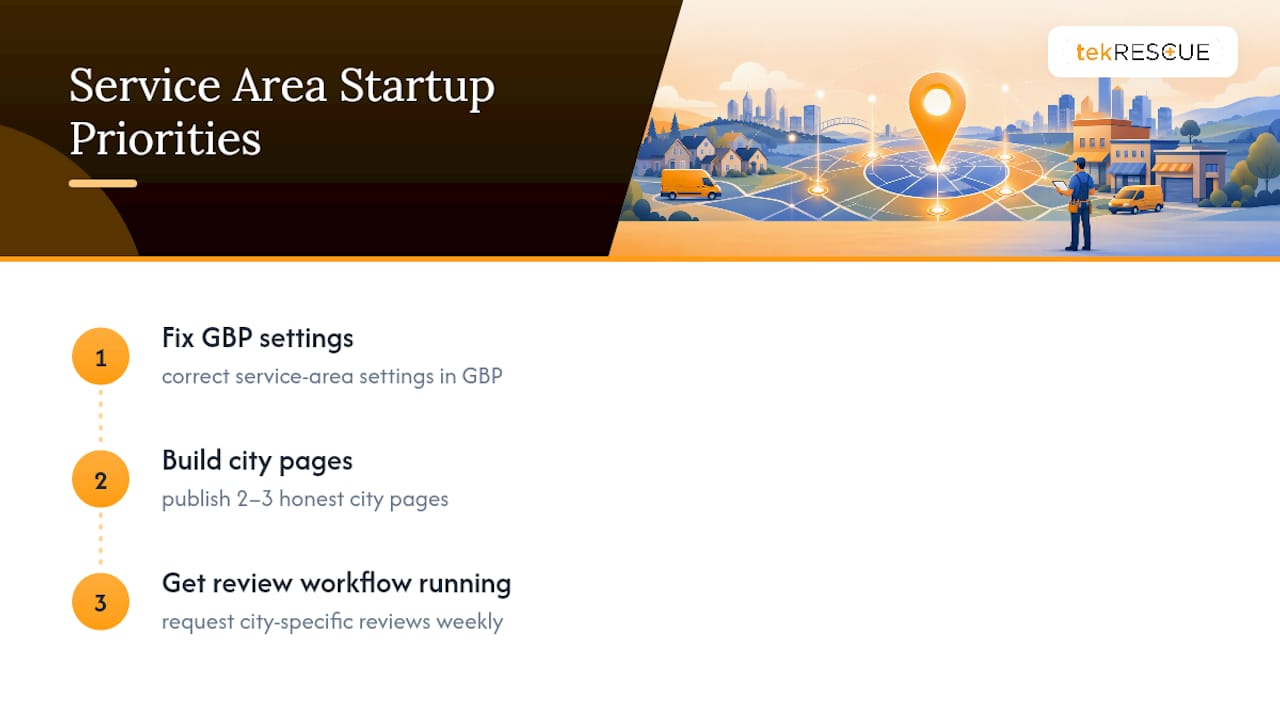
If you’re starting from zero, prioritize in this order: fix your GBP service area settings, then build two or three honest city pages, then get a review request workflow running. Everything else, the deeper schema work, the citation cleanup, matters, but it compounds on top of those three, not instead of them.
— Randy Bryan
Get Your Service Areas Configured Right the First Time
tekrescue is the alternative to guessing your way through Google Business Profile settings or hiring a generalist agency that treats every city page the same way. The advantage is specificity: tekrescue audits your actual service radius, writes city pages with real local detail instead of swapped placeholders, and layers in schema and citation work that most small-business owners don’t have the time to verify themselves. For businesses juggling compliance concerns alongside visibility, whether that’s HIPAA obligations for a healthcare practice or security requirements for a CPA firm, the same team handles both without treating them as separate projects.
If your service area pages currently look like a template with a city name swapped in, or your GBP profile hasn’t been touched since you set it up, start with a conversation about building a website that actually converts local visitors into customers and go from there.
Sources
FAQ
What Is the Service Area of a Business?
A service area is the set of cities, ZIP codes, or regions where a business travels to perform work, as opposed to a fixed address customers visit. Google Business Profile lets you declare up to 20 of these areas directly in your listing settings.
What Are SEO Business Services?
SEO business services cover the technical, content, and citation work needed to improve how a company ranks in search results, including keyword research, on-page optimization, schema markup, and local listing management. For service-area businesses, that work centers heavily on Google Business Profile configuration and city-specific landing pages.
What Does “Service Area” Mean on a Google Business Listing?
On a Google Business Profile, “service area” defines where you travel to serve customers rather than where they visit you, and Google uses it to determine whether your address should display publicly. Businesses without customer-facing locations should hide their address entirely and rely on service area settings instead.
How Does Marketing Differ for a Service Area Business?
Marketing for a service area business focuses on proving local relevance across multiple cities rather than around a single storefront, which means city-specific landing pages, localized reviews, and consistent NP+C citations carry more weight than they would for a business with one fixed address. tekrescue builds these elements together rather than treating them as separate campaigns.
How Long Does Service Area SEO Take to Show Results?
Early signals like increased impressions and direction requests typically appear within 60 to 90 days, while meaningful lead flow through phone calls and form submissions usually takes 3 to 6 months once pages, schema, and reviews are all working together.
Recommended
Table of Contents