
AI Document Processing: A Small Business Guide
AI document processing is software that reads invoices, forms, contracts, and scans, sorts them by type, and pulls out the fields you need, such as vendor, total, due date, or patient ID. For a small business it can cut hours of retyping. It can also send your most sensitive files to a third party if you pick the wrong setup. This guide covers what the technology does, what it really costs, and the security checks to run before any document touches it.
If you run a business, here is the uncomfortable truth: the extraction is the easy part. The risk sits in where your documents go.
Table of Contents
TL;DR
- AI document processing combines text recognition, classification, and field extraction, then routes the result into your accounting, practice, or records system.
- Plain text extraction is cheap. Structured extraction costs far more, and the surrounding work (review screens, upkeep) often costs more than the AI itself.
- Before you upload anything containing patient, client, or financial data, settle where it is processed, who can access it, and whether a signed agreement covers it.
- Start with one document type, measure accuracy against a human, and expand only after the numbers hold up.
Table of Contents
- What AI document processing actually does
- Where small businesses get the most from it
- What it costs
- The security question most guides skip
- Building a pilot that proves itself
- The attack surface you are adding
- Our perspective
- Get a second set of eyes before you upload
- FAQ
- Sources
What AI document processing actually does
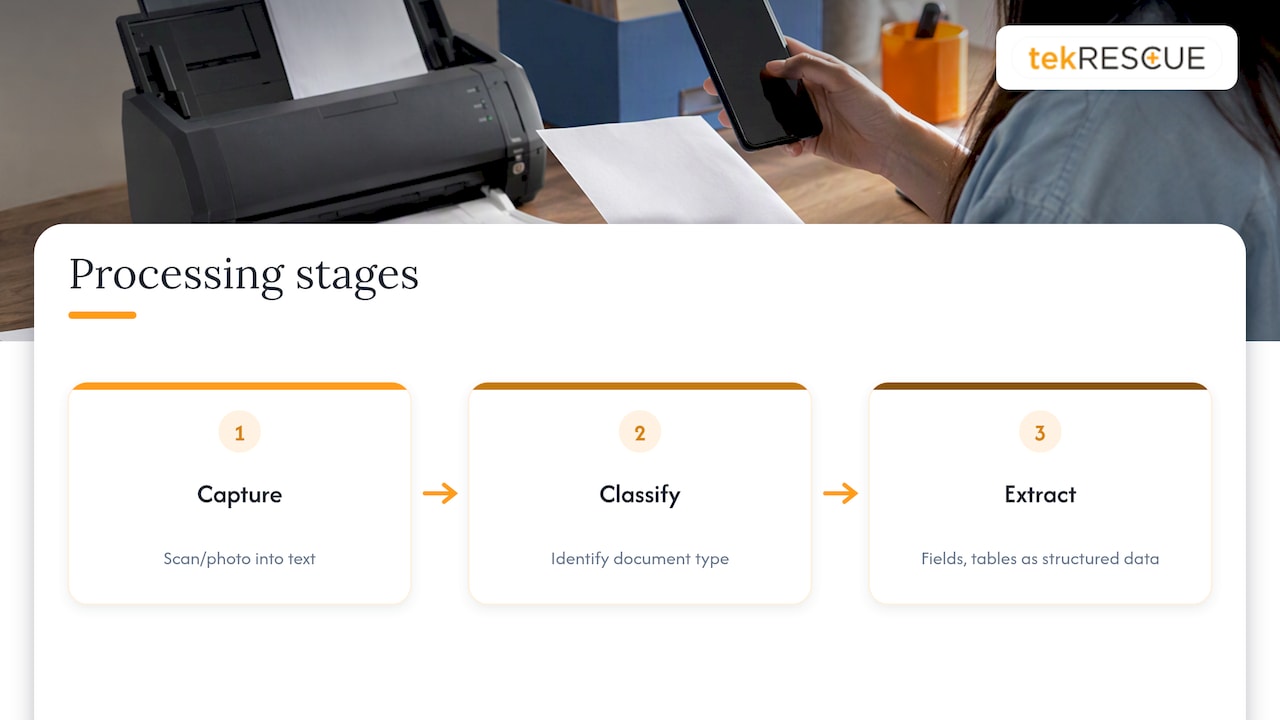
The term covers three jobs that used to be separate.
Capture. Optical character recognition (OCR) turns a scan or photo into text. This is the oldest layer and the cheapest.
Classification. The system decides what the document is: an invoice, a W-9, a lab report, an engagement letter. Readers searching for document classification AI are asking about this step. Without it, every file lands in one pile and a person still sorts it.
Extraction. The system finds specific fields and tables and returns them as structured data. This is where invoice processing AI lives: vendor name, invoice number, line items, tax, total.
Newer tools add generative AI on top, so you can ask questions about a contract or summarize a long report. That is useful, and it is also where data exposure tends to grow, because the full text of the document goes to a model.
How it differs from older automation
Template-based tools need a fixed layout. Change the vendor’s invoice format and the template breaks. AI-based tools adapt to layout variation, which matters when you receive invoices from dozens of vendors. They still make mistakes, which is why a review step matters.
Where small businesses get the most from it
The best candidates share three traits: high volume, repetitive format, and a clear destination system.
- Accounts payable. Invoices and receipts flow in by email, get read, and are pushed to your accounting software for approval.
- Intake paperwork. New client or patient forms get classified and the fields entered into your records system.
- Contracts and agreements. Pulling renewal dates, parties, and payment terms into a tracker.
- Claims and supporting documents. Matching attachments to the right file.
If you are choosing where to begin, our guides on five processes small businesses can automate to reduce costs and five workflows you can automate with custom AI models walk through candidates in more detail.
What it costs
People searching how much document AI costs usually find per-page API pricing, which is only part of the picture.
Extraction pricing
As of July 2026, a comparison of the three largest cloud OCR services puts plain text extraction at about $1.50 per 1,000 pages. Once you need structured fields such as tables and key-value pairs, the same comparison shows prices of roughly $30 to $70 per 1,000 pages, depending on the provider and the complexity of the form.
| Task | Approximate cost per 1,000 pages |
|---|---|
| Plain text extraction | about $1.50 |
| Structured extraction (fields, tables) | $30 to $70 |
For most small businesses, a packaged tool is simpler than building on those services. A 2026 roundup of small business OCR software suggests a realistic budget of $0 to $100 per month and estimates manual invoice handling at about $15.97 per invoice against roughly $3 when automated. Treat those as one publisher’s estimates, not guarantees. Your own numbers will differ with invoice complexity and who does the checking.
The costs that do not show up on the price page
The same pricing comparison makes a point we agree with: the API fee is often a distraction. The real work is the pipeline around it:
- Classifying documents before extraction
- Validation screens where a person reviews low-confidence fields
- Someone to maintain the connections when a vendor, form, or software update changes something
Budget for those. If you only price the extraction, the project will look cheaper than it is.
A quick way to size your own case
- Count documents per month by type.
- Time how long a person takes to enter one, then multiply by their loaded hourly cost.
- Estimate how many extracted fields will need a human check. Start with a high share and lower it as you measure.
- Compare the total with the tool fee plus the review time.
If the saving only appears when you assume no one reviews anything, the project is not ready.
The security question most guides skip
Most top-ranking pages on this topic sell software, so they spend their words on speed and accuracy. For a business that handles patient records, client tax files, or financial statements, the first question is different: what happens to the document once it is uploaded?
Cloud versus local processing
Researchers at V. N. Karazin Kharkiv National University describe a tension between computing power and data security. Cloud AI tools perform well but create exposure risk for sensitive data. For organizations with strict compliance needs, the authors point to local, containerized language model deployments that keep data inside a controlled zone. Local setups take more skill to run and may not match the largest hosted models on every task, so the trade-off is real in both directions.
What to ask any vendor
NIST warns against taking privacy claims at face value. In its draft guidance on privacy techniques, it says every level of the differential privacy pyramid has to be examined before you trust a claim. The practical translation: a privacy promise is only as strong as its weakest link, whether that is poor data collection practices, weak infrastructure, or missing access controls.
A useful checklist:
- Where is the document processed and stored, and for how long?
- Is it encrypted in transit and at rest? Federal deployments set a high bar. The General Services Administration’s privacy assessment for its document processing system lists FIPS 140-2 validated encryption, multi-factor authentication, and role-based access control as safeguards around personal information.
- Who inside your company can see the extracted data? Role-based access matters as much as the model.
- Are your documents used to train the vendor’s models? Get the answer in writing.
- Is there a signed agreement that fits your regulatory situation?
If you handle protected health information
A healthcare practice, or a legal or accounting firm that touches health data, should not upload a single record to a general-purpose AI tool. Under HIPAA, a vendor that creates, receives, maintains, or transmits protected health information for you generally counts as a business associate, and you need a business associate agreement in place first. Confirm your specific situation with your compliance officer or a HIPAA attorney. Our pages on HIPAA compliance and making AI for healthcare compliance audit ready explain how to document this.
Financial firms face their own rules. If you prepare taxes or handle customer financial information, the FTC Safeguards Rule applies to how you protect it, and an AI tool is one more system in scope.
Building a pilot that proves itself
Skip the big rollout. Run a 30 to 90 day pilot.
- Pick one document type. Vendor invoices are a common first choice because the fields are well defined.
- Write the rules first. Decide which data is allowed into the tool and which is not. Our AI policy guide for employees shows how to fit that on a few pages.
- Test with real but low-risk samples. Redact or use non-sensitive documents until the security review is done.
- Measure accuracy against a person. Track errors per field, not just overall success.
- Set a confidence threshold. Anything below it goes to a human reviewer.
- Log access. You should be able to say who saw what and when.
- Decide to scale, change, or stop. Our 90 day pilot framework for small businesses covers how to define success before you start.
Can I just use a chatbot to review a document?
For a non-sensitive document, a general chatbot can summarize or answer questions. For anything with client, patient, or financial identifiers, check the vendor’s data handling terms first and follow your company’s AI policy. The convenience is the risk: it takes one paste. Our piece on implementing workplace AI without exposing confidential business data covers the controls.
The attack surface you are adding
Every new AI tool is a new target. Attackers go after credentials, connected accounts, and the integrations that move data between systems. A document pipeline that pulls from email, writes to accounting software, and stores files in the cloud has several of each.
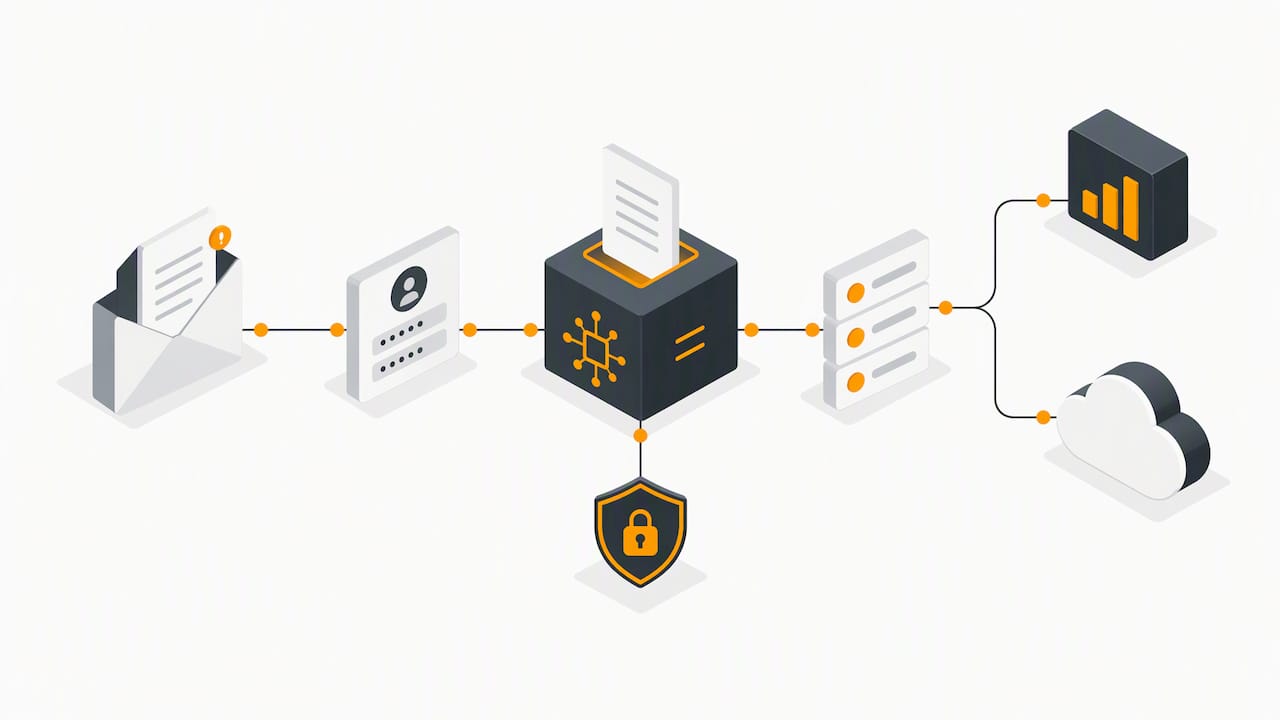
Two habits help. Give the tool the least access it needs, and monitor it like any other system with sensitive data. Our article on managing the cybersecurity vulnerabilities of artificial intelligence goes deeper, and AI data governance in 90 days maps the work to recognized frameworks. NIST’s AI Risk Management Framework is the reference point we use for assessing whether an AI system can be trusted in a given setting.
Our perspective
We see the same pattern with small businesses in Central Texas. Someone finds a tool that reads invoices in seconds, the demo looks great, and the security questions come after the first upload. By then the documents are already somewhere the owner cannot describe.
We think the order should be reversed. Decide what data the tool may touch. Check how it is protected. Then measure whether it saves money once review time is counted. For regulated data, that often means a narrower scope than the vendor’s pitch suggests, or a locally controlled deployment instead of a public cloud tool.
AI will not stop being useful, and it will not stop being a target. The businesses that benefit are the ones that treat document automation as an IT and compliance project first, and a productivity project second.
— Randy Bryan
Get a second set of eyes before you upload
If you are weighing an AI document workflow, our Strategic AI Consulting team can help you choose a use case and set the guardrails. If the documents include regulated data, our cybersecurity services include risk assessment, so you know where the exposure is before the pilot begins. We serve businesses in Austin, San Marcos, New Braunfels, Kyle, and the surrounding area.
FAQ
How can I use AI to process documents in my business?
Pick one repetitive document type, such as vendor invoices, and run it through a tool that handles capture, classification, and extraction. Have a person review low-confidence fields and compare accuracy against manual entry for a few weeks. Write down which data is allowed in the tool before you start.
How much does document AI cost?
It depends on what you extract. Public cloud pricing in July 2026 shows plain text at about $1.50 per 1,000 pages and structured extraction at $30 to $70 per 1,000 pages, per this comparison. Packaged tools for small businesses are priced monthly. Add the cost of review and maintenance, which often exceeds the extraction fee.
Is AI invoice processing worth it for a small business?
It can be when invoice volume is steady and formats vary. One small business tool review estimates manual handling at about $15.97 per invoice and automated handling at about $3, though your own costs will vary. Measure your current time per invoice and your error rate before you decide.
Is it safe to put client or patient documents into an AI tool?
Only after you confirm where data is processed, how it is encrypted, who can access it, and whether the vendor will sign the agreement your regulations require. For health information, that means a business associate agreement under HIPAA. Ask your compliance officer or attorney to confirm it fits your situation.
Sources
- OCR API Pricing Comparison 2026 Per 1,000 Pages
- Best Small Business OCR Software 2026
- Principal directions for deploying secure document workflow on artificial intelligence platforms
- NIST: Draft Guidance on Evaluating a Privacy Protection Technique for the AI Era
- GSA Enterprise Intelligent Document Processing Privacy Impact Assessment
- NIST AI Risk Management Framework
Recommended
Table of Contents