
Fix These 3 Printer Security Risks IT Admins Still Ignore
Modern networked printers are computers with a scanner glued on, and attackers treat them that way even when IT departments don’t. If your printer fleet has an internet-exposed management interface, default credentials, or firmware nobody has patched in a year, you have an open door. Fix those three things first, then work through the fuller hardening checklist below.
TL;DR:
- Most printer security risks stem from open management ports, default passwords, and unpatched firmware vulnerabilities, which can be exploited easily from the internet or local network.
- Attack methods include exploiting exposed interfaces, malicious print drivers, firmware tampering, and network pivoting, turning printers into footholds for lateral movement inside the network.
- Hardening requires segmenting printers onto dedicated VLANs, enforcing unique passwords, disabling unused services, and maintaining an ongoing inventory and patch schedule.
- Printers often store sensitive data on internal drives and accept unsigned firmware, making secure lifecycle management and proper disposal critical to prevent data leaks.
- Regular monitoring for unusual network activity, unexplained print jobs, and configuration changes, along with prompt incident response, are essential for detecting and mitigating printer compromises.
Table of Contents
Table of Contents
- What Are the Biggest Printer Security Risks?
- How Do Attackers Actually Exploit Printers?
- Practical Mitigation and Hardening Checklist for IT Admins
- Managing the Printer Lifecycle: Procurement Through Disposal
- How Do You Know If a Printer Has Been Compromised?
- A One-Page Checklist for Procurement and Ops Teams
- Why Printer Security Gets Deprioritized (And Why That’s a Mistake)
- Sources
- FAQ
What Are the Biggest Printer Security Risks?
Printers accumulate risk quietly, which is exactly why they get overlooked during patch cycles and network audits. Here is the priority list to check today, roughly in order of how often each one shows up in real incidents.
- Open management ports and default credentials. Many multifunction printers ship with a web-based admin console exposed on the local network, and some end up reachable from the internet through misconfigured firewalls or port forwarding rules. Attackers scan for these and log in with factory-set passwords that were never changed.
- Unpatched firmware with known CVEs. Vendor advisories regularly disclose authentication bypass and remote code execution flaws. A recent Konica Minolta LDAP credential exposure shows how a single unpatched flaw can leak directory credentials straight off the device.
- Data sitting unencrypted on internal storage. Every scanned invoice, faxed contract, or copied medical record can linger on the device’s hard drive long after the job finishes.
- Insecure legacy protocols. Telnet, FTP, and unauthenticated HTTP management panels remain enabled on far too many devices, and wireless or Bluetooth printing adds another unmonitored entry point.
- Print spooler and driver exploitation. Windows print drivers run with elevated privileges, and a malicious driver or spooler flaw can hand an attacker a path to the entire domain.
- Third-party and vendor access. Leased devices, remote maintenance tools, and technician visits create operational exposure that has nothing to do with the printer’s own configuration.
Each of these deserves its own line item in a printer vulnerability assessment, not a footnote in a general network scan.
How Do Attackers Actually Exploit Printers?
Attackers don’t target printers out of curiosity. They target them because printers sit inside the trusted network perimeter while receiving far less scrutiny than servers or laptops. Once inside, a compromised printer becomes a foothold for lateral movement.
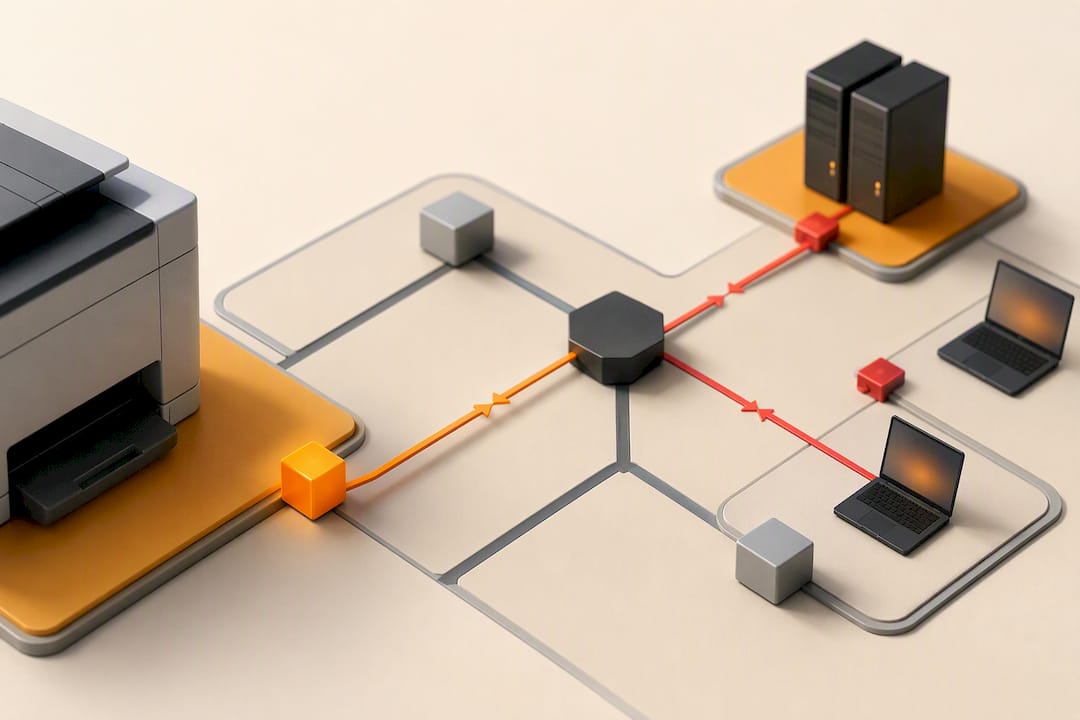
The clearest recent example is CVE-2023-27350 in PaperCut MF/NG, where attackers bypassed authentication entirely and ran system-level commands through the application’s print scripting feature. The FBI and CISA joint advisory on that exploit documented active exploitation against internet-exposed print servers before most organizations had even applied the patch.
Common attack methods include:
- Exposed management interfaces. CISA’s advisory on PaperCut and similar exposures describes attackers walking straight into administrative consoles left reachable from the open internet.
- Print spooler abuse. Windows Print Spooler vulnerabilities let attackers load malicious print processors for persistence, which is why CISA’s directive on the Print Spooler service specifically calls out Point and Print Restrictions as a mitigation.
- Firmware tampering. Devices that accept unsigned firmware updates can be flashed with modified code that survives a factory reset.
- Network pivoting. A compromised printer with unrestricted internal access becomes a launch point for scanning the rest of the network or joining a botnet.
Practical Mitigation and Hardening Checklist for IT Admins
Fixing printer network security isn’t one project. It’s a set of configuration changes, network rules, and recurring processes that need owners and deadlines. Work through this list in order.
- Segment printers onto their own VLAN and write firewall rules that block management ports from reaching the internet entirely.
- Replace every default password with unique, managed credentials, and restrict admin-level access to a small named group.
- Disable services you don’t use. Telnet, FTP, and unauthenticated web management panels should go dark unless a specific business need justifies keeping them on.
- Require authenticated pull printing where the platform supports it, so jobs don’t sit exposed in a queue anyone on the network can reach.
- Build a device inventory and subscribe to vendor advisories. You can’t patch what you don’t know you own, and firmware updates on printers get skipped more often than any other device class.
- Turn on encryption for data at rest and in transit, and schedule storage overwrite cycles rather than relying on a factory reset at end of life.
- Forward printer logs to your SIEM and set alerts for unusual outbound traffic, unexpected new admin accounts, or spawned processes tied to the print spooler.
- Put escort and access requirements in vendor contracts. Technicians servicing leased devices should never have unsupervised access to a machine holding sensitive documents.
- Rank devices by risk using data sensitivity and network exposure, then remediate the highest-risk machines first instead of patching alphabetically.
NIST IR 8023 frames this correctly: printers and replication devices need the same lifecycle controls as any networked computer, including logging, encryption, and storage sanitization.
Pro Tip: Run a printer-specific vulnerability assessment separate from your general network scan. Standard scanners often skip embedded device firmware versions and miss the exact CVEs vendors have already published fixes for.
Managing the Printer Lifecycle: Procurement Through Disposal
Printer security best practices start before the device ever reaches your network, and they don’t end when you decide to replace it. Long-term exposure usually comes from skipping controls at the edges of the lifecycle, not from ignoring day-to-day configuration.
At procurement, put security requirements directly into the RFP or lease agreement: signed firmware updates, at-rest encryption, and either a data-overwrite feature or a drive-retention option at lease end. When a new device arrives, inventory it, apply your baseline secure configuration before it touches the production network, and place it on the correct segmented VLAN from day one.
During its working life, maintain a documented patch schedule, require authenticated firmware updates only, and control technician access with escort policies for anyone servicing the device on-site.
At decommissioning, the FTC’s copier data security guidance is blunt: digital copiers and printers routinely store sensitive data on internal hard drives that most organizations forget exist. Document a crypto-erase or overwrite pass, verify destruction, and get vendor confirmation in writing if a third party handles disposal.
How Do You Know If a Printer Has Been Compromised?
A hacked printer rarely announces itself, but it leaves traces if you know where to check.
- Watch for unexplained print jobs, new administrator accounts you didn’t create, or configuration settings that changed without a ticket behind them.
- Check for unusual bandwidth or open ports the device shouldn’t be using, especially outbound traffic at odd hours.
- Isolate the device immediately if you spot any of the above, and preserve its logs before you reboot or reset anything.
- Cross-reference vendor and CISA advisories for known indicators of compromise tied to your device’s model and firmware version.
- Contain and recover by blocking network access, applying the vendor’s fix or rebuilding the firmware from a known-good source, and verifying a secure wipe if the device is being retired rather than repaired.
The CISA StopRansomware guidance recommends escalating to incident response the moment lateral movement is suspected, since a compromised printer with domain credentials cached is often just the entry point, not the target.
A One-Page Checklist for Procurement and Ops Teams
Hand this to whoever owns printer purchasing or facilities decisions:
- Confirm every device sits on a segmented network with no direct internet path to its admin console.
- Verify default credentials were changed and documented at setup.
- Confirm a patch and firmware update schedule exists with a named owner.
- Decide now whether patching and monitoring stay in-house or move to a managed service, based on staff capacity rather than optimism.
If your team can’t keep pace with firmware advisories across a growing device fleet, that’s a staffing gap, not a printer problem.
Why Printer Security Gets Deprioritized (And Why That’s a Mistake)
The conventional advice on printers treats them like an afterthought bolted onto the “real” network security plan, and that’s backwards. A printer with a domain-joined service account and an exposed management port is functionally no different from an unpatched server, except nobody assigns it a patch owner.
What the evidence actually supports is a lifecycle view: procurement decisions, network placement, and decommissioning matter as much as the firewall rule you write today. NIST’s framing of replication devices as networked computers isn’t bureaucratic caution. It’s an accurate description of what these devices have become.
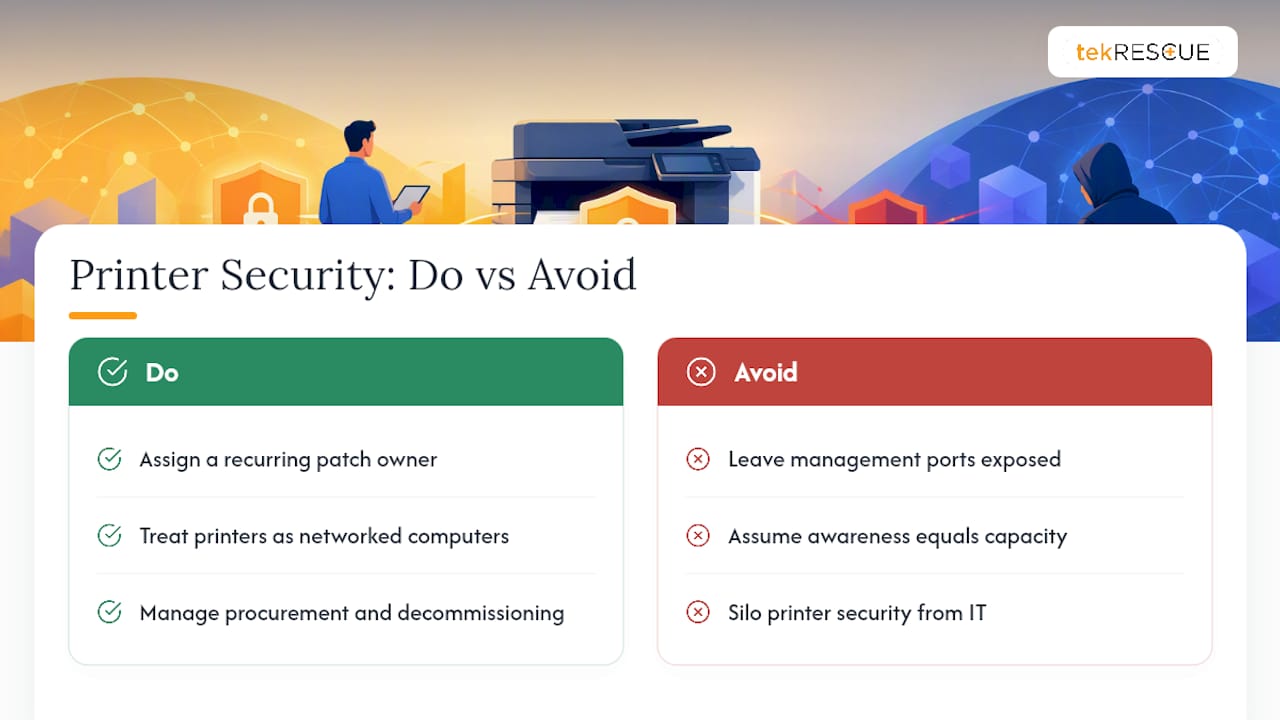
Where most SMBs fall short isn’t awareness. It’s capacity. Nobody disagrees that firmware needs patching or that default passwords need changing. The gap is having a person whose job it is to check vendor advisories every month across a dozen printer models alongside servers, endpoints, and everything else on the network. That’s the point where in-house effort quietly stalls and risk accumulates.
If your team is stretched thin, tekRESCUE’s managed IT services can take on patch tracking and monitoring, and a risk assessment through tekRESCUE’s cybersecurity services will tell you exactly which devices on your network need attention first. For organizations handling protected health information, that same review can also support HIPAA and FTC Safeguards Rule compliance work rather than sitting as a separate project.
The judgment this data supports is simple: printers fail security audits not because the fixes are hard, but because nobody owns the recurring work of applying them.
— Randy Bryan
Sources
- Risk Management for Replication Devices (NIST IR 8023)
- CISA directive on mitigating Windows Print Spooler service vulnerability
- CISA advisory on exploitation of PaperCut and similar management interfaces
- Copier data security: A guide for businesses (FTC)
- FBI/CISA advisory on CVE-2023-27350 in PaperCut MF/NG
FAQ
How Do I Know if My Printer Has Been Hacked?
Look for print jobs you didn’t send, new admin accounts, changed configuration settings, or unusual outbound network traffic from the device. Isolate the printer from the network immediately if you spot any of these signs, then preserve its logs before resetting it.
How Do I Make My Printer Secure?
Start by removing any internet exposure of the management interface, replacing default admin credentials, and applying the latest firmware update. From there, disable unused legacy protocols like Telnet and FTP, segment the printer onto its own network zone, and enable encryption for stored and transmitted data as NIST IR 8023 recommends.
Why Would I Get a Security Warning for My Printer?
Security warnings usually flag an outdated firmware version, an open port reachable from outside the network, or a certificate and authentication issue on the management interface. Treat any such warning as urgent since these are exactly the conditions attackers scan for, as documented in CISA’s advisory on exposed management interfaces.
Can My Wireless Printer Be Hacked?
Yes. Wireless and Bluetooth printing protocols add an unmonitored entry point that bypasses your wired network controls entirely if left on default settings. Disable wireless printing where it isn’t needed, and if it is needed, put it on an authenticated, segmented connection rather than an open network.
Recommended
Table of Contents