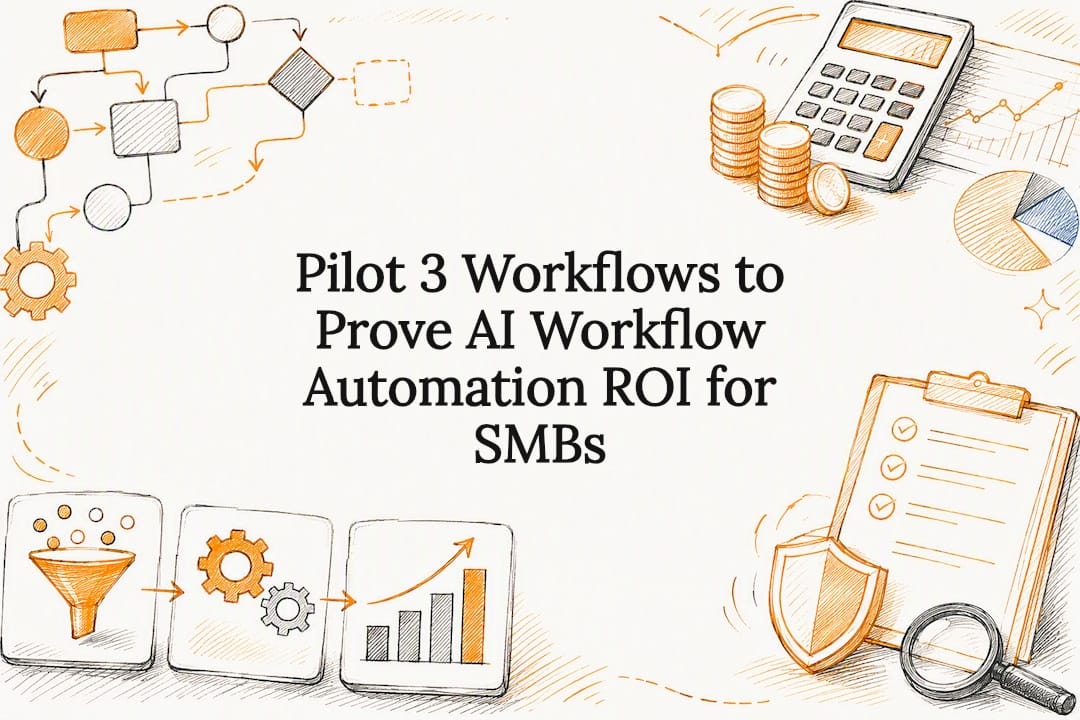

Pilot 3 Workflows to Prove AI Workflow Automation ROI for SMBs
AI workflow automation delivers measurable time savings, fewer manual errors, and more capacity from the same headcount, but only when you point it at the right work. The teams that win start with repetitive, high-volume, rule-based tasks like invoice coding or ticket triage, not the messiest process on the org chart. If you run a business, here is the uncomfortable truth: skip the pilot, and you will pay for that shortcut later. Start with a phased rollout, not a full rip-and-replace.
TL;DR:
- AI workflow automation is most effective when applied to high-volume, rule-based tasks like invoice coding or support ticket triage, rather than complex or ambiguous processes.
- A phased rollout starting with discovery, pilot testing, and incremental deployment ensures the system is reliable and easily scalable.
- Proper governance, including audit logs and role-based access, is essential for compliance and long-term trust in automated workflows.
- Implementation timelines typically range from a few weeks to two months for SMBs, with larger enterprises requiring three to six months due to complexity.
- Focus on workflows with structured inputs, clear success metrics, and low engineering effort to maximize return on investment and minimize risks.
Table of Contents
Table of Contents
- What Is AI Workflow Automation?
- Why AI Workflow Automation Pays Off (and When It Doesn’t)
- AI Automation Examples Across Support, Finance, HR, and Sales
- How Do You Choose the Right Automation Platform?
- What Does a Phased AI Workflow Rollout Look Like?
- How Do You Keep AI Workflows Auditable and Compliant?
- How Do You Measure ROI From AI Workflow Automation?
- Common Failure Modes in AI Workflow Automation
- How tekrescue Approaches AI Workflow Automation for SMBs
- What Actually Determines Whether AI Automation Sticks
- How tekrescue Helps You Roll Out AI Workflow Automation
- Sources
- FAQ
What Is AI Workflow Automation?
AI workflow automation combines a trigger, an AI decision layer, an orchestration engine, an execution step, and an analytics loop into one continuous system. A customer email lands, the AI reads intent, a rules engine decides whether to answer, escalate, or route, and the action fires without a human touching every step. That is the core loop, and it is fundamentally different from the automation most businesses already run.
Traditional robotic process automation (RPA) follows a fixed script. It clicks the same buttons in the same order every time, and it breaks the moment an input changes shape. AI workflow automation reads unstructured inputs, a scanned invoice, a rambling support ticket, a resume in a nonstandard format, and applies judgment inside guardrails you define. That judgment layer is the entire point. RPA moves data. AI workflow automation makes bounded decisions about that data.
Under the hood, most working systems share a common architecture. Understanding the pieces matters when you evaluate a platform, because vendors will use these terms interchangeably even when they mean different things:
- Trigger: the event that starts the workflow, a new email, a form submission, a status change in your CRM.
- AI decision layer: typically a large language model paired with retrieval augmented generation (RAG) against a vector database, so the model reasons over your actual documents instead of guessing.
- Orchestration: the logic that sequences steps, checks conditions, and routes exceptions to a human.
- Execution: the connectors that actually write back to your systems, your CRM, accounting software, ticketing platform.
- Analytics: the layer that logs what happened, so you can measure accuracy and catch drift before it becomes a customer-facing problem.
Hyperautomation architecture treats these as distinct layers you design separately, which matters once you try to scale past your first workflow. A system built as one tangled script rarely survives a second use case.
Why AI Workflow Automation Pays Off (and When It Doesn’t)
The financial case is straightforward when you pick the right process. Enterprises that automate well-chosen, high-volume workflows report manual processing time reductions of a range wide enough to remind you that process selection matters more than the tool you buy. A ticket triage workflow that used to take a support agent four minutes per ticket can drop to under thirty seconds of human review time, because the AI has already categorized, summarized, and drafted a response.
Beyond raw time, three benefits show up consistently across departments:
- Error reduction. Manual data entry between systems, invoice line items into an accounting platform, lead details into a CRM, is where typos and mismatches accumulate. AI workflows that read and write directly cut that category of error close to zero.
- Faster lead response. Sales teams that route and qualify leads with AI inside minutes instead of hours convert a noticeably higher share of inbound interest, since response speed correlates directly with close rate in most B2B pipelines.
- Capacity without headcount. The same finance team that processes 500 invoices a month can often absorb 800 without adding staff, freeing people for exception handling and vendor relationships instead of data entry.
Automation is a poor bet on the opposite end of the spectrum. Low-volume processes, something your team does ten times a month, rarely justify the build cost. Processes with genuinely ambiguous decision criteria, where two experienced employees would reasonably disagree on the right call, need human judgment more than they need a faster wrapper for uncertainty. Automating a broken process just makes the mess move faster.
AI Automation Examples Across Support, Finance, HR, and Sales
Every department has at least one workflow that fits the trigger, decision, action pattern. These four show up most often in early rollouts because the inputs are semi-structured and the volume is high enough to justify the build.
- Support ticket triage. A ticket arrives, the AI reads the content, classifies urgency and topic, and either drafts a response for agent approval or auto-resolves simple requests like password resets. Expect a fallback rule that routes anything mentioning a refund, legal threat, or safety issue straight to a human, no exceptions. This is one of the clearest customer service automation examples because the AI is doing classification, not final judgment.
- Invoice processing. An invoice hits a shared inbox, the AI extracts vendor, amount, line items, and PO number, matches it against your accounting system, and either codes it automatically or flags a mismatch for a human to resolve. The fallback here is any invoice above a dollar threshold or with no matching PO gets a mandatory human sign-off before payment.
- CRM data updates. A sales call ends, the AI transcribes the conversation, extracts next steps and deal stage changes, and updates the CRM record without the rep typing a single note. Reps should still spot-check updates weekly, since transcription errors compound if left uncorrected for months.
- Employee onboarding. A new hire signs their offer letter, the AI triggers account provisioning, benefits enrollment paperwork, and a personalized first-week schedule based on role. HR still needs to manually verify anything touching legal documents or compliance attestations, because a wrong signature date on a benefits form is not the kind of error you want an algorithm making unsupervised.
Each of these examples follows the same underlying shape: a trigger fires, the AI makes a bounded decision, an action executes, and a human reviews the edge cases the system was never meant to handle alone. That last part is not optional. Skip the fallback design and you have built a system that works great in the demo and fails quietly in production.
How Do You Choose the Right Automation Platform?
Start with an effort versus impact matrix before you look at a single vendor. Plot every candidate workflow on two axes: how much engineering effort it takes to build and how much value it returns. The sweet spot is low effort, high impact, usually a rule-based process with clean, structured inputs and a clear success metric. High effort, high impact workflows are worth pursuing after your first win, not before it. Anything low impact, regardless of effort, should not be on your roadmap this year.
Once you have a candidate workflow, run it through a governance and fit checklist before signing anything:
- Integrations. Does the platform connect natively to your CRM, accounting software, and ticketing system, or will you need custom connector work that adds weeks to the timeline?
- Auditability. Can you pull a log of every decision the AI made, including the confidence score and the input it saw, six months from now if a customer disputes an outcome?
- Human-in-loop controls. Can you set approval thresholds so anything below a confidence score, or above a dollar amount, routes to a person automatically?
- Exception handling. What happens when the AI genuinely cannot classify an input? A system with no defined exception path will either guess or silently fail.
- Role-based access. Can you restrict who can modify the automation logic itself, separate from who can view its outputs?
- Model change management. When the underlying model updates, does the vendor notify you, and can you test the new version in shadow mode before it touches live workflows?
Tool tier should match workflow complexity rather than budget alone. Simple, linear workflows generally fit no-code platforms, while judgment-heavy processes touching multiple systems usually need orchestration platforms or custom agent architectures built with real engineering support. Buying an enterprise stack for a single-step email autoresponder is overkill. Trying to force a multi-department approval chain into a no-code tool built for simple triggers is the opposite mistake, and it shows up as constant workarounds within a few months.
Pro Tip: Ask any vendor to show you a failed decision in a live demo, not just a successful one. How the system flags, logs, and routes its own uncertainty tells you more about production readiness than a dozen polished success stories.
What Does a Phased AI Workflow Rollout Look Like?
Treat this as a project schedule with hard testing gates, not a single deployment event. Skipping a phase to save a week almost always costs three weeks later when something breaks in front of a customer.
- Discovery and baseline (roughly 3 to 5 days). Map the process exactly as it runs today, not as your team thinks it runs. Document every trigger, decision point, approval step, and system touched, and record baseline KPIs, current processing time, error rate, and volume, before you build anything. This step matters more than any other on the list, because most AI automation projects fail when companies try to automate poorly understood or broken processes. You cannot improve what you have not measured.
- Pilot build and RAG training (1 to 2 weeks). Build the happy path first, the straightforward version of the workflow with clean inputs, and train the retrieval layer on your actual documents, past tickets, invoice formats, CRM fields. Define your fallback rules now, not after launch.
- Integration and build-out (2 to 3 weeks). Connect the workflow to your live systems, wire up the approval routing, and build the exception paths you identified during discovery.
- Testing: unit, integration, and shadow mode. Unit tests confirm each component works in isolation. Integration tests confirm the full chain fires correctly end to end. Shadow mode runs the workflow in parallel with your existing manual process for several days, producing recommendations nobody acts on yet, so you can compare AI output against human output before real stakes are involved.
- Go-live and 30/90-day optimization. Flip the switch on a limited scope first, one team or one ticket category, then expand. Review KPIs at 30 days and again at 90 days, tightening confidence thresholds and expanding scope only after the numbers hold steady.
A realistic first-production timeline for an SMB runs about a few weeks to a couple of months from kickoff to limited go-live. Enterprise rollouts touching multiple legacy systems or requiring compliance sign-off typically run three to six months for the same scope, mostly because integration and approval cycles take longer, not because the AI itself needs more time.
This entire schedule is built on the industry consensus that implementing AI workflow automation is fundamentally a change management project, where the phased approach itself, prioritizing simple rule-based work before ambiguous judgment tasks, is what determines whether the rollout survives contact with real operations. For a deeper look at the technical connectors and system interoperability this phase depends on, see how businesses handle AI and IT automation integration.
How Do You Keep AI Workflows Auditable and Compliant?
Governance is not a compliance afterthought bolted on after launch. It is the design constraint that determines whether your automation survives an audit, a customer complaint, or a regulator’s questions.
Human-in-loop patterns need teeth, not just a checkbox in a settings menu. Set explicit approval thresholds, any invoice above a certain dollar amount, any support response mentioning a refund, any HR document touching legal status, and route those to a named human role, not a generic queue nobody owns. Role separation matters too: the person who can approve a payment automation should not be the same person who can silently edit the approval rule.
Every decision the AI makes needs a paper trail. That means:
- Audit logs capturing the input, the decision, the confidence score, and the action taken, retained long enough to satisfy your industry’s record-keeping requirements.
- Prompt and model version control, so you can prove exactly which model version made a given decision if it is ever questioned.
- Explainability thresholds, meaning any decision below a set confidence score gets flagged for review rather than executed silently.
- Data handling safeguards for anything stored in a RAG vector database, particularly personally identifiable information (PII) that should never sit unencrypted or accessible beyond the roles that need it.
Healthcare providers and CPA firms carry extra weight here. If a workflow touches protected health information or financial records, compliance and legal review needs to happen before the pilot, not after a near-miss. Involve legal and compliance teams the moment a workflow touches customer financial data, health records, or anything with a regulatory retention requirement, not once the system is already live.
How Do You Measure ROI From AI Workflow Automation?
Measurement starts before you build anything, with a clean baseline: average handling time, current error rate, throughput per week, and escalation rate. Without that baseline, every claim about improvement is a guess.
The ROI formula itself is simple: take the hours saved per week, multiply by the fully loaded hourly cost of the person who used to do that work, and annualize the result to compare against what the automation cost to build and run. A finance team saving a modest number of weekly hours at a typical fully loaded cost can result in substantial annual value from one workflow, a number worth writing down before you pitch a second project.
| Review point | What to measure | Typical target |
|---|---|---|
| Baseline (pre-launch) | Handling time, error rate, throughput, escalation rate | Establish, do not estimate |
| 30 days | Accuracy vs. shadow mode results, exception volume | Confidence stabilizing, exceptions declining |
| 90 days | Time saved, error reduction, throughput gain | Meaningful reduction in manual hours |
| 180 days | Scope expansion readiness, cumulative ROI | Positive return, case for next workflow |
Report results in the same units your finance team already uses, hours saved and dollars, not vague efficiency language. The 90-day numbers are what justify expanding scope or greenlighting the next workflow on your effort versus impact matrix, and that continuity, one automation’s proof funding the next one’s budget, is how you build institutional buy-in for a broader business process automation program instead of relitigating the case every quarter. For a closer look at how these metrics tie back to day-to-day operational efficiency, see this breakdown of process improvement metrics.
Common Failure Modes in AI Workflow Automation
Most failures trace back to one of four mistakes, and all four are avoidable with the discipline outlined above.
- Automating a broken process. If nobody can clearly explain the current process end to end, automating it just makes the confusion move faster and harder to trace.
- Skipping baseline measurement and shadow testing. Without a documented “before” state and a parallel test run, you have no way to prove the automation actually improved anything, and no early warning before a bad decision reaches a real customer.
- Under-investing in training and change management. Employees who fear the automation will replace them will quietly work around it, and stakeholder alignment across the organization is what determines whether AI adoption actually sticks.
- Brittle integrations with no fallback. A connector that breaks when a vendor updates their software, with no manual fallback path defined, turns a minor API change into a full outage.
Pro Tip: Run a “failure day” drill before go-live: deliberately feed the workflow a malformed input, a missing field, an unexpected format, and confirm it fails safely into a human queue instead of guessing or crashing silently.
How tekrescue Approaches AI Workflow Automation for SMBs
Small and medium-sized businesses rarely have a dedicated automation engineer on staff, which is exactly the gap tekrescue’s AI consulting work is built to close. CDW research confirms SMBs increasingly see AI as a productivity and security tool, but IT complexity and internal skills gaps remain the biggest barriers to actually shipping a workflow. A managed IT and cybersecurity background, including experience with HIPAA compliance work for healthcare clients, shapes how automation projects get scoped from day one.
A typical engagement follows the same discipline outlined above:
- Process audit and baseline KPI capture before any build work starts.
- A scoped pilot targeting one high-volume, rule-based workflow first.
- Governance built in from the start, audit logs, role-based access, and approval thresholds, not added after launch.
- Integration work that respects existing legacy systems rather than forcing a rebuild.
- Training sessions for the team that will actually operate and maintain the workflow day to day.
The goal is a system your staff trusts and understands, not a black box that quietly makes decisions nobody can explain during a client audit or a compliance review.
What Actually Determines Whether AI Automation Sticks
Three workflows are worth piloting first, in this order: support ticket triage, invoice processing, and CRM data entry. All three have high volume, structured-enough inputs, and a clear cost of manual labor, which makes the ROI case easy to prove fast.
Hire outside help when the workflow touches compliance, legacy system integration, or anything with real financial stakes. Train internal staff for simpler, single-system automations where the risk of a wrong decision is low and the team already understands the process end to end.
Adopt one governance rule immediately, regardless of workflow size: nothing above a defined dollar or risk threshold executes without human sign-off. Everything else about scaling automation safely follows from that one rule.
— Randy Bryan
How tekrescue Helps You Roll Out AI Workflow Automation
A guided alternative to figuring out AI automation alone with a patchwork of no-code tools and trial and error provides an audited, phased approach used across managed IT and cybersecurity work, including HIPAA-aware handling for healthcare clients, for automation projects.
A typical engagement starts with a process discovery audit, moves into a scoped pilot on your highest-value workflow, and includes staff training so your team can operate the system without depending on outside help for every tweak. Ongoing managed support means someone is watching the logs and confidence thresholds after launch, not just at kickoff. If your team is weighing where to start, tekrescue’s managed IT services page lays out what an ongoing support engagement typically includes, and it is a reasonable next step before committing budget to a build.
Sources
- From wait-and-see to all in: how SMBs are rewriting their AI story — IDC blog
- For success with AI, bring everyone on board — Harvard Business Review
- RAND research report on automation failure modes
- AI workflow automation guide — Alice Labs
FAQ
What Is AI Workflow Automation?
AI workflow automation pairs an AI decision layer, typically a large language model with retrieval augmented generation, with orchestration and execution tools so a system can read unstructured inputs and take bounded action without a script for every scenario.
How Is AI Workflow Automation Different From RPA?
Traditional RPA follows a fixed script and breaks when inputs change shape, while AI workflow automation applies judgment to unstructured inputs like emails, scanned documents, or open-ended tickets within guardrails you define.
How Long Does a Typical SMB Implementation Take?
A realistic first-production timeline runs about a few weeks to a couple of months from discovery through limited go-live, while enterprise rollouts with legacy systems or compliance sign-off usually take three to six months.
Which Workflows Should a Business Automate First?
Prioritize high-volume, rule-based processes with structured-enough inputs, support ticket triage, invoice processing, and CRM data entry are the most common starting points because their ROI case is easiest to prove quickly.
Does tekrescue Offer AI Workflow Automation Consulting?
Yes, tekrescue provides AI consulting alongside its managed IT and cybersecurity services, guiding small and medium-sized businesses through process discovery, piloting, governance setup, and staff training for automation rollouts.
Recommended
Table of Contents