
HIPAA Incident Response Plan: First 12 Hours for Small Providers
A HIPAA incident response plan must let your team detect and contain an incident fast, notify affected individuals within the 60-day limit set by the Breach Notification Rule, and document every remediation step. A named Incident Commander leads, and federal channels (HHS OCR, CISA, FBI/IC3) are ready before anything goes wrong.
TL;DR:
- During the first 12 hours, verify affected systems and ePHI, isolate compromised hosts, preserve evidence with custody records, activate named leads, and maintain clinical downtime procedures.
- For breaches affecting 500 or more individuals, notify HHS immediately and prominent local media; smaller incidents go to HHS annually within 60 days after year end.
- For ransomware, isolate devices, hunt through logs before eviction, restore only from scanned clean backups, and avoid payment because recovery is not guaranteed.
- Assign one accountable owner per response task, set triggers for outside forensics and insurer contact, and keep timestamped action logs and evidence custody records.
Table of Contents
Table of Contents
- What should you do in the first 12 hours after an incident?
- Who does what: team roles and decision authority
- Breach notification: rules, timelines and triggers
- Technical containment and ransomware-specific actions
- Documentation, remediation and after-action review
- Reporting channels and federal resources
- How does your incident response plan fit your wider cybersecurity strategy?
- Which detection tools and monitoring techniques catch HIPAA incidents early?
- What communication plans do you need beyond federal notifications?
- How do risk assessments keep your plan current?
- How does the FTC Safeguards Rule intersect with HIPAA incident response?
- Practical readiness for small healthcare providers
- How tekRESCUE can help with HIPAA incident response
- FAQ
- Sources
What should you do in the first 12 hours after an incident?
The first hours decide whether you contain an event or inherit a crisis. The Operational Continuity-Cyber Incident checklist from HHS gives a role-based first-12-hours action plan, and the sequence below follows the same logic. Copy it into your SOP binder.
- Detect and verify. Confirm what happened, which systems are affected, and whether electronic protected health information (ePHI) is involved.
- Contain. Isolate affected hosts and network segments before the problem spreads.
- Preserve evidence. Collect logs, disk images and memory captures where it is safe to do so, and record who handled each item.
- Activate command. Notify the Incident Commander, leadership, clinical leads, legal and whoever handles public communications.
- Keep care running. Switch to downtime procedures and safe clinical workarounds so patients are not put at risk while IT works.

Pro Tip: Print this list and keep a paper copy offline. If ransomware locks your file server, a digital-only checklist is useless.
Speed matters, but so does order. Containment before evidence collection can destroy artifacts, and evidence collection without containment lets the attacker keep moving.
Who does what: team roles and decision authority
A plan with no owners is a document, not a plan. Name people, name backups, and settle in advance who has the authority to declare an incident. The OCCI checklist aligns its tasks with incident command positions: Incident Commander, IT/IS Section Chief, Operations Section Chief and Planning Section Chief. Small practices can combine roles, but each duty still needs a named owner.
- Incident Commander: declares the incident, sets priorities and owns decisions until closure.
- IT/IS lead: runs investigation, containment and recovery.
- Clinical lead: protects patient safety and manages downtime workflows.
- Legal and compliance: makes the breach determination and manages notification.
- Public information officer: controls what patients, staff and media hear.
- Liaison: coordinates with your cyber insurer and law enforcement.
Build a simple RACI chart for the recurring tasks: investigation, containment, notification and vendor coordination. One person is accountable for each, even when several contribute.
Set thresholds in writing. Decide when you call outside forensics (any confirmed ePHI exposure or ransomware is a sensible trigger), when you contact law enforcement, and when you open a claim with your insurer or ask CISA for assistance. Deciding these under pressure is how hours get lost.
Breach notification: rules, timelines and triggers
Not every incident is a reportable breach. The legal clock starts at discovery, and the rules differ by size and by who found the problem.
Under the Breach Notification Rule, covered entities must notify affected individuals without unreasonable delay and no later than 60 calendar days after discovering a breach. The 60 days is a ceiling, not a target.
- 500 or more individuals: notify the HHS Secretary immediately, and notify prominent local media.
- Fewer than 500 individuals: report to HHS annually, no later than 60 days after the end of the calendar year.
- Business associates: report breaches to the covered entity without unreasonable delay and no later than 60 days after discovery.
The risk assessment matters here. The covered entity carries the burden of proving a low probability of compromise, and an event may not be reportable if that assessment holds up. Encryption can also change the answer: HHS safe harbor guidance explains how validated encryption and media sanitization can render PHI unusable, unreadable or indecipherable. Our guide on PHI encryption for small practices walks through the practical steps, and our 60-day breach notification playbook covers the operational side of meeting the deadline.
Technical containment and ransomware-specific actions
Ransomware changes the tempo. Your playbook should treat it as its own scenario, not a variation on a server outage.
- Isolate first. Quarantine compromised hosts and network segments. Do not reconnect an infected device until it is cleared.
- Hunt and scope. CISA’s advisory on Medusa ransomware recommends starting threat hunting and log collection to scope the intrusion before you plan eviction.
- Recover from clean backups. Threat actors target backup systems, so keep offline, immutable or segmented copies (the 3-2-1 approach) and scan them before any restore. The HHS OCR cybersecurity newsletter stresses maintaining recoverable, secure backups.
- Evict the attacker. Rotate credentials, remove command-and-control and remote access tools, and apply the eviction countermeasures CISA documents.
- Report, do not rush to pay. Federal agencies discourage paying ransoms because payment does not guarantee data recovery and can fund further crime.
Pro Tip: Test a restore from backup before you need it. A backup you have never restored is a hope, not a control.
If you need hands on keyboards fast, our incident response services can help.
Documentation, remediation and after-action review
If it is not written down, it did not happen, at least as far as regulators are concerned. Documentation also protects your team’s decisions when someone asks months later why you acted as you did.
- Keep a running incident timeline and action log, with timestamps and names.
- Maintain chain of custody for every piece of evidence.
- Record each mitigation step: patches applied, access changed, accounts disabled and vendor remediation, including what your business associates owe under their agreements.
- Hold an after-action review within days, while memory is fresh.
- Schedule tabletop or live exercises, then update the plan and related BAAs with what you learned.
Our article on data breach incident response includes templates you can adapt for these logs.
Reporting channels and federal resources

Know where to report before you need to. CISA and the FBI both accept ransomware and cyber incident reports, and one report notifies the relevant agencies.
- CISA: call 1-844-Say-CISA or email report@cisa.gov.
- FBI: file through IC3.
- HHS OCR: use the breach-reporting tools and guidance on the HHS breach notification pages.
- Playbooks to adapt: CISA’s ransomware guide for healthcare organizations, CISA’s healthcare cybersecurity resources, the HHS cyber security guidance and NIST SP 800-61, collected in NIST’s resources for HIPAA-regulated entities.
How does your incident response plan fit your wider cybersecurity strategy?
An incident response plan that lives in its own binder fails the first time reality diverges from it. It should draw on the same asset inventory, access controls, backup design and vendor list as the rest of your security program. If your risk analysis says the billing system holds the most ePHI, the plan should name that system first in its containment priorities.
Connect the plan to daily operations. Detection feeds your response triggers. Identity and access management decides how quickly you can revoke compromised credentials. Backup architecture determines your recovery time. Vendor management determines whether a business associate tells you about its breach in hours or weeks.
Classification belongs here too. Define incident types in advance, such as unauthorized access, lost or stolen devices, improper disposal, misdirected communications and ransomware, and assign each a severity level that sets who gets called and how fast. A lost encrypted laptop and an active encryption event should not trigger the same response.
Managed security makes this integration easier for smaller teams. Our cybersecurity practices for HIPAA compliance page shows how monitoring, backups and response planning work together instead of as separate projects.
Which detection tools and monitoring techniques catch HIPAA incidents early?
You cannot respond to what you cannot see. HHS OCR guidance emphasizes regular review of information system activity, including audit logs, and security awareness training to counter phishing.
Practical detection layers for a healthcare organization:
- Centralized log collection and a SIEM to correlate events across servers, firewalls and applications.
- Endpoint detection and response (EDR) on workstations and servers to flag ransomware behavior and lateral movement.
- EHR access auditing, including alerts for unusual record lookups, VIP chart access and bulk exports.
- Email security filtering to help catch phishing.
- Network monitoring for unusual outbound traffic and unexpected remote access tools.
- Data loss prevention rules that flag ePHI leaving through email or cloud storage.
Tools are only half of it. Someone has to read the alerts, and an alert nobody triages is just noise. Decide who watches after hours, define what counts as an escalation, and tune the rules so staff do not learn to ignore them. Small practices without a security team often hand this to a managed provider.
What communication plans do you need beyond federal notifications?

Regulators are one audience. Your staff, patients, vendors and community are four more, and each needs different words at different times.
Internal stakeholders. Staff need short, plain instructions: what is down, what workarounds to use, who to call, and what not to discuss outside the building. Set a regular update rhythm, even if the update is “no change.”
Affected individuals. Breach notices should state what happened, what information was involved, what you are doing about it, what steps people can take to protect themselves, and how to reach you. Draft templates now, in plain language, and have counsel review them before an incident.
Business partners. Notify business associates, insurers and key vendors according to your agreements and your insurance policy’s notice requirements.

Media and the public. Designate one spokesperson. Prepare a holding statement that is accurate and does not speculate. Staff should refer every press inquiry to that person.
Pre-approved templates are the difference between a response in hours and one in days. Write them when no one is under pressure.
How do risk assessments keep your plan current?
A risk assessment tells you which incidents are most likely and most damaging, and that should drive what your plan prioritizes. HHS and NIST guidance treats incident response as an ongoing, tested part of risk management, not a one-time document.
Use each assessment to ask pointed questions of the plan. Did you add a new EHR module, cloud service or telehealth tool? Then the containment steps and contacts need to cover it. Did the assessment find unencrypted laptops or flat networks? Then your playbook needs a scenario for each. Did a vendor change hands? Then check the business associate agreement still names the right reporting duties.
Every real incident and every tabletop exercise is also a risk finding. Feed lessons learned back into the next assessment, and update the plan on a schedule plus after any significant change. Our cybersecurity services can support this work.
How does the FTC Safeguards Rule intersect with HIPAA incident response?
HIPAA is not the only rule that may govern your incident. Organizations that also handle certain consumer financial information may fall under the FTC Safeguards Rule, which carries its own security program and incident response expectations. Whether it applies to you depends on your activities, so confirm that with counsel rather than assuming.
Where more than one regime applies, build one response process that satisfies the strictest requirement of each. That means a single incident log, one decision tree for classification, and a notification workflow that checks every applicable deadline instead of only the HIPAA one. State breach notification laws may add requirements, so check the applicable state rules with counsel.
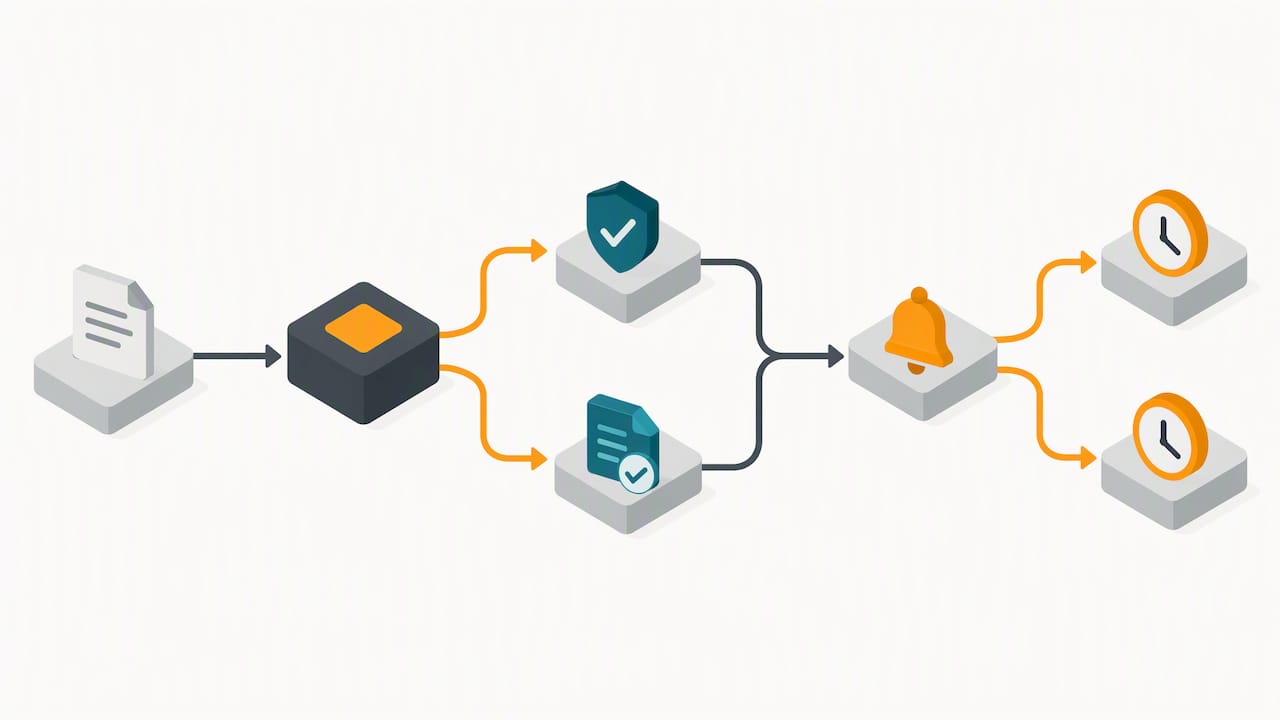
The practical advice: map your obligations in a table your Incident Commander can read quickly, and review it whenever your services change. We help practices align both frameworks through our HIPAA and FTC Safeguards Rule work, starting from our compliance overview.
Practical readiness for small healthcare providers
Small practices may face recurring challenges. Backups sit on the same network as the data they protect. The playbook exists but nobody has ever run it. Nobody knows who is in charge at 2 a.m. on a Saturday.
Fix those three first. Move one backup copy offline and test the restore. Run a tabletop exercise soon, even a brief version. Practice the first-12-hour checklist until it is routine. Then line up a qualified incident response partner before you need one, because vetting a vendor during an active attack is a bad time to negotiate.
— Randy Bryan
How tekRESCUE can help with HIPAA incident response
We provide technology services for small and medium-sized businesses. Our team offers incident response services and HIPAA compliance services. If you want help with cybersecurity or compliance, contact us to discuss your needs.
This article is general information, not a substitute for advice from a qualified lawyer. Consult a qualified legal professional about your own circumstances before acting on anything here.
FAQ
What are the stages of incident response?
Incident response generally moves through preparation, detection and analysis, containment, eradication and recovery, and post-incident review. NIST SP 800-61 provides guidance on incident handling and is listed in NIST’s resources for HIPAA-regulated entities. Your plan should assign an owner to each stage.
What is an example of a HIPAA privacy and security violation?
Common examples include an employee accessing a patient chart with no work reason, sending ePHI to the wrong recipient, losing an unencrypted laptop, or disposing of records improperly. Whether an event counts as a reportable breach depends on a documented risk assessment, as described in the Breach Notification Rule.
Does HIPAA apply to first responders?
It depends on the function. HIPAA applies to covered entities and their business associates. Whether a particular ambulance service or public safety role is covered depends on its circumstances. Check the HHS guidance for your specific role or ask qualified counsel.
What are the new HIPAA compliance requirements for 2026?
We cannot point to a verified source for a specific list of new requirements, so we will not guess. Check HHS.gov directly for current rulemaking, and keep your plan aligned with the Breach Notification Rule and Security Rule guidance on the HHS cybersecurity pages.
Sources
- Hhs
- Report Ransomware | CISA
- Operational Continuity-Cyber Incident (OCCI) Checklist
- #StopRansomware: Medusa Ransomware | CISA
Recommended
Table of Contents