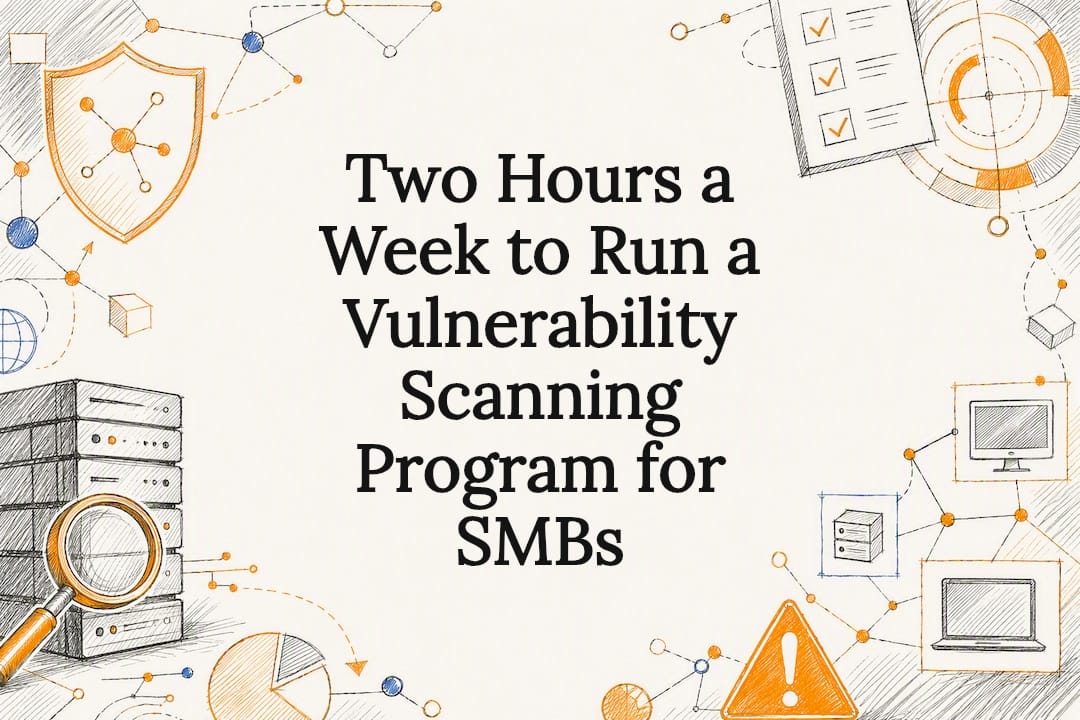

Two Hours a Week to Run a Vulnerability Scanning Program for SMBs
A vulnerability scanning program is a continuous cycle, not a one-time scan: discover assets, scan them, triage what comes back, remediate the risks that matter, verify the fix, and report the results. The first practical step is asset discovery, because you cannot secure what you cannot see. Do this consistently and your exploitable exposure drops in a measurable way over time, not just once.
TL;DR:
- Asset discovery must be continuous and thorough, as many small teams are surprised by unknown or forgotten devices appearing on their network.
- Prioritize vulnerability findings based on whether the asset is internet-facing, whether the CVE is actively exploited, and the criticality of the data or business function involved.
- Remediation should follow strict SLAs, with critical issues addressed within 48 to 72 hours and regular re-scans to confirm fixes are effective.
- Combining different scanner types and integrating findings into ticketing systems or CI/CD pipelines enhances actionability and reduces overlooked vulnerabilities.
- Small teams benefit from managed services that handle the entire cycle, emphasizing disciplined triage, clear ownership, and consistent scheduling over the choice of scanning tools.
Table of Contents
Table of Contents
- What Is a Vulnerability Scanning Program, and How Is It Different From an Assessment?
- How Do You Set Up Scan Scope, Credentials, and Cadence?
- How Do You Prioritize Vulnerability Findings That Actually Matter?
- What Remediation SLAs and Metrics Prove the Program Is Working?
- What Scanning Tools and Integrations Does a Program Need?
- How tekRESCUE Helps Small Teams Run This in Practice
- An Implementer’s Take on What Actually Works
- Get Your Scanning Program Running Without Adding Headcount
- Sources
- FAQ
What Is a Vulnerability Scanning Program, and How Is It Different From an Assessment?
A one-off vulnerability assessment is a snapshot. A vulnerability scanning program is the machine that keeps producing snapshots and, more importantly, acting on them. Scanning is the tool activity: running a scanner against a network, an application, or a cloud environment and getting a list of findings. Management is everything that happens after: deciding what matters, assigning it, fixing it, and proving it stayed fixed.
The lifecycle behind a working program has six steps:
- Discover the assets and services that actually exist on your network.
- Scan those assets on a cadence that matches their risk.
- Triage the results against exploit context and business impact.
- Remediate according to a defined SLA tied to severity.
- Verify the fix with a re-scan, not an assumption.
- Report the trend, not just the finding count.
Programs earn their keep through measurement. Mean time to remediate (MTTR) and a risk burn-down chart tell you whether the queue is shrinking or just growing quieter. A vulnerability assessment is the entry point into this cycle, but the cycle itself is what actually reduces risk.
How Do You Set Up Scan Scope, Credentials, and Cadence?
Discovery comes before scanning, always. Run a network sweep with a tool like Nmap to build an honest inventory of hosts, open ports, and services. Most small teams are shocked by what shows up: forgotten test servers, a router someone plugged in three years ago, a cloud instance nobody remembers spinning up. You cannot scope a scan around assets you do not know exist.
Once the inventory is in hand, decide between authenticated and unauthenticated scanning. Unauthenticated scans probe from the outside, the way an attacker would, and they miss almost everything below the login screen: outdated software versions, misconfigured permissions, weak local settings. Authenticated scans log in with credentials and see the system from the inside, which surfaces far more real findings but requires you to manage scanner credentials carefully so the scan account itself doesn’t become a target.
For a first scan, follow this order:
- Discover and inventory every reachable asset.
- Scope the first authenticated scan to internet-facing systems and identity infrastructure (Active Directory, SSO, VPN gateways).
- Run it during low-traffic hours and expect noise, since a first pass always surfaces old, low-priority findings mixed in with the real ones.
- Use that noise as a training exercise for the team on how to triage, not as a reason to panic.
- Expand scope to internal servers and workstations in the second cycle.
A workable cadence for a lean team involves scanning internet-facing assets and identity systems often, internal servers and workstations on a regular basis, and cloud workloads as frequently as supported, since cloud environments change faster than less frequent scanning intervals.
Pro Tip: Run your first authenticated scan against a test group of five to ten machines before pointing it at the whole network. It’s the fastest way to catch credential or performance problems before they generate a 4,000-line report nobody trusts.
How Do You Prioritize Vulnerability Findings That Actually Matter?
A CVSS score alone will send you chasing the wrong fires. A 9.8 severity bug on an isolated internal test box matters less than a 7.5 sitting on an internet-facing login page with a public exploit circulating. Severity measures theoretical damage; it says nothing about whether anyone is actually attacking that flaw right now.
Two additional signals fix that gap; notably, the recent White House announces ‘Gold Eagle’ AI clearinghouse for cyber vulnerabilities effort aims to improve national-level coordination on vulnerability intelligence feeds. The CISA Known Exploited Vulnerabilities Catalog lists vulnerabilities with confirmed exploitation in the wild, and insight from the buyer research treats a KEV match as an automatic jump to the top of the remediation queue. EPSS (Exploit Prediction Scoring System) adds a probability estimate of near-term exploitation, which helps separate the merely severe from the genuinely urgent. The NVD remains the reference point for the underlying CVE and CWE detail behind each finding.
In practice, three questions sort most findings fast:
- Is the affected asset reachable from the internet or another lower trust zone?
- Does this CVE appear in CISA KEV or carry a high EPSS score?
- What data or business function sits behind the affected asset?
Regulatory deadlines belong in this queue too. A finding tied to a PCI DSS or HIPAA control gap should not wait behind a lower-impact bug just because its CVSS number is smaller.
What Remediation SLAs and Metrics Prove the Program Is Working?
A scan report that nobody acts on is just a longer to-do list. Structure remediation around a recurring, short triage meeting rather than an ad hoc scramble. A weekly, one-hour session with a security lead, an IT admin, and whoever owns the affected systems is usually enough for a small organization to keep the backlog from calcifying.

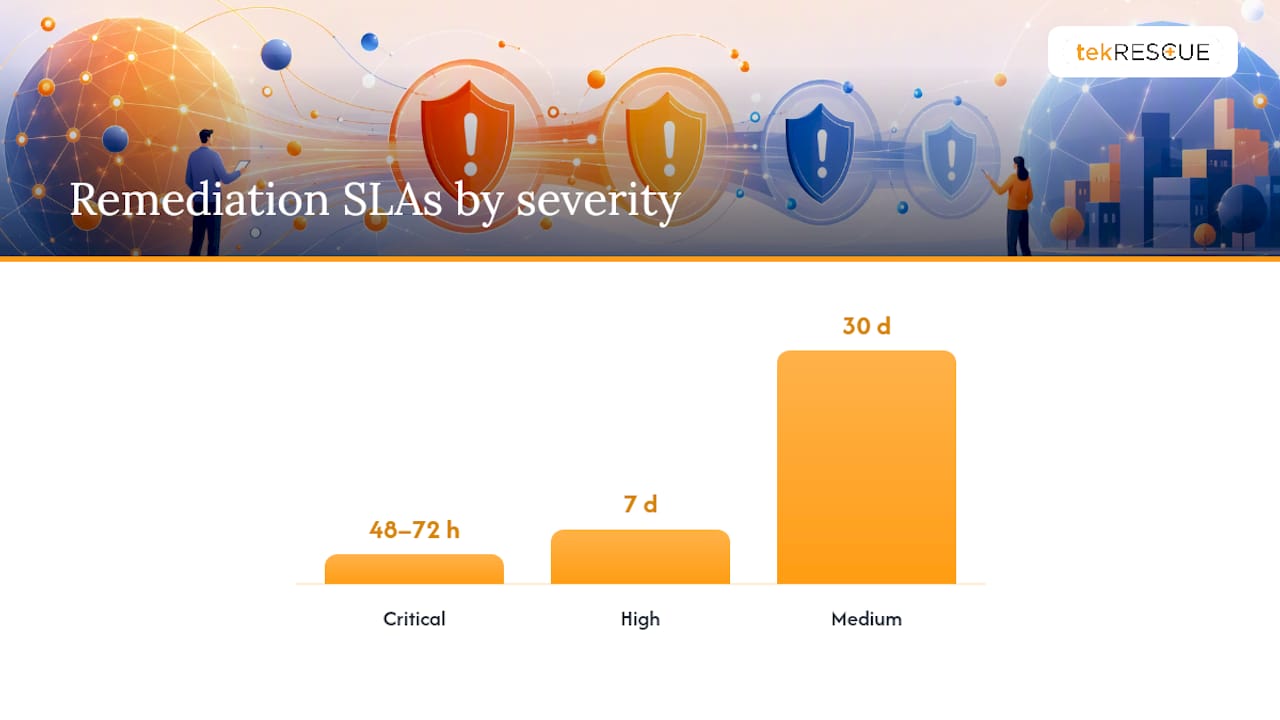
Assign SLA windows by severity, not by whoever complains loudest:
- Critical (KEV match or active exploit): 48 to 72 hours.
- High: 7 days.
- Medium: 30 days.
- Low: next scheduled patch cycle.
Some findings cannot be fixed on schedule: a legacy application that breaks if patched, a vendor system waiting on a hotfix. Log those in an exception register with five fields: the asset, the reason for the delay, the compensating control in place, a review date, and a named owner. An exception with no review date is a risk that quietly becomes permanent.
Verification closes the loop. A fix isn’t done until a re-scan confirms it. The table below shows what a small team should track and why each metric matters.
| Metric | What it tells you |
|---|---|
| Mean time to remediate (MTTR) | How fast the team actually closes findings once triaged |
| Fix rate | Share of findings resolved within their SLA window |
| Risk burn-down | Whether the total open-risk score is trending down over time |
| Re-scan pass rate | Whether “fixed” findings actually stay fixed |
A risk assessment checklist is a useful companion document for structuring the inventory and triage steps behind these numbers.
What Scanning Tools and Integrations Does a Program Need?

Different asset types need different scanner categories, and no single tool covers all of them well. Network and host scanners find open ports and missing patches. Web application DAST tools, as OWASP documents, test running applications from the outside for injection flaws and misconfigurations. SAST tools scan source code directly. SCA tools check open-source dependencies for known vulnerable packages. Container and image scanners check what’s inside your Docker builds, and CNAPP platforms extend that coverage across cloud-native infrastructure broadly.
Agent-based scanning gives continuous, detailed visibility on managed endpoints but requires deployment and upkeep. Agentless scanning is faster to stand up and better for unmanaged or third-party assets, at the cost of less depth. Most mature programs run both, matched to asset type.
Integration determines whether findings turn into action:
- Ticketing systems like ServiceNow or Jira, so findings become assigned work, not a spreadsheet nobody opens.
- CI/CD gating that blocks a deploy when a build introduces a critical, known-exploited dependency.
- SBOM ingestion so software composition data feeds straight into the scanning pipeline.
- A link between your scanner and EDR platform, so a vulnerable, actively-targeted host gets flagged twice.
If you’re testing a platform before committing, run a proof of concept against a representative slice of real assets, not a demo environment, and time how many clicks it takes an analyst to get from a raw finding to usable evidence. Open-source scanners like OpenVAS remain viable for budget-conscious teams, but they demand real discipline to keep feeds current and false positives low.
How tekRESCUE Helps Small Teams Run This in Practice

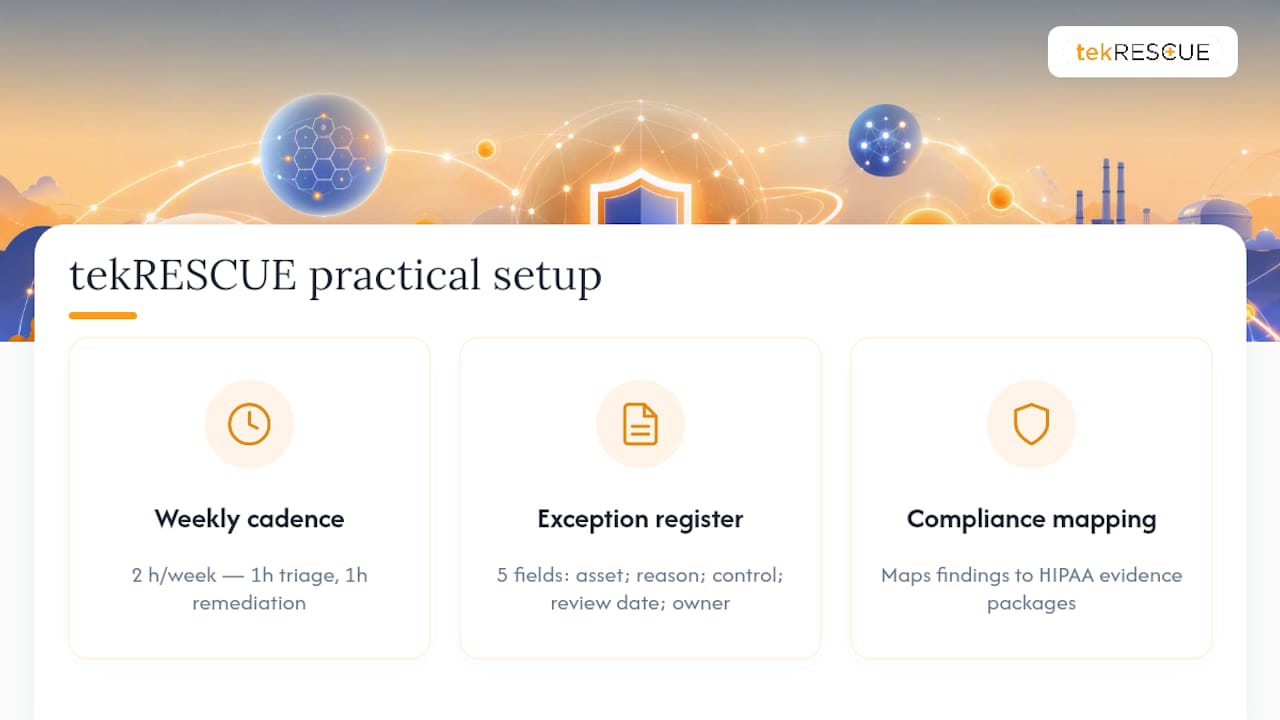
Most small IT teams don’t fail at vulnerability scanning because they picked the wrong tool. They fail because nobody protected the calendar time to triage results. A realistic starter schedule looks like a two-hour weekly commitment: one hour for triage, one hour for remediation follow-up and exception-register upkeep.
For healthcare and finance clients, tekRESCUE maps scan findings directly against HIPAA and related compliance controls, turning re-scan results into the evidence packages auditors actually ask for, with remediation timelines attached to each finding. The starter exception-register template we use has five owned fields: asset, business reason for delay, compensating control, review date, and a named accountable owner, usually the IT manager or a designated security lead. That single document, kept current, is often the difference between a defensible compliance posture and a pile of unresolved tickets.
An Implementer’s Take on What Actually Works
The programs that stick aren’t the ones with the fanciest scanner. They’re the ones that survive a bad week. Start with inventory, scope your first authenticated scan tight, and protect the weekly triage hour like it’s a client meeting. The three things that quietly kill most programs: no asset inventory, so scans miss half the network; no re-scan verification, so “fixed” findings aren’t; and no named owner on exceptions, so risk accumulates by default instead of by decision.
— Randy Bryan
Get Your Scanning Program Running Without Adding Headcount
tekrescue is the practical path to a working vulnerability scanning program when your team doesn’t have a dedicated security hire to run one. Instead of buying a platform and hoping someone finds time to triage it, our managed IT services team runs the discovery, scanning, triage, and re-scan cycle for you, and turns the output into the SLA tracking and evidence packages that HIPAA and PCI DSS auditors expect to see. We map compliance requirements straight into the remediation calendar so nothing sits unassigned in a spreadsheet.
If you’re not sure where your program stands today, start with our cybersecurity risk assessment checklist to see what’s already exposed, then talk to us about a managed program built around your actual asset count, not a generic tier.
Sources
- NVD – National Vulnerability Database
- CISA Known Exploited Vulnerabilities Catalog
- Vulnerability Scanning Tools — OWASP
- Nmap
FAQ
Is Nessus still free?
Nessus offers a free Essentials edition limited to scanning a small number of IP addresses, aimed at individuals and very small environments; the full-featured professional version is paid.
Is vulnerability scanning illegal?
Scanning systems and networks you own or have explicit written authorization to test is legal; scanning networks or systems without permission can violate computer fraud laws depending on jurisdiction, so always confirm authorization before scanning anything outside your own environment.
Is OpenVAS still free?
Yes, OpenVAS (now part of the Greenbone Community Edition) remains a free, open-source vulnerability scanner, though it requires ongoing maintenance to keep its vulnerability feeds current.
What is the most popular vulnerability scanner?
There’s no single universally “most popular” scanner; adoption varies by asset type, with network and host scanners, web-focused DAST tools, and cloud-native CNAPP platforms each dominating different segments of the market. Teams without in-house security staff often get more consistent results letting a managed IT services provider select and run the right combination for their environment.
How often should a small business run vulnerability scans?
Internet-facing assets and identity systems should be scanned weekly, internal servers and workstations monthly, and cloud workloads continuously where the platform supports it, matching cadence to how quickly each asset type changes.
Recommended
Table of Contents