

SMB Website Migration: 1 Year Redirects, HIPAA Checks, Tested Backups
A successful website migration preserves your search rankings, keeps the site online, and protects any regulated data you handle, and the single highest-impact action to start with is building a complete URL mapping paired with a staging test plan. Get that foundation wrong and everything downstream, from redirects to rankings, suffers. For organizations that want this managed end to end, a provider can run the full process for you.
TL;DR:
- Building a detailed URL inventory and one-to-one mapping is crucial to preserve rankings, avoid redirect chains, and ensure pages are correctly consolidated.
- Conduct thorough staging tests, including index verification, blocking rules, structured data, and mobile parity, to prevent launch-day surprises that could harm search visibility.
- When handling regulated data like PHI, perform a risk analysis, update backups, and verify security measures such as TLS and certificate validity before the site goes live.
- During the first 48 hours after launch, immediately submit your sitemap, check search and analytics data, and monitor for ranking or crawl issues that indicate migration problems.
- Most migration failures occur from poor URL mapping and leaving staging sites indexable, making careful planning and a managed approach essential for sites with sensitive data or high search value.
Table of Contents
Table of Contents
- Mapping URLs, Redirects, and Canonical Signals Correctly
- How Staging Tests Prevent Launch-Day Surprises
- Protecting Regulated Data During the Move
- What to Verify in Search and Analytics Right After Launch
- Launch Day Steps and the Signals That Tell You It Worked
- What Years of SMB Migrations Taught Us
- Getting Migration Support From tekRESCUE
- FAQ
- Sources
Mapping URLs, Redirects, and Canonical Signals Correctly
Before you touch a single line of code, build an inventory of every existing URL. Pull this from a site crawl, your analytics platform, a CMS export, and your current XML sitemap. Missing URLs here means missing redirects later, and missing redirects mean lost rankings.
Once you have the full list, map each old URL to its exact new destination. Resist the urge to send multiple old pages to one generic new page. Google’s migration guidance recommends a detailed, one-to-one mapping wherever possible, since consolidating too aggressively dilutes the specific relevance each page built up.
- Implement permanent server-side redirects, either 301 or 308, pointing straight to the final destination URL.
- Avoid redirect chains: a redirect that bounces through two or three hops before landing adds latency and increases the risk that a crawler gives up before reaching the real page.
- Set rel=canonical tags on every new page so duplicate or near-duplicate content consolidates under one preferred URL, a step Google’s duplicate-content guidance treats as a strong signal alongside redirects.
- Submit an updated sitemap through Search Console once the new site is live.
- Keep every redirect active for at least a year, since some crawlers and inbound links take that long to catch up.
Document the full mapping in a spreadsheet you can audit later. When a client calls six months post-launch asking why a page vanished, that document is what saves you an afternoon of forensic work.
Pro Tip: Test every redirect manually with a browser extension or crawler tool before launch, not after, since a single typo in a redirect rule can silently break hundreds of URLs at once.
How Staging Tests Prevent Launch-Day Surprises
A staging environment is where migration mistakes get caught before they become public. Build it behind an IP restriction or on a temporary hostname, and keep it noindexed the entire time you’re testing.
- Verify both your old and new site properties in Search Console, and use the URL Inspection tool to pre-check your most important pages for indexing eligibility.
- Confirm that robots.txt and meta robots tags on staging are blocking crawlers, since Google specifically warns against using robots.txt to hide staging content and recommends noindex tags instead.
- Before flipping the switch to public, remove every noindex directive and confirm robots.txt no longer blocks the real launch.
- Test structured data, page speed, every form submission, all redirects, canonical tags, and mobile content parity against the live production checklist.
For a medium-sized site, Google says it typically takes a few weeks to process a migration and show most URLs at their new addresses in search results, with larger sites taking longer. That timeline is normal, not a sign something broke.
Protecting Regulated Data During the Move
If your site touches protected health information or other regulated data, migration should be treated as a security event, not just a design refresh. Treat it that way from the planning stage.
- Run a focused risk analysis on the migration itself, and confirm that any third-party tracking scripts, pixels, or analytics tags on the new site will not collect or disclose PHI without proper authorization, a requirement HHS OCR spells out directly for HIPAA-covered entities.
- Take full backups and actually test restoring them before you touch DNS or push URL changes live, following the 3-2-1 backup rule: three copies, two different media types, one offsite.
- Update your incident response plan with named stakeholders for the migration window, and test your restore procedure rather than assuming it works. CISA’s incident response guidance describes this as a living document that needs regular review, not a file you write once and file away.
- Verify TLS configuration, HSTS headers, and certificate validity on the new hosting environment before launch, and check our risk assessment checklist if you need a structured walkthrough.
Pro Tip: If your migration involves a new cloud host or CSP handling regulated data, confirm a signed BAA is in place before data moves, not after.
What to Verify in Search and Analytics Right After Launch
The first 48 hours after launch set the tone for the following weeks. A few checks here catch most problems before they compound.
- Submit your new sitemap immediately and watch the Index Coverage and Performance reports in Search Console for errors or sudden drops.
- Confirm GA4 and Tag Manager containers are firing correctly and tracking IDs match what you used previously, so historic reporting stays continuous rather than fractured across two properties.
- Check mobile content parity: the same primary content, structured data, and meta elements must appear on mobile as desktop, since Google’s mobile-first guidance warns that mismatched mobile content creates indexing problems that are hard to diagnose later.
- Expect some ranking fluctuation during the transition window. If drops persist past the expected timeline, check for broken redirects, accidental canonical conflicts, or a noindex tag left over from staging.
Launch Day Steps and the Signals That Tell You It Worked
Launch day itself runs on timing and monitoring, not guesswork.
- Lower your DNS TTL well ahead of the cutover window so the change propagates quickly once you flip it, a step Google’s hosting-change guidance calls out directly for moves that don’t involve URL changes.
- Monitor server logs on both the old and new hosts during cutover to confirm traffic is actually shifting, and watch closely for any spike in 5xx errors.
- Track crawl activity, index coverage, and organic traffic over the following days and weeks, since these three signals together tell you whether the migration is progressing normally or stalling.
- Define rollback criteria in advance: a specific error rate, a specific drop in traffic, or a specific failure type that triggers reverting DNS and restoring from your tested backup.
Pro Tip: Write your rollback steps down before launch day, numbered and specific, so nobody is improvising a recovery plan while the site is down.
What Years of SMB Migrations Taught Us
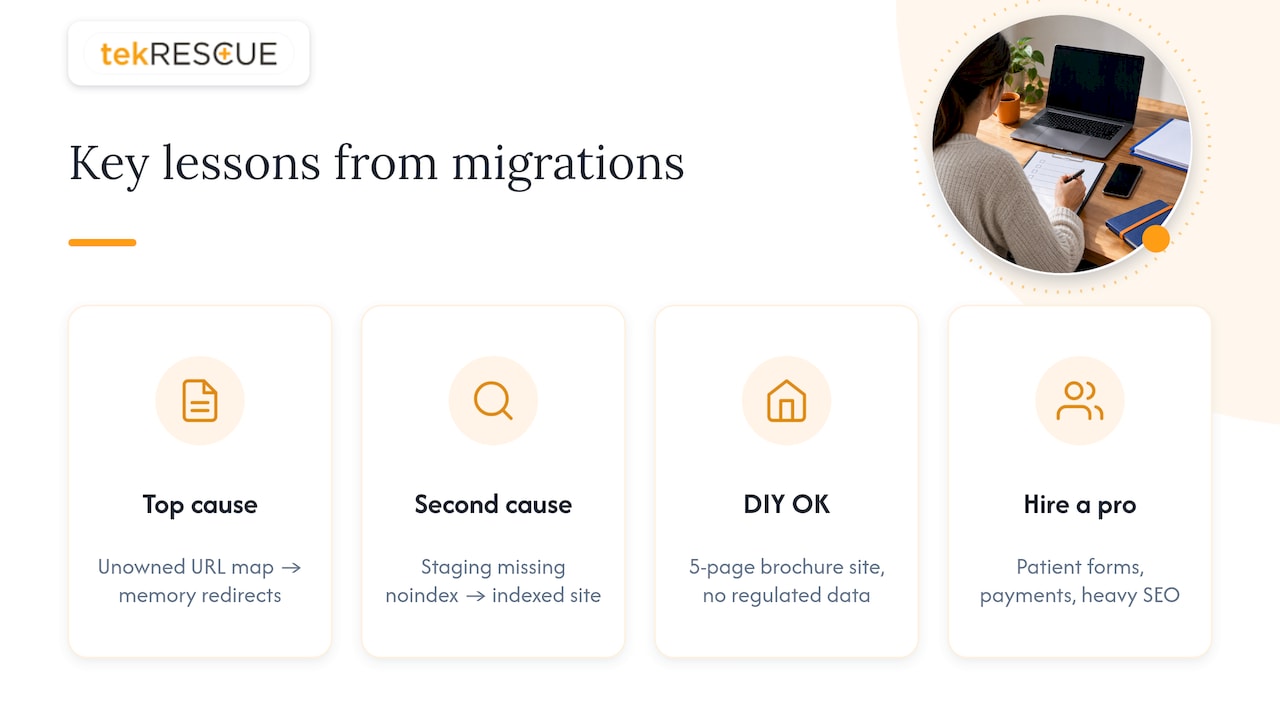
Most migration failures we see trace back to the same root cause: nobody owned the URL mapping document, so redirects got built from memory instead of a checklist. The second most common failure is skipping the staging noindex step, which lets search engines crawl and index an unfinished site before launch.
Experience shows that the pattern holds regardless of industry among small and medium businesses undergoing web development, SEO, and HIPAA-aware security work. A DIY migration can work for a five-page brochure site with no regulated data. The moment you’re handling patient intake forms, payment processing, or a site with years of accumulated search equity, the cost of getting redirects or compliance wrong outweighs what you’d save doing it yourself.
— Randy Bryan
Getting Migration Support From tekRESCUE
We handle the full migration process: URL mapping, redirect implementation, staging and testing, cybersecurity and HIPAA compliance review, backup and restore testing, and post-launch monitoring, so nothing falls through the cracks between departments or vendors.
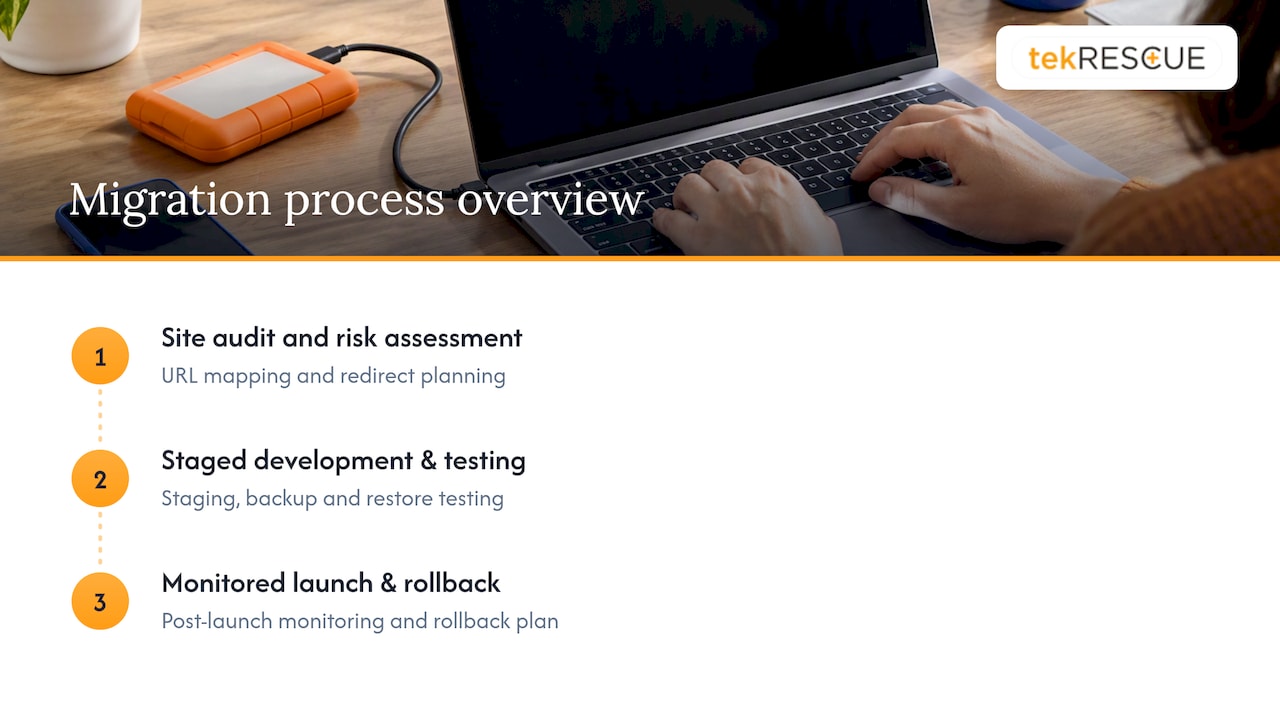
Engagements typically start with a site audit and risk assessment, move into staged development and testing, and close with a monitored launch and a documented rollback plan in hand. If your support desk or ticketing tools also need to move as part of the project, resources like SendSync’s platform migration checklist cover the data-handoff side of that separately.
If you want a managed migration handled by people who do this for a living, start with our website design and development services or request a cybersecurity and compliance review before you set a launch date.
This article is general information, not a substitute for advice from a qualified doctor. Consult a qualified healthcare professional about your own circumstances before acting on anything here.
FAQ
How long does a website migration take to complete?
Timing depends on site size and complexity, but Google notes that a medium-sized site typically takes a few weeks for most URLs to reprocess in search results after launch. Larger sites with more pages or backlinks can take longer to fully stabilize.
Will my search rankings drop during a migration?
Some temporary fluctuation is normal as search engines recrawl and reindex your new URLs. If drops persist well beyond the expected adjustment window, check for broken redirects, canonical conflicts, or an accidental noindex tag left over from staging.
What is the biggest mistake businesses make during migration?
Skipping a detailed URL mapping before building redirects is the most common failure point, since it leads to guessed redirect rules instead of verified ones. The second most frequent mistake is leaving a staging site indexable, which can create duplicate content issues before launch.
Do I need to worry about HIPAA during a website migration?
If your site collects or displays protected health information, you need a risk analysis covering the migration itself and must confirm third-party tracking tools will not collect PHI without proper safeguards. This applies to intake forms, patient portals, and any tracking pixel or analytics script added to the new site.
Should I hire a managed provider or handle migration myself?
A simple, small site with no regulated data can often be migrated in-house with careful planning. Sites handling PHI, payment data, or significant accumulated search traffic benefit from a managed provider like tekRESCUE that can run the security review and testing in parallel.
Sources
- Site moves and migrations | Google Search Central
- Online tracking and HIPAA | HHS OCR
- Incident Response Plan (IRP) Basics | CISA
Recommended
Table of Contents